
Chapter 6.6
Receivables Reports
Three reports about money customers owe: Aged Receivables (how late it is), the Account Statement (what is open, invoice by invoice) and the Transaction List by Customer (everything that happened with each one).
When you finish this chapter you will be able to:
- Read an aging and decide whom to chase first.
- Prove that the aging agrees with the receivables ledger.
- Produce a list of every open invoice by customer.
- List all activity with one customer over a period.
Aged Receivables
Reports → Aged Receivables. Every unpaid invoice is placed in a column by how many days past due it is on the chosen date.
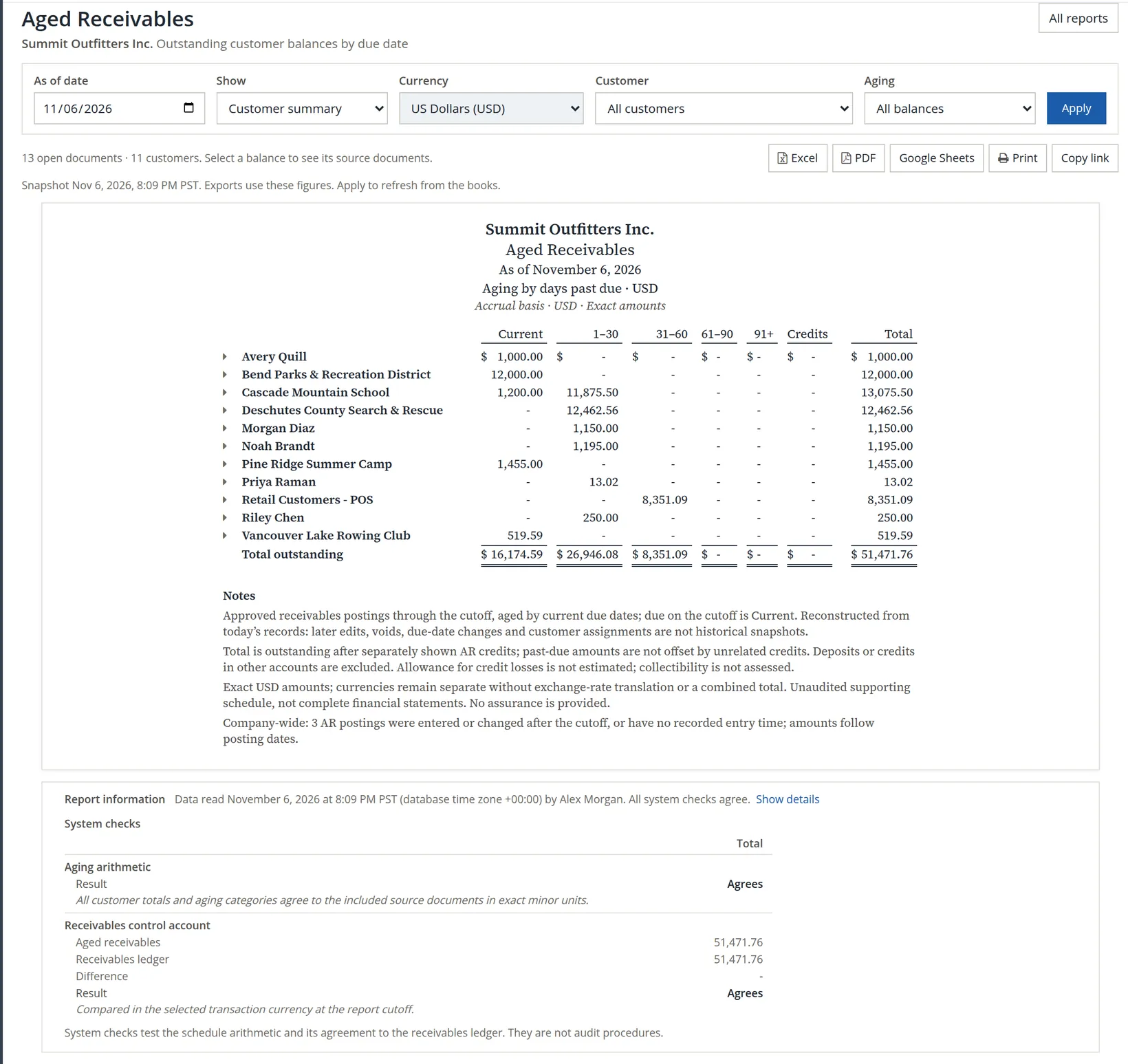
The further right, the less likely it is to be paid. Summit's $8,351.09 in 31–60 days (Retail Customers - POS) deserves a call today; the $26,946.08 in 1–30 days a firm reminder. The $16,174.59 that is current needs only a courtesy statement. The three columns add up to the total: 16,174.59 + 26,946.08 + 8,351.09 = $51,471.76.
The report's system checks compare the aged total with the Accounts Receivable balance in the ledger. If they ever disagree, a journal entry has been posted straight to Accounts Receivable (Chapter 5.2): find it and replace it with a credit or payment.
Account Statement
Reports → Account Statement. Every open invoice, customer by customer, with the amount, what has been applied (payments and credits) and what is open. Leave Customers blank for all, or choose one to send.
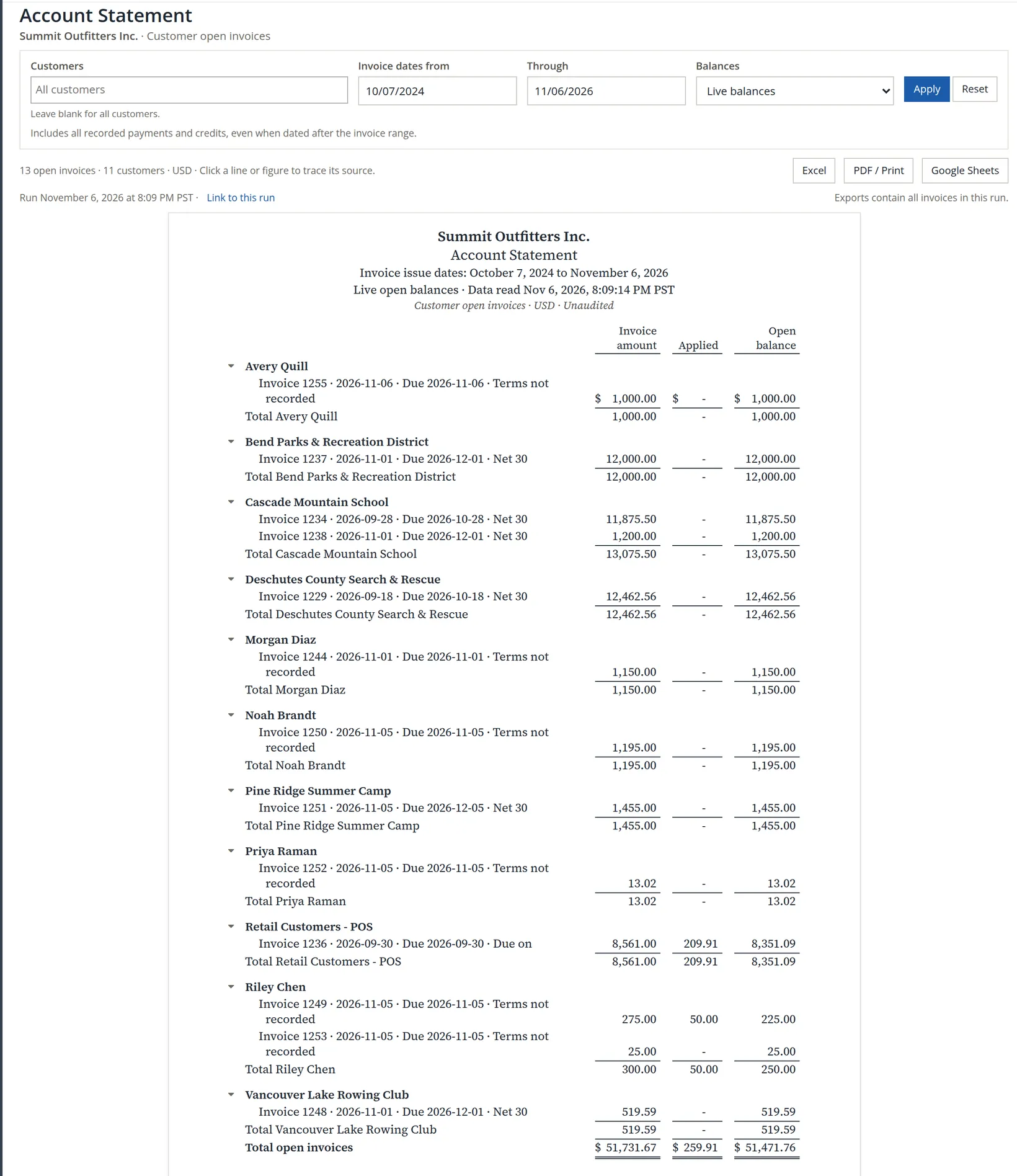
For a single customer's full statement with payments, the customer's own page (Chapter 2.6, Procedure B) is often quicker.
Transaction List by Customer
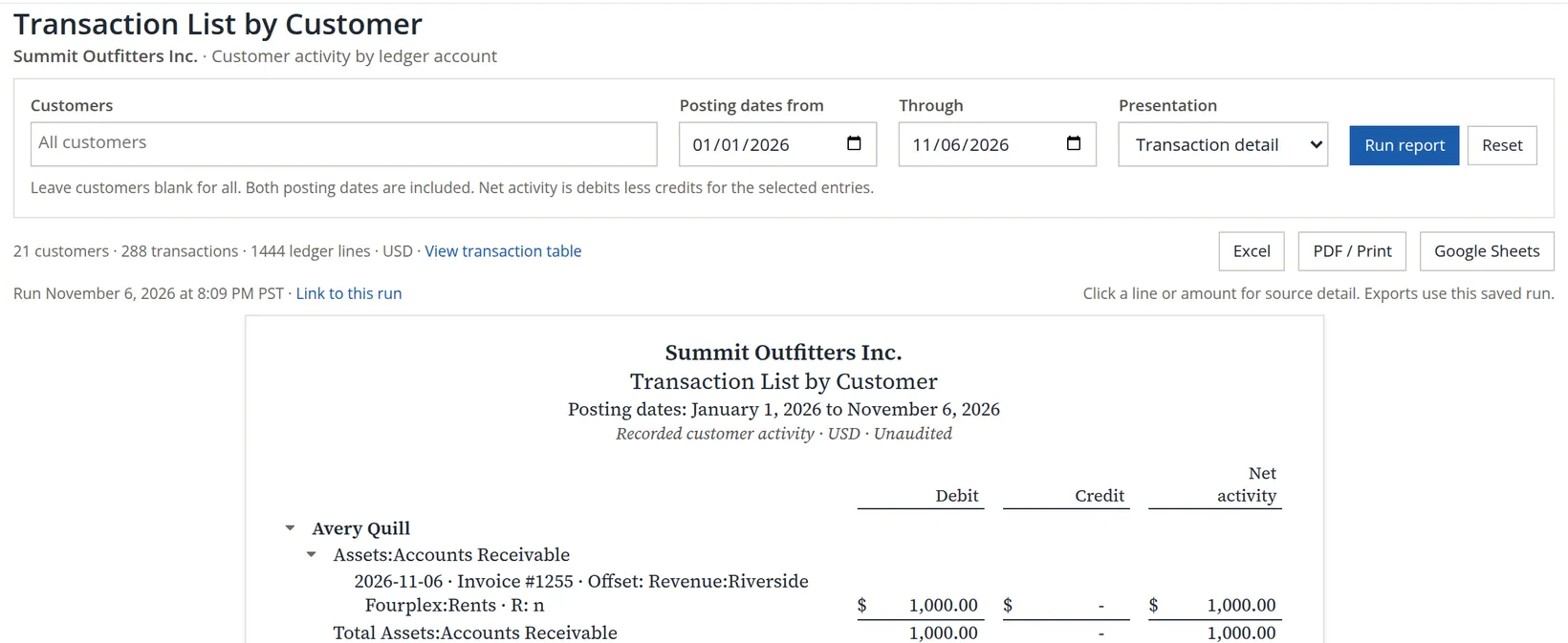
Reports → Transaction List by Customer lists every ledger line linked to a customer in a date range: invoices, payments, credits, and the accounts they touched. Choose Customer summary for one line per customer.
Check your understanding
1. Which column of the aging deserves the first phone call?
Answer
The oldest one with a balance, here 31–60 days.
2. The aged total and the Accounts Receivable balance differ. What is the usual cause?
Answer
A journal entry posted directly to Accounts Receivable.
Notes
- Since November 2026 the list and its Customers box hold customers only; earlier editions showed vendors too, and the list opened with an airline. Choose the customers you want in the Customers box to limit it. For vendors, use Aged Payables or Vendor Spend Analysis under Vendors and payables (Chapter 6.1). ↑