
Chapter 5.2
Journal Entries
How to record the entries that have no form of their own (accruals, corrections, depreciation, reclassifications) as balanced debits and credits, and how to reuse them with templates.
When you finish this chapter you will be able to:
- Say when a journal entry is the right tool, and when it is not.
- Enter a balanced entry with a clear description and line memos.
- Save an entry as a template and reuse it next month.
- Find, open, copy and correct entries, and look up entries that were deleted.
Contents
Debits, credits and when to use a journal entry
Every entry has at least two lines, and the debits equal the credits. Debits increase assets and expenses; credits increase liabilities, equity and income.
| Use a journal entry for… | Use a form instead for… |
|---|---|
| Accruals and reversals at month-end | Invoices, customer payments (Volume 2) |
| Depreciation and amortisation | Bills, expenses, checks (Volume 3) |
| Moving an amount to the right account (reclassifying) | Deposits and transfers (Volume 4) |
| Opening balances, adjustments from your accountant | Payroll (Volume 11) |
Enter a journal entry
Accounts → Journal Entry, or press Alt+J from anywhere.
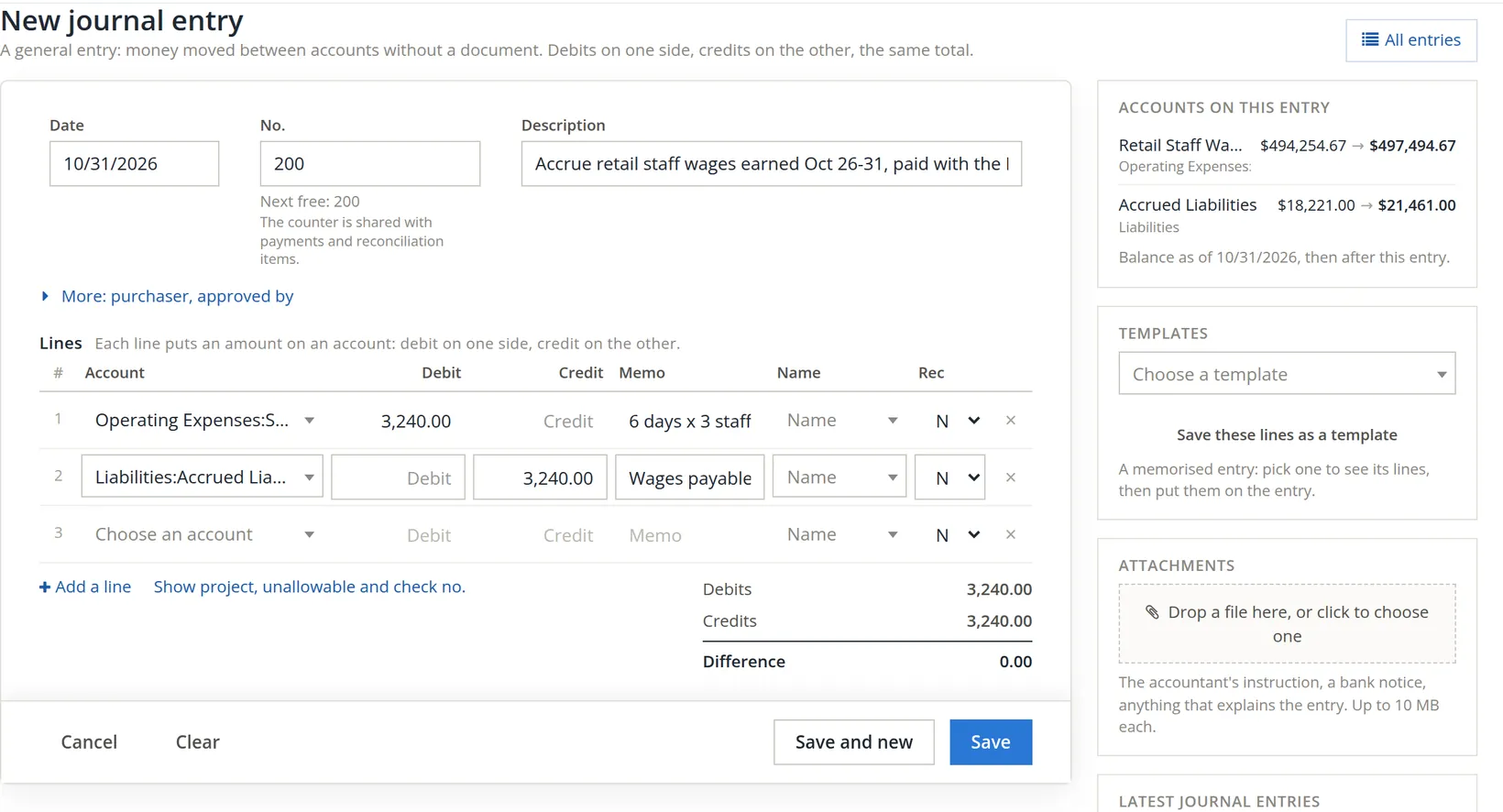
- 1
Date 1
The date the entry belongs to: for a month-end accrual, the last day of the month.
- 2
Check the number 2
The next free number is filled in. The counter is shared with payments and reconciliation items, so expect gaps.
- 3
Describe what the entry records, and why 3
Write it for someone reading it in a year: what, which period, and where the figure came from. More 4 adds who asked for it and who approved it.
- 4
Enter the lines 5
An account, then the amount under Debit 6 or Credit 7, and a short memo 8. Pressing Enter on an amount opens the next line with the balancing amount filled in. Show project, unallowable and check no. C adds three columns to every line: a project, an Unallowable tick for a cost that must stay out of the pools and indirect rates (it asks why, in 10 characters or more), and a check number. The accrual needs none of them.
- 5

When a second person must approve. The owner can require a second person's approval of journal entries under Settings → Approvals, for every entry or from an amount up. It is off by default, and off in Summit. When it is on, a saved entry carries the chip Waiting for approval and the note "This entry is waiting for a second person's approval. It counts in the books once someone other than the person who entered or last changed it approves it under Accounts > Approvals." An entry sent back shows Returned with the approver's note, and stays out of the books until it is corrected and saved again.
When the November 6 payroll is recorded, it includes those October wages again. Enter the opposite entry (debit Accrued Liabilities, credit Retail Staff Wages, $3,240.00) dated November 1, so the cost is counted once, in October. Copy it, swap the columns, change the date.
Templates for entries you repeat
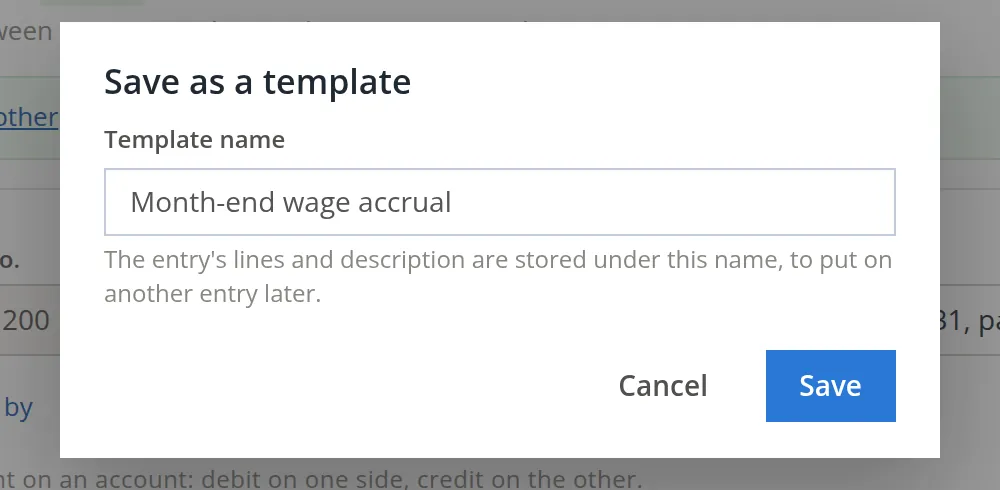
- 1
On a finished entry, click Save these lines as a template
Give it a name and save. The description and lines are kept.
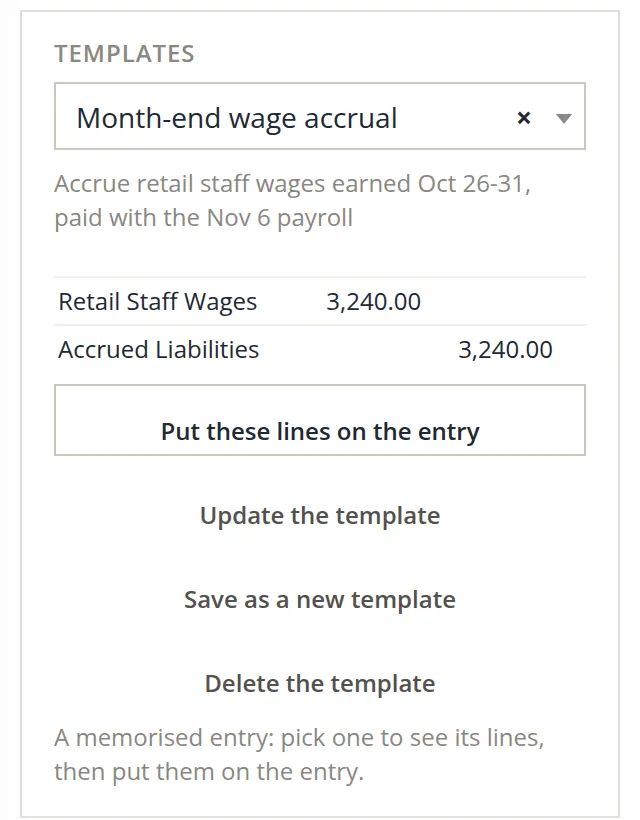
- 2
Next month, on a new entry, choose the template
Its lines show in the panel. Click Put these lines on the entry 1, then change the date and amounts.
The panel can also update, rename (save as new) or delete a template.
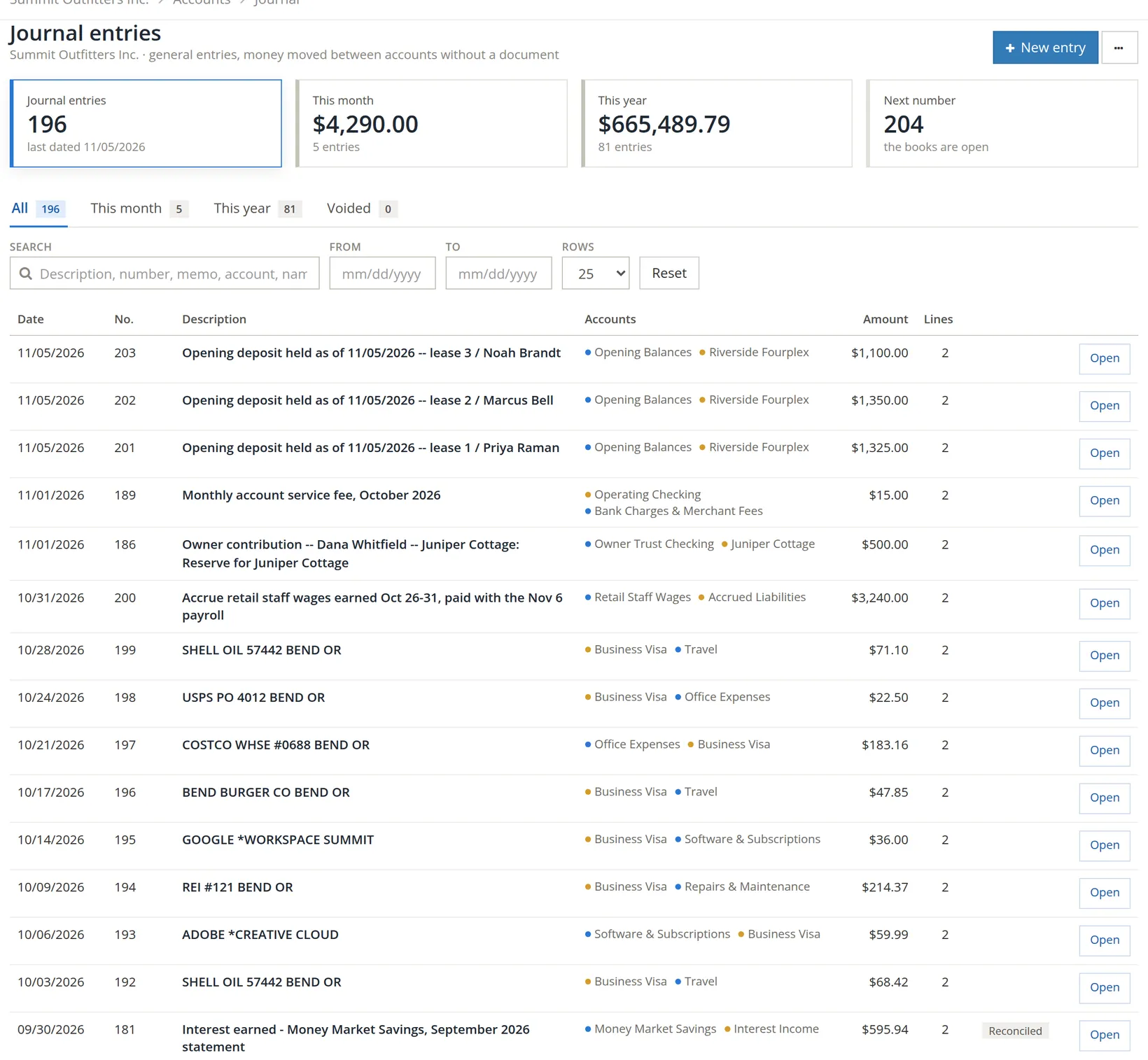
The Journal entries page
Accounts → Journal Entries lists every journal entry with its accounts and amount, and a Reconciled tag when a line has been reconciled. Search by description, number, memo, account or amount.
Deleted entries
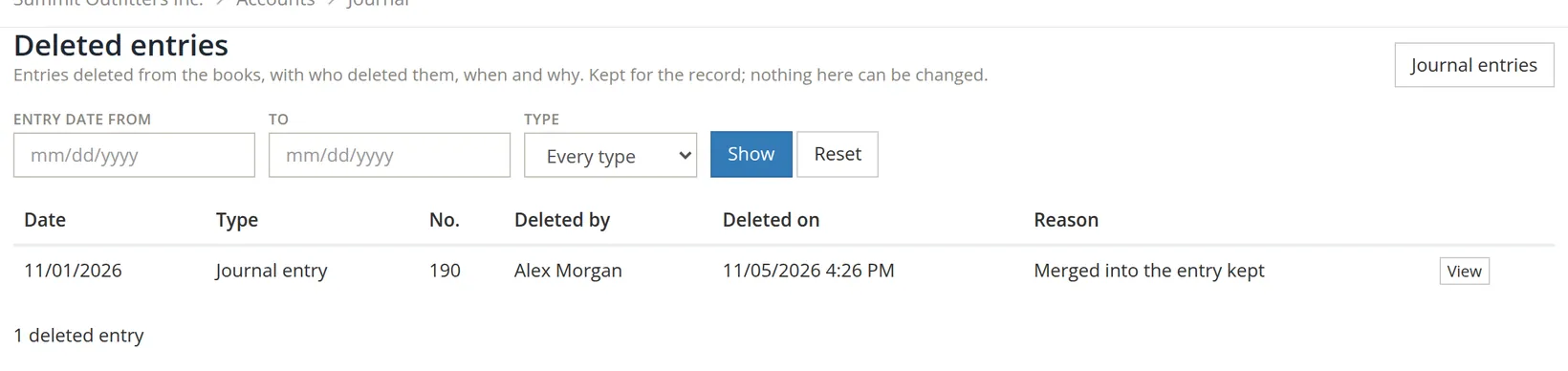
The list's ··· menu, beside New entry, exports the entries, opens the search, the chart, the Transaction journal report, recurring transactions and Merge duplicate entries, and, for people who may view the Transaction Journal, Deleted entries. That page lists every entry deleted from the books, of any type, with who deleted it, when and why. View 2 shows its lines as they were. Nothing there can be changed: it is the record an auditor asks for.
Check your understanding
1. Which side increases an expense account?
Answer
The debit side.
2. Why accrue October wages paid in November?
Answer
So the cost appears in the month the work was done, and October's profit is not overstated.
3. A customer was overcharged $50. Journal entry or customer credit?
Answer
A customer credit, so their invoices and the receivables total stay in agreement.
4. An entry number is missing from the list. Where do you look?
Answer
Under Deleted entries in the list's ··· menu. If it is not there either, the number went to a payment or reconciliation item: the counter is shared.
Notes
- Since November 2026 this is the same Reason and Your password dialog used everywhere the books are closed; it replaces the password box the form used to show. Summit's books are not closed, so it does not appear in this chapter's pictures. ↑