Typing in bank statements by hand.
Import your statements and let rules sort the routine stuff. BizBooks360 suggests the right account for the rest, so you only review what is new.

Accounting software for small business
BizBooks360 puts your bank activity, invoices, bills, payroll and reports in one place, and keeps every number tied to the entries behind it. Know where your business stands without a shoebox or a spreadsheet.
No credit card. Cancel any time. Plans from $19 a month.
Import your statements and let rules sort the routine stuff. BizBooks360 suggests the right account for the rest, so you only review what is new.
Send invoices, record payments, and see every open balance by customer and by age, so you know who to call first.
Reconcile each month and your reports tie out to the ledger all year, so tax time is a report, not a project.
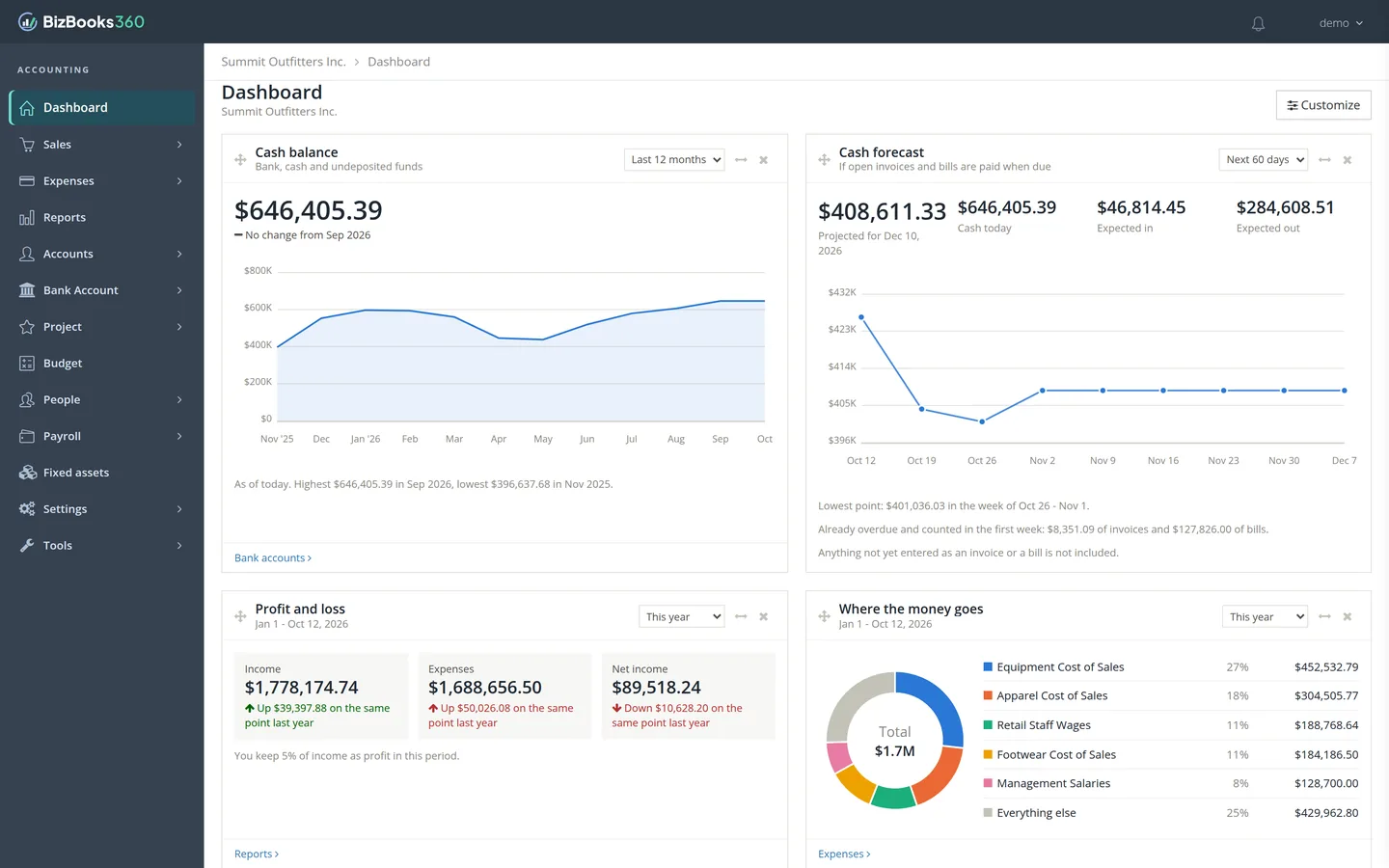
Every screen below is the real app, shown with a sample company’s books.
Bring in your bank and card statements, then let rules and suggested accounts do the sorting. Reconcile to the statement balance in a few clicks.
Rules, suggested accounts and reconciliation are on Business and Plus.

Create estimates and invoices, record payments and deposits, and watch receivables age in one view.

Enter bills and expenses, see what is overdue and what is due this week, then pay by check or in batches and keep vendor credits straight.
1099 tracking is on the Plus plan.

Employees sign in to see their pay stubs and timesheet and to use the time clock.
Payroll and the employee portal are on the Plus plan.

Profit and loss, balance sheet and cash flow, compared across periods. Each statement checks its own math against the ledger, and every figure clicks through to the entries behind it. It even flags accounts that look misfiled, like the income taxes in this sample, and marks the report Draft until they are fixed.

See assets, liabilities and equity side by side with last year-end, and keep fixed assets, depreciation, jobs and budgets on the same books.
Fixed assets, jobs and budgets are on Business and Plus.

$552 less per year
QuickBooks Online US list price as of Oct 2026.
For solo owners getting organized.
$19/mo $15.83/mo billed $190/yr
Start free trial30 days free. No credit card.
Recommended
For growing teams that want the books done right.
$39/mo $32.50/mo billed $390/yr
Start free trial30 days free. No credit card.
For businesses with payroll and more people in the books.
$69/mo $57.50/mo billed $690/yr
Start free trial30 days free. No credit card.
Every plan includes a 30-day free trial with every feature. No credit card, no commitment. Compare all features
Your name, email and a password. That’s it.
Click the link we send you.
Pick your industry and we set up a starter chart of accounts you can change any time.
Yes. Import your bank and card statements and start from your closing balances. BizBooks360 does not import a QuickBooks company file, so history before your switch date stays in your old program. Many owners switch at the start of a month or quarter so the cutover is clean.
Yes, on Business and Plus. Business includes 3 users, so your accountant can have one. Plus adds shared books with your accountant and lets you choose exactly what each person can see and do.
No. Everyday work is invoices, bills and bank activity. BizBooks360 handles the debits and credits, and the reports are there when you or your accountant want them.
Your books live in a private account protected by your password, and every change is recorded in the audit history. You can export your data any time.
Before your trial ends we will help you pick the plan that fits. There is no card on file during the trial, so nothing is charged unless you choose a plan.
Any time. Your data is yours, and you can export it before you go.
Start your free 30-day trial today. No credit card needed.
Already have an account? Log in