
Chapter 15.4
Sales Tax and Tax Groups
Two different kinds of tax setting under one tab bar: the sales tax rates charged on invoices, and the tax groups that let one set of books report for more than one filer.
When you finish this chapter you will be able to:
- Add a sales tax rate with the right state and its own liability account.
- Spot and remove a rate saved by mistake.
- Charge the rate on an invoice and read the Sales tax summary.
- Explain what a tax group is, and add one for a second filer kept in the same books.
Two meanings of "tax"
Open Settings → Accounting. Two of its tabs share the word tax and nothing else.
| Sales tax | Tax groups | |
|---|---|---|
| What it is | A percentage charged to customers on an invoice and owed to a state | A filer: a name and an EIN or SSN that 1099s and the Tax Report are issued under |
| Who pays | The customer pays it; the business collects and remits it | Nothing is charged; it decides whose return the figures belong to |
| Where it shows | Invoices, estimates, the Sales tax summary | Forms 1099 (Chapter 6.9) and the Tax Report (Chapter 6.8) |
| Account | A liability, such as Taxes Payable:Washington | None; accounts are assigned to a group |
The parts of a rate
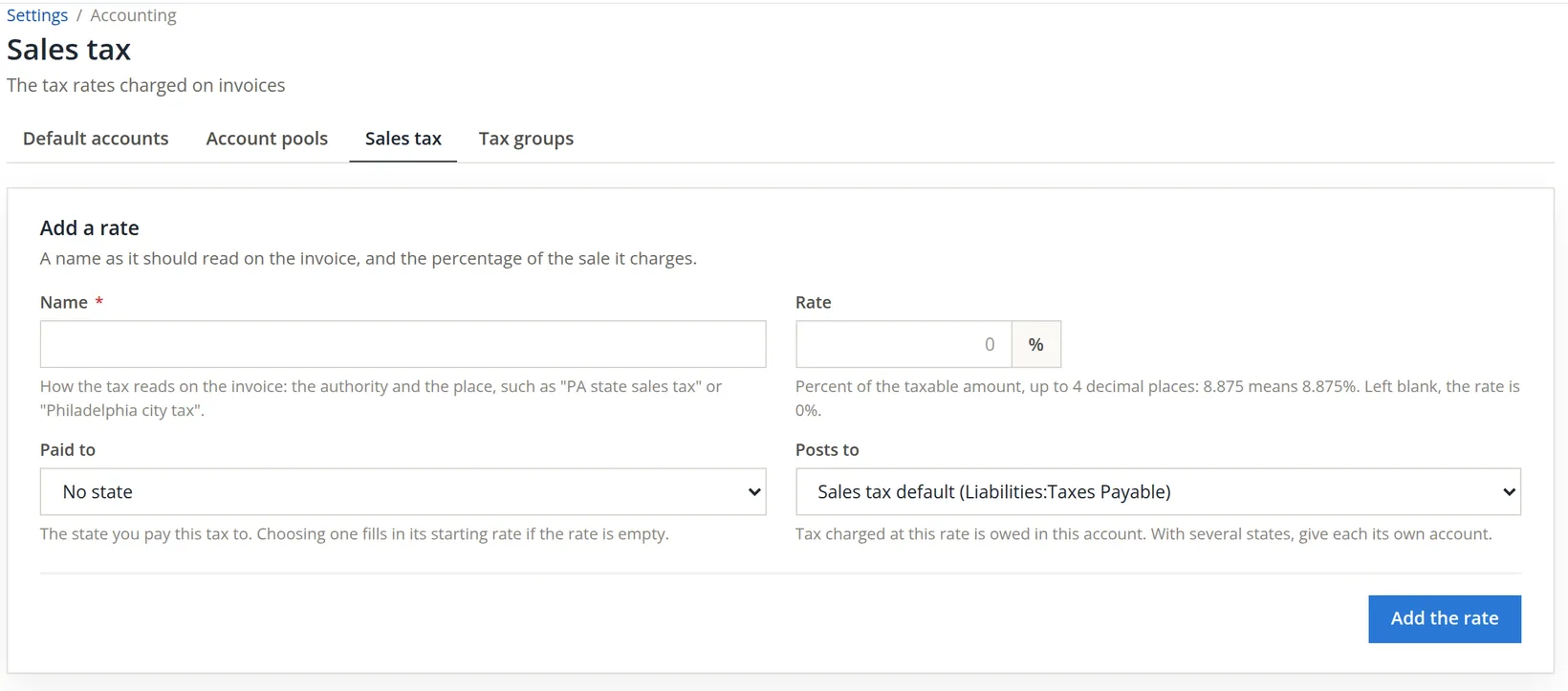
Settings → Sales tax. The top card adds a rate; the middle card lists the rates offered on invoices; the bottom card says whether new service items start taxable.
- Name: how the tax reads on the invoice. Name the authority and the place, so a customer and an auditor can tell what it is.
- Rate: a percentage with up to four decimal places; 8.875 means 8.875%.
- Paid to: the state the tax is owed to. Choosing a state with the rate box empty fills in that state's starting rate.
- Posts to: the liability account the tax collected accumulates in. Sales tax default uses the account set in Chapter 15.3. Once a state is chosen, a third choice appears: New account under the default, named after the state. With more than one state, give each its own account.

The starting rate is the state part only. Washington, like most sales tax states, adds a local rate that depends on where the goods are delivered. Summit's accountant looked up the combined rate for its Vancouver customers: 8.7%.3
Add the Washington rate
- 1
A first attempt, saved too soon
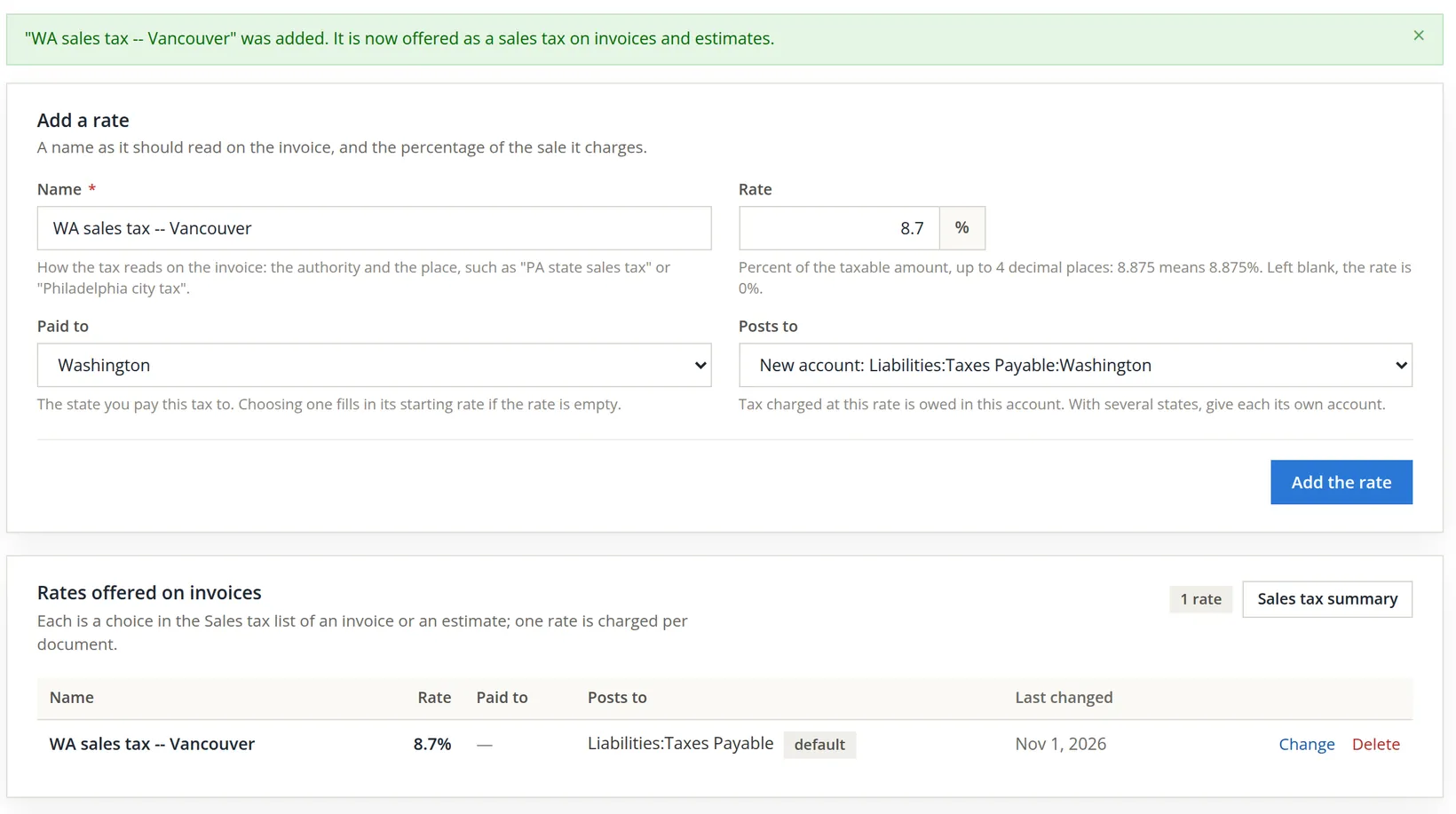
The bookkeeper typed the name WA sales tax -- Vancouver and the rate 8.7, and pressed Add the rate before choosing the state. The page accepted it: a rate with no state is allowed. The banner confirmed the rate, and the list showed it with no state and posting to the default account.
- 2
Enter it properly
The bookkeeper typed the name and rate again, chose Paid to Washington, and in Posts to chose New account: Liabilities:Taxes Payable:Washington. Before a state is chosen this choice reads (choose the state first) and cannot be picked, because the new account is named after the state.
- 3
Save, and read the list
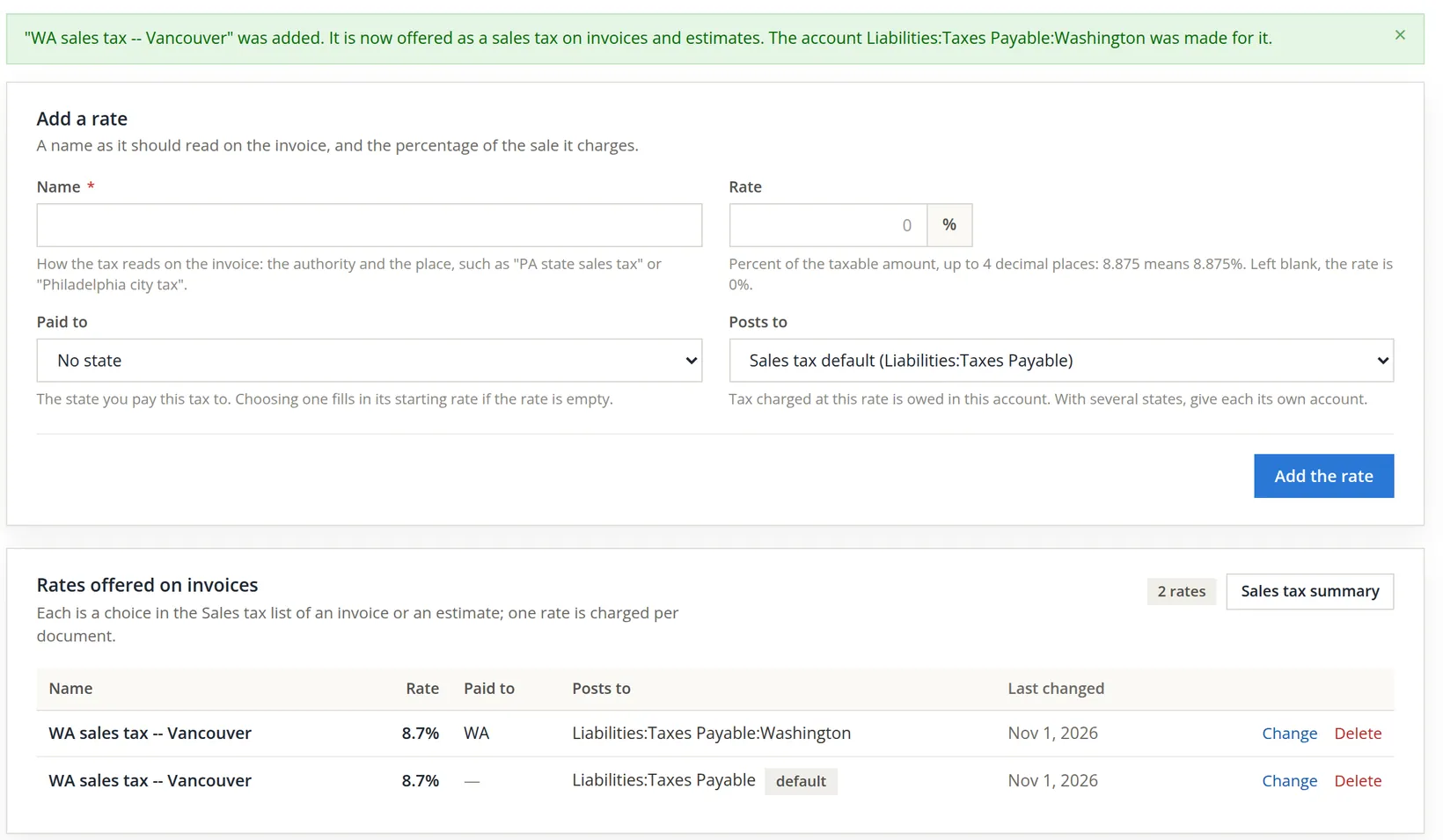
Press Add the rate. The banner now adds: The account Liabilities:Taxes Payable:Washington was made for it. The list shows the mistake plainly: two rates with the same name, one paid to WA and posting to the Washington account, the other with no state posting to the default. On an invoice they would look identical in the Sales tax list.
- 4
Delete the first attempt
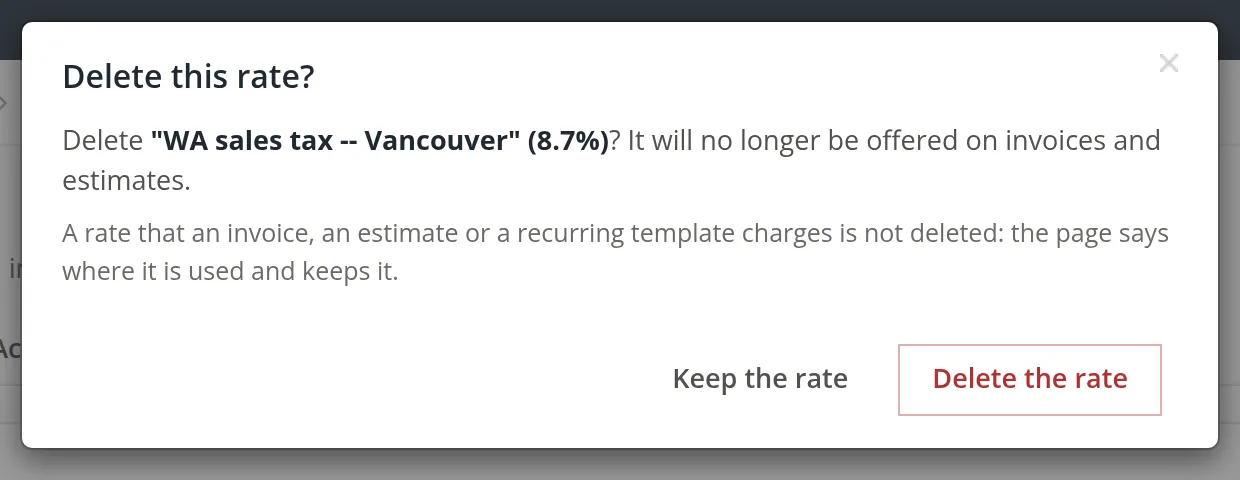
Press Delete on the row with no state. The dialog names the rate and its percentage. Because both rows share that name, make sure you pressed Delete on the right row before you confirm. A rate already charged on an invoice, an estimate or a recurring template is never deleted: the page says where it is used and keeps it. This one had never been used, so it went.

Invoices list rates by name, so two rates with the same name cannot be told apart at the moment it matters. Put the place in the name ("WA sales tax -- Vancouver", "WA sales tax -- Spokane"), and use Change rather than adding again when a rate needs correcting.
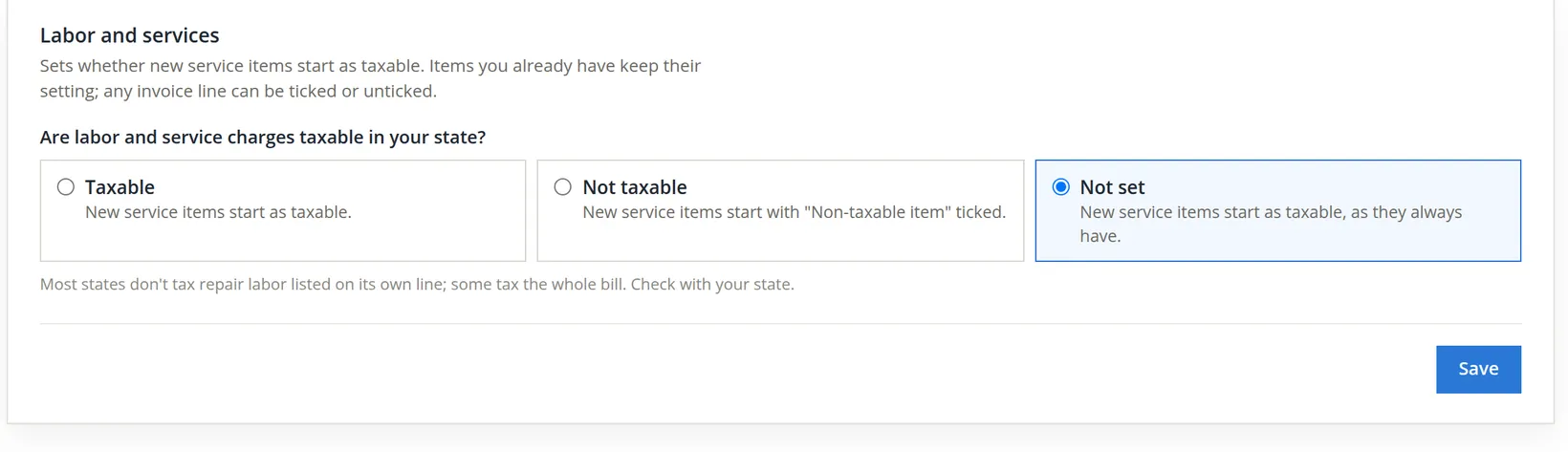
Summit left the Labor and services card at Not set. It sells goods into Washington, not services, and every invoice line can still be ticked or unticked by hand.
Charging the rate and reading the summary
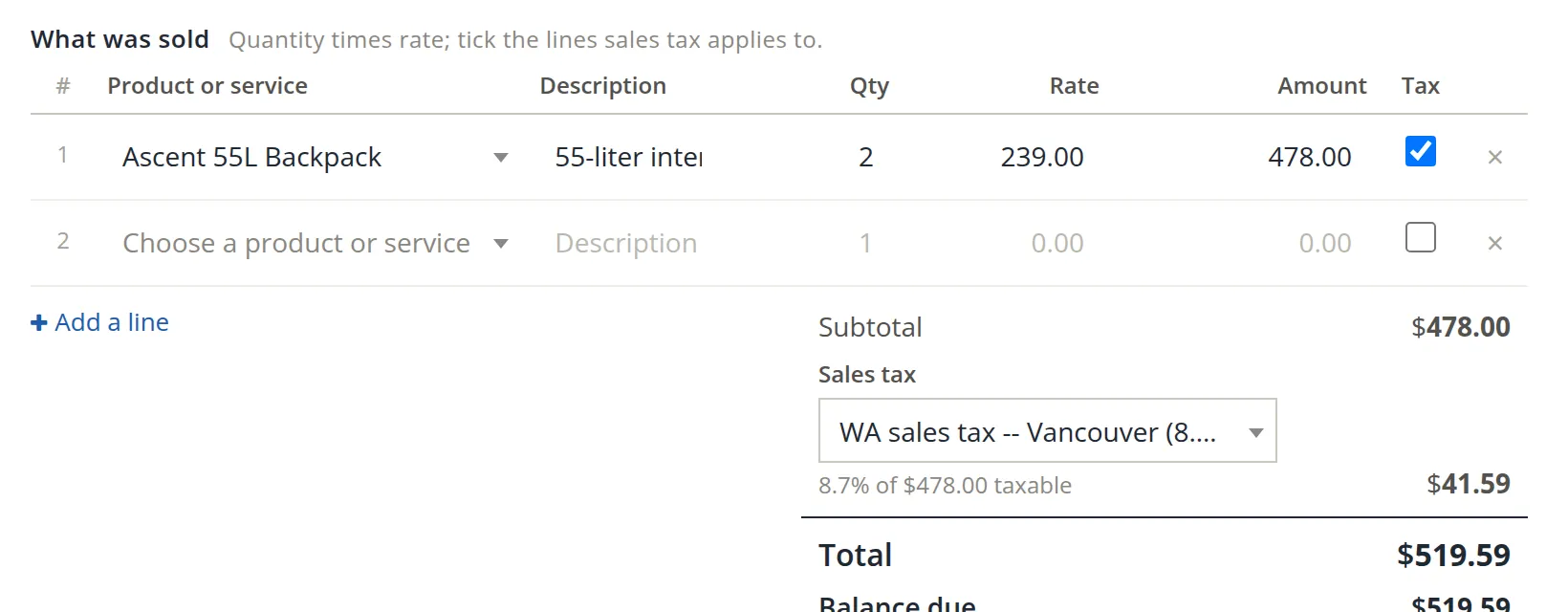
A new customer, Vancouver Lake Rowing Club in Vancouver, Washington, ordered two Ascent 55L backpacks at $239.00 for delivery. The bookkeeper wrote invoice 1248 as in Chapter 2.1, with two additions: the Tax box ticked on the backpack line, and the Washington rate chosen in Sales tax under the subtotal. Summit's products were set up as not taxable, because Oregon has no sales tax, so the Tax box has to be ticked on each taxable line.
| Line | Amount |
|---|---|
| 2 × Ascent 55L Backpack at 239.00 | 478.00 |
| Taxable at 8.7%: 478.00 × 0.087 = 41.586, rounded | 41.59 |
| Total | 519.59 |
The Sales tax summary (the button on the rates list) gathers what you need for the return: what was charged at each rate in a period, from the invoices, and what each sales tax account holds.
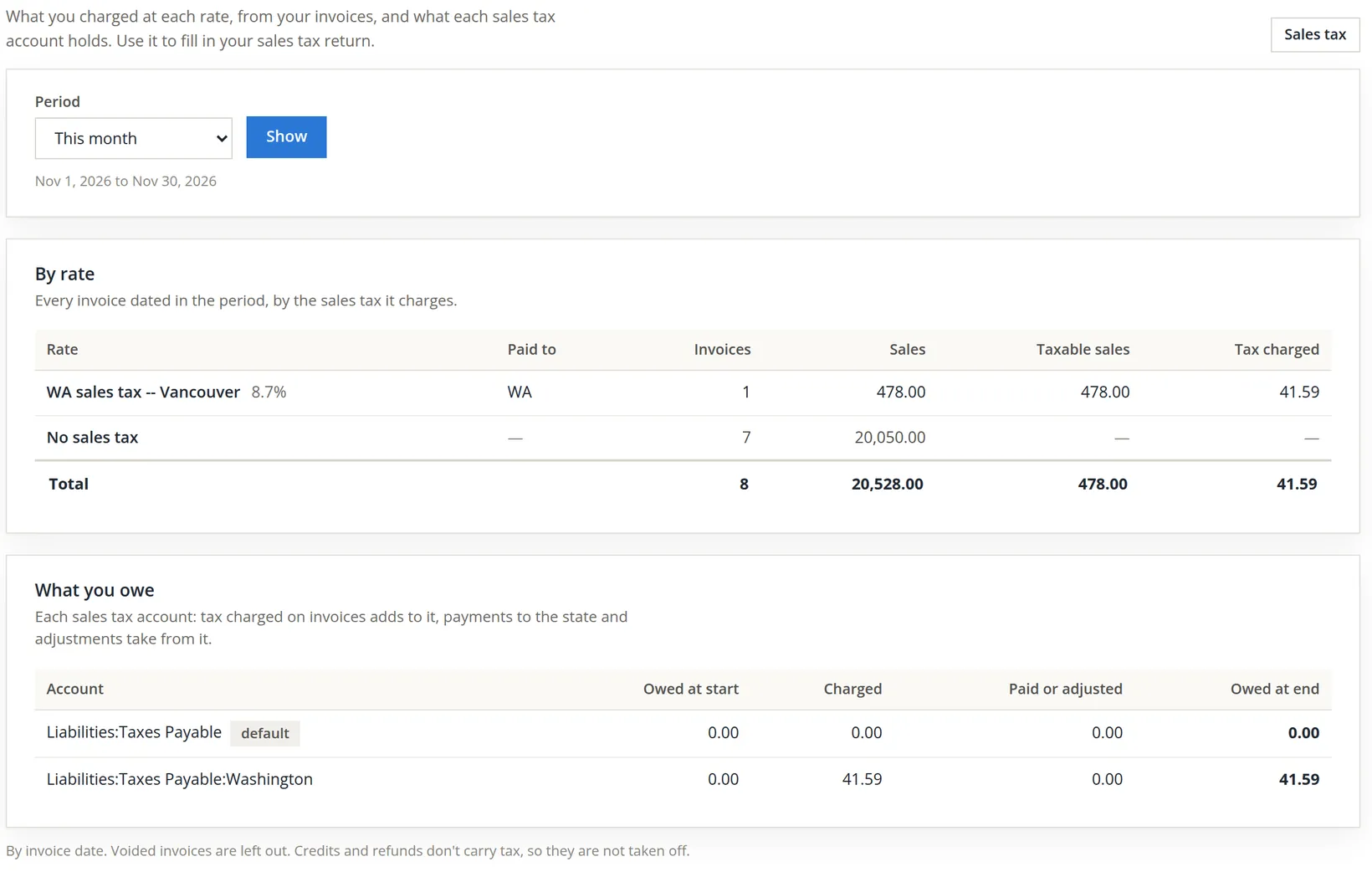
The summary's own note says credits and refunds don't carry tax, so they are not taken off. If you refund a taxable sale, work out the tax adjustment for the return yourself and record it against the state's account.
When the return is filed and paid, the payment is a check or transfer to the state charged to that state's account. If every state has its own account, the "Owed at end" column is the amount to pay, state by state, with no arithmetic.
Tax groups
Most books belong to one filer: the company's legal name and EIN from Chapter 15.1. Sometimes one set of books holds the accounts of a second filer. A sole proprietor may keep a separate Schedule C business in the same books; a company may manage a building owned by a related LLC. A tax group is that second filer. Accounts assigned to it report their 1099s and their Tax Report figures under the group's name and tax ID instead of the company's.
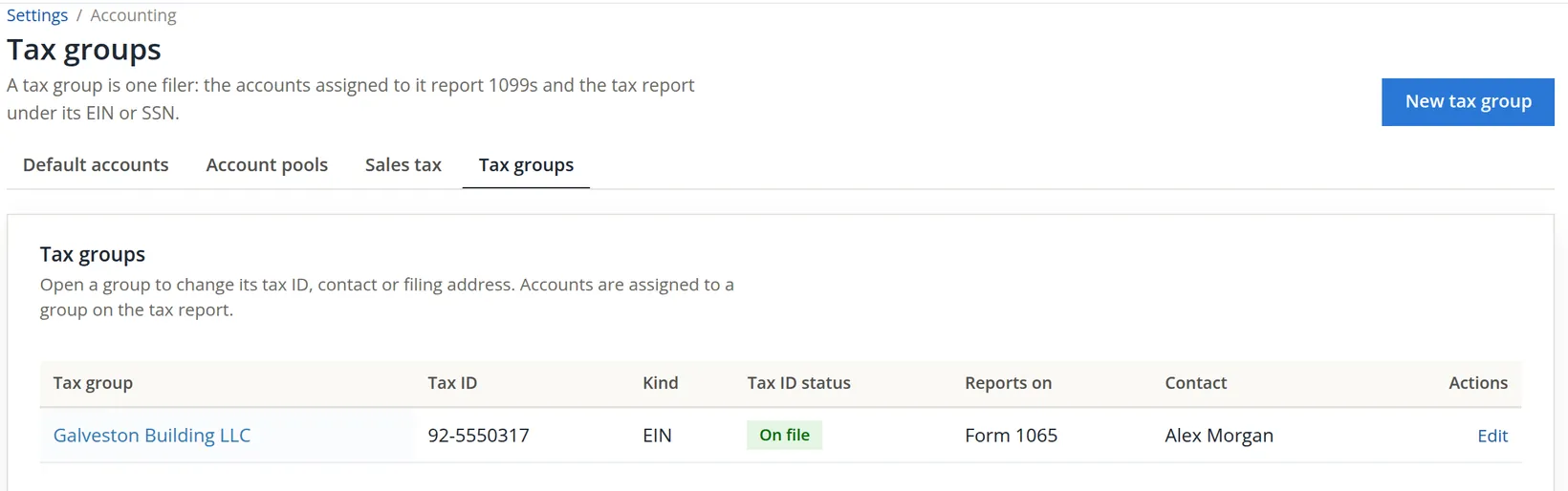
Summit's owners are moving the Galveston Building, whose units and leases are in these books (Volume 13), into Galveston Building LLC, a partnership that files Form 1065.
- 1
Open a new group
Settings → Tax groups → New tax group (or Add the first tax group on an empty list).
- 2
Who files
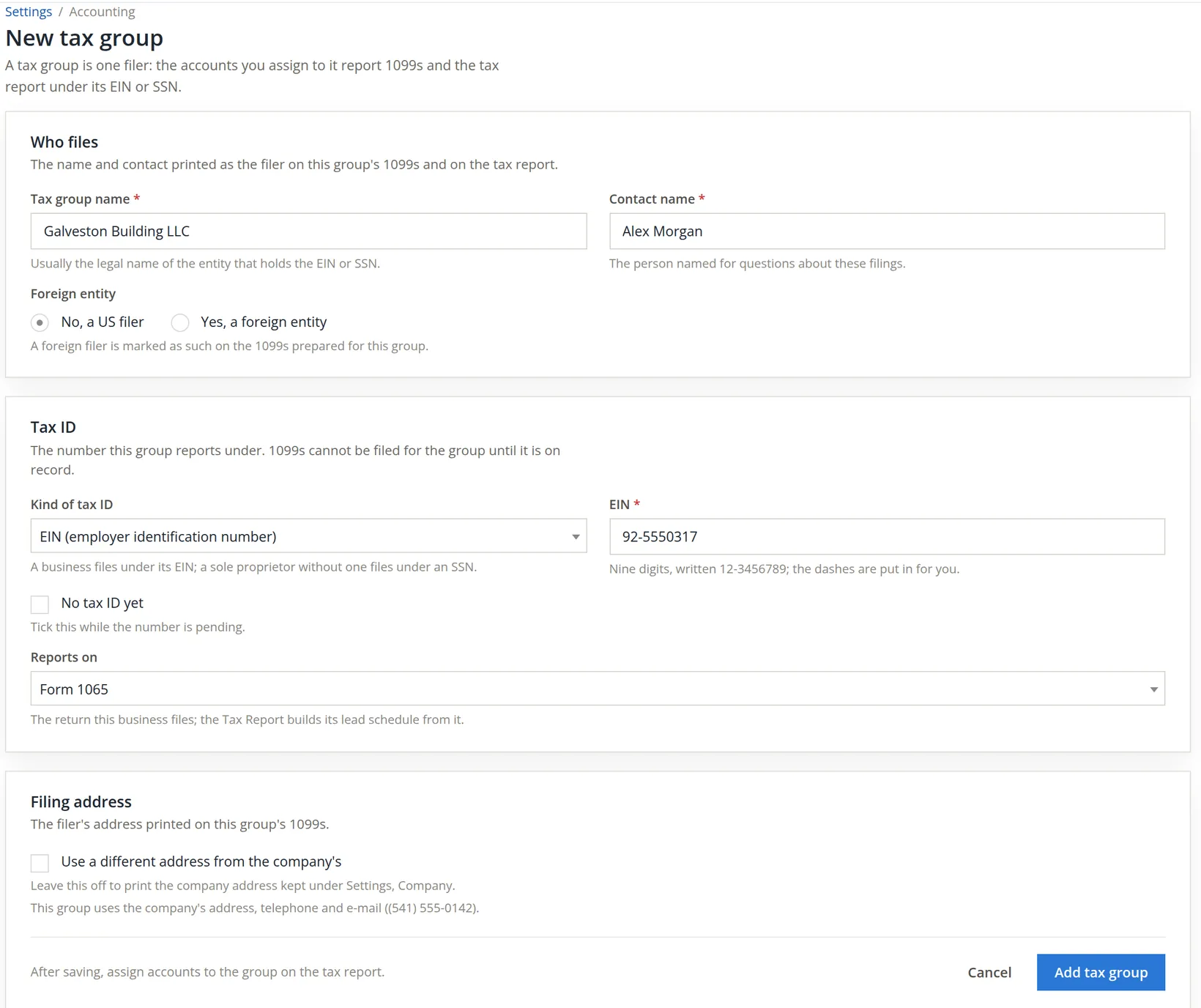
Tax group name: the legal name that holds the tax ID, Galveston Building LLC. Contact name: the person for questions about these filings. Leave No, a US filer.
- 3
Tax ID and return
Kind of tax ID EIN; type the nine digits and the dashes are put in for you. If the number has been applied for but not received, tick No tax ID yet; 1099s cannot be filed for the group until it is on record. In Reports on choose the return the filer files, here Form 1065; the Tax Report builds its lead schedule from it.
- 4
A digit short
On the first try the bookkeeper typed only eight digits. The form would not save: the box turned red with Enter all nine digits. Retyping the full number fixed it.

- 5
Save, then assign accounts on the Tax Report
Press Add tax group. The banner says the group was added and that accounts are assigned to it on the tax report. The group owns nothing until you do that (Chapter 6.8). Summit will assign the Galveston Building's rent and expense accounts from the date the LLC takes over, on its accountant's advice.
Tax settings in order
- [x] Sales tax payable has a default account (Chapter 15.3) before the first rate.
- [x] Every rate has a unique name that names the place, and the right state.
- [x] Each state has its own liability account.
- [x] No rate saved by mistake is left in the list.
- [x] Taxable lines are ticked on invoices to taxing states.
- [x] The Sales tax summary's "Owed at end" agrees with the return before it is filed.
- [x] Each second filer has a tax group with its tax ID on file, and its accounts are assigned on the Tax Report.
Check your understanding
1. Why could the bookkeeper not choose "New account" before choosing Washington?
Answer
The new account is named after the state (Taxes Payable:Washington), so the state must be known first.
2. An invoice line for a backpack shows no tax although a rate is chosen. What is the likely cause?
Answer
The line's Tax box is not ticked; the product is set up as not taxable.
3. Work it out: three backpacks at $239.00 to Vancouver at 8.7%. What is the tax?
Answer
717.00 × 0.087 = 62.379, so $62.38.
4. Can you delete a rate that is on last month's invoices?
Answer
No. A rate an invoice, estimate or recurring template charges is kept, and the page says where it is used.
5. You add a tax group but assign no accounts to it. Which figures report under it?
Answer
None. Accounts are assigned to a group on the Tax Report; until then everything reports under the company.
Notes
- Whether a seller must collect another state's sales tax depends on that state's rules, for example its thresholds for remote sellers, and on registration with the state. This manual is not tax advice; ask your accountant and the state's department of revenue. ↑
- In the practice books the Washington rate, its account Liabilities:Taxes Payable:Washington, the customer Vancouver Lake Rowing Club, invoice 1248 and the tax group Galveston Building LLC (with a made-up EIN) were kept. No accounts were assigned to the group. ↑
- The 8.7% figure is used for the example. Washington's combined rates change, and differ by delivery address; look the rate up with the Washington Department of Revenue before you set one. ↑