
Chapter 15.2
Menus and Words
Make the books speak your trade's language and show only the menus your people use, without removing a single entry.
When you finish this chapter you will be able to:
- Explain the difference between hiding a menu and deleting its records.
- Tell an automatic menu (shown because the books hold entries) from one you chose by hand.
- Rename customers and vendors to the words your business uses, and say where the new words appear and where they do not.
- Undo a change cleanly.
What this page controls
Settings → Company → Menus and words has two cards.
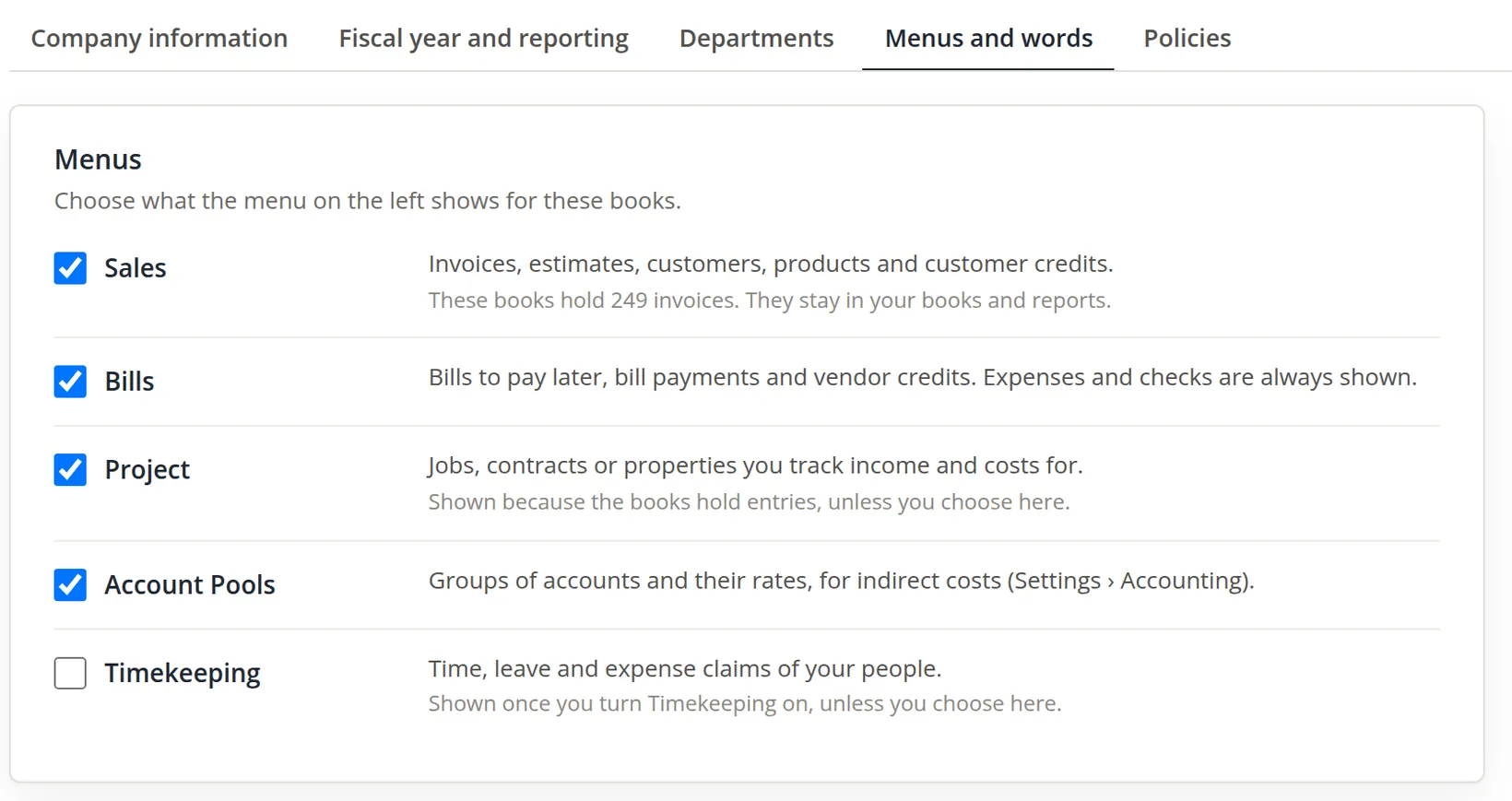
Menus lists the optional parts of the left menu: Sales, Bills, Project, Account Pools and Timekeeping. Expenses and checks are always shown, because every business pays for things. Each line has a tick box, a description, and sometimes a grey note that says why it is shown now. Project governs the Projects group of the left menu.
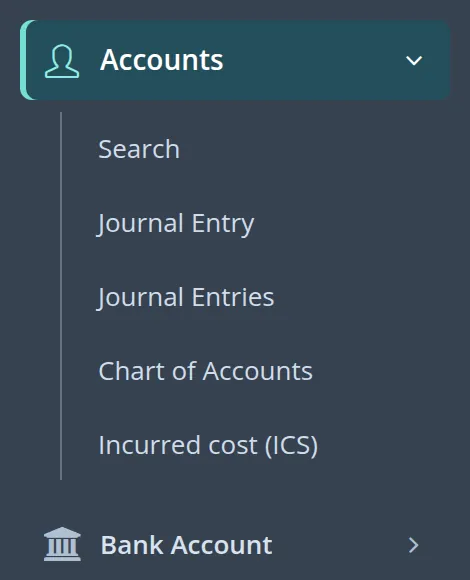
One line does more than show or hide a menu entry. When Account Pools is ticked by hand (or the books were set up as government contract books), the Accounts menu also gains the government contract cost pages, such as Incurred cost (ICS). A tick the books gave on their own, because they hold entries, never adds them. The second procedure shows this.2
Words chooses what the books call the two kinds of contact. People who pay you can be Customers, Clients, Tenants or Payers; people you pay can be Vendors, Suppliers or Payees.
These are settings of the books, not of your sign-in. Every person who opens Summit's books sees the same menus and the same words. Agree the change with the people who share the books first.
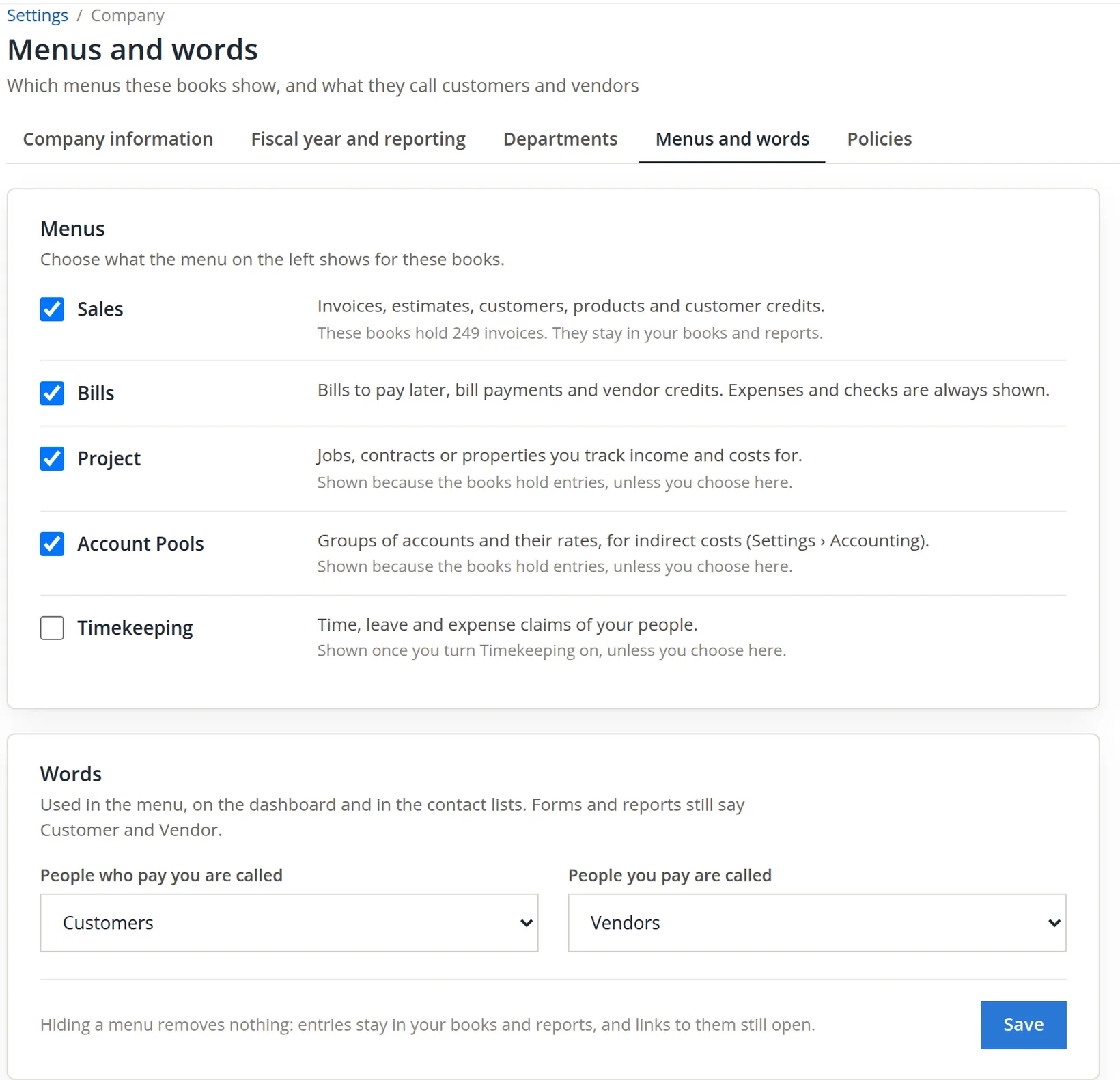
Where the words appear
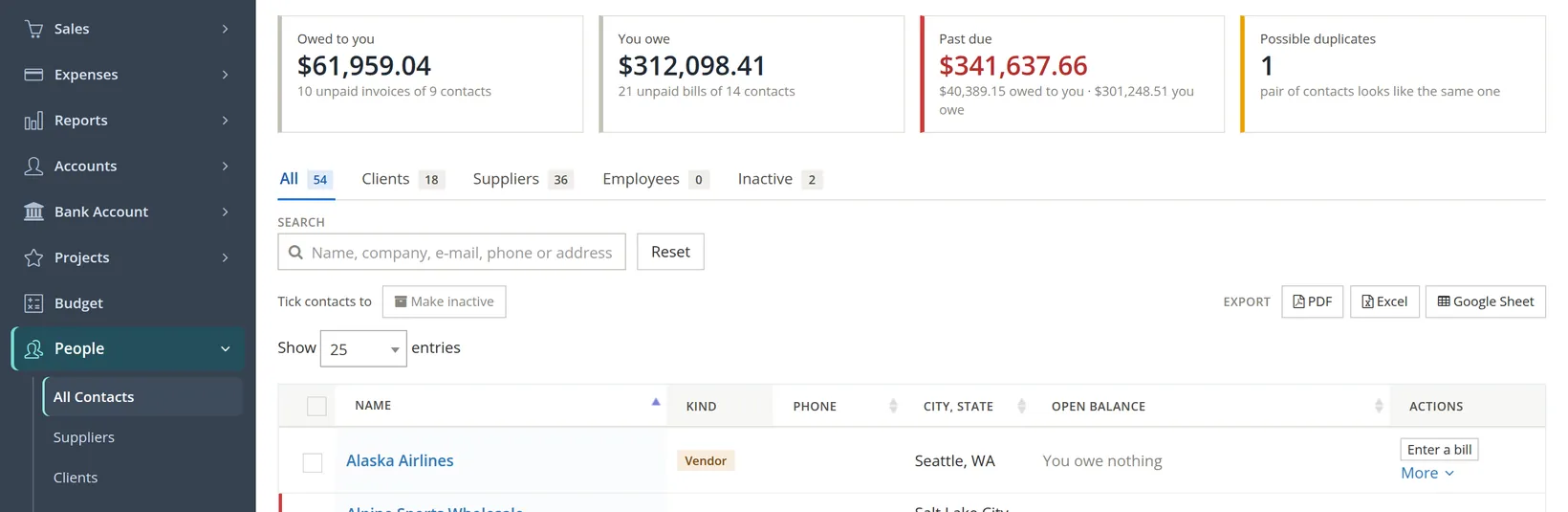
Before changing anything, look at a page that uses the words. The Contacts page under People is the clearest: the menu on the left, the tabs over the list, and the Kind tag on each row.
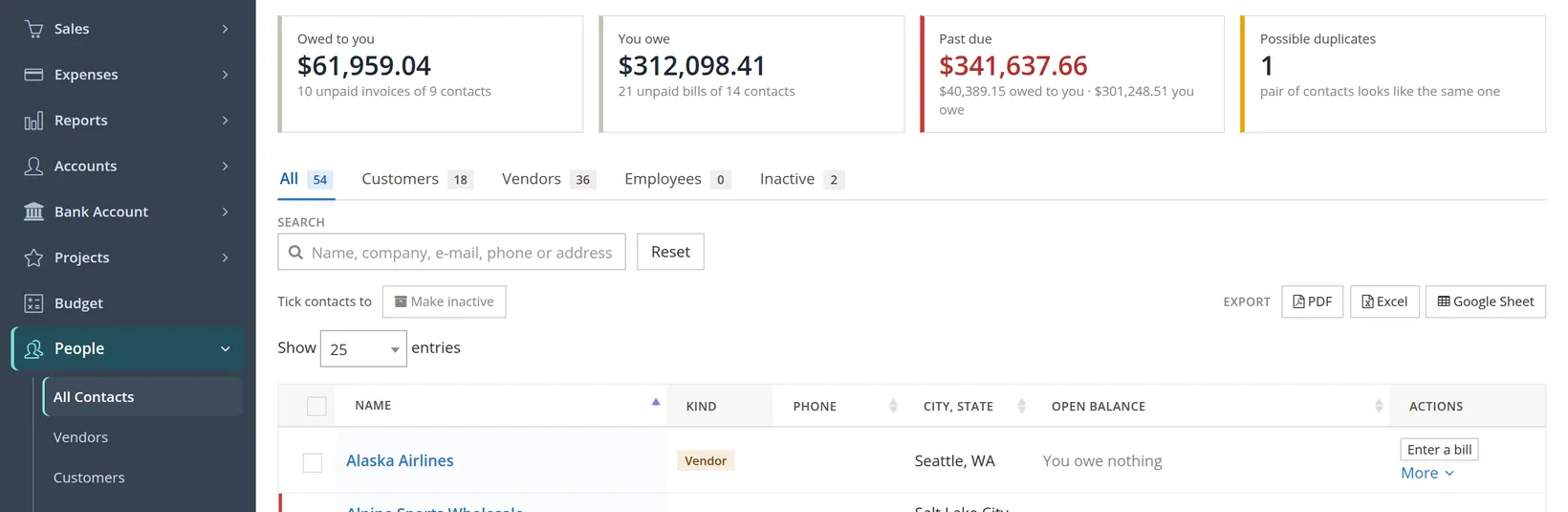
Change the words and hide a menu
- 1
Open the page
Settings → Menus and words, or the fourth of the five tabs on any page of the Company group.
- 2
Untick the menu staff do not use
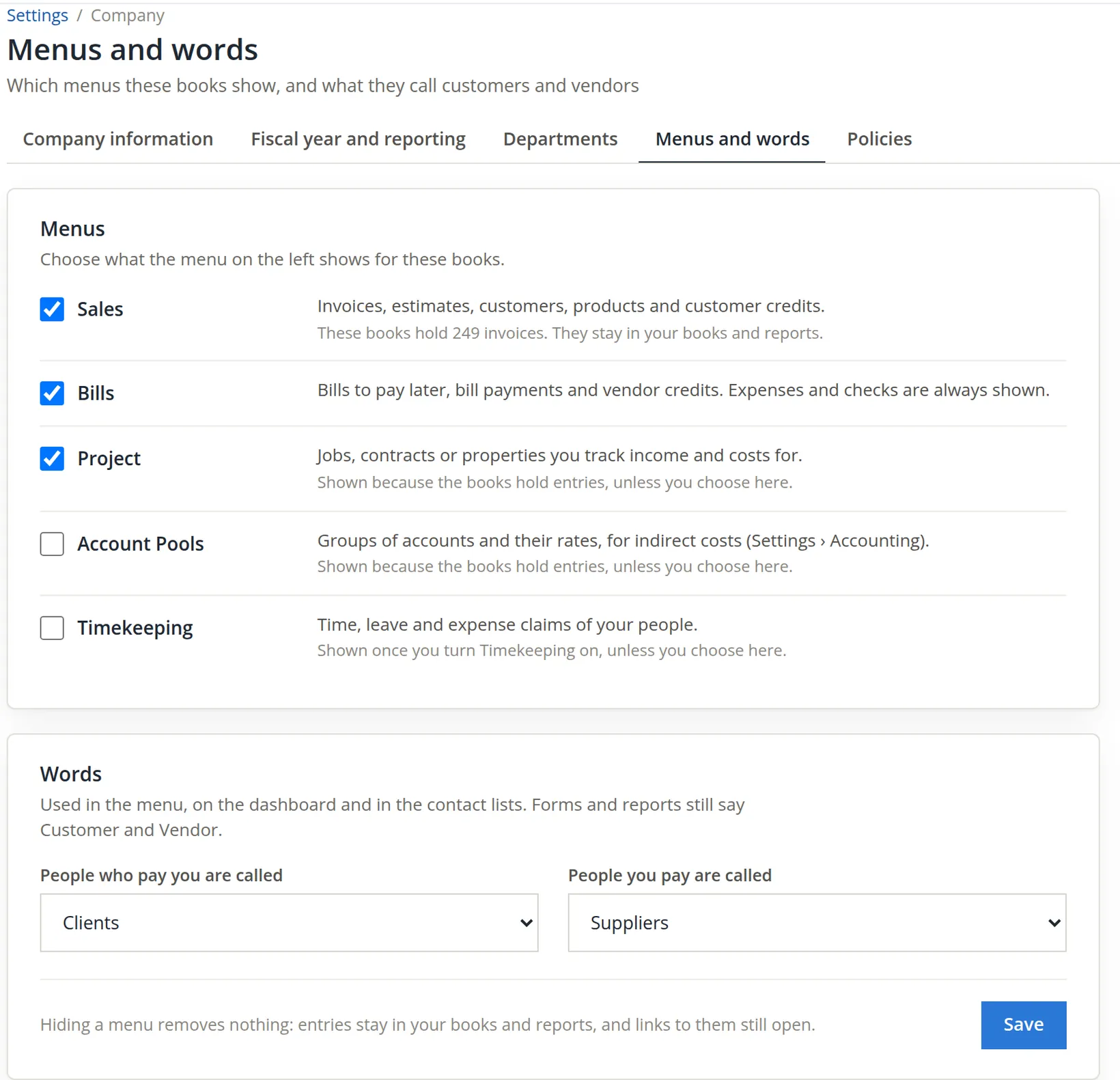
Untick Account Pools. Nothing changes yet: the page sends only what differs from what it showed, and only when you press Save.
- 3
Choose the words
Set People who pay you are called to Clients and People you pay are called to Suppliers.
- 4
Save and read the page again
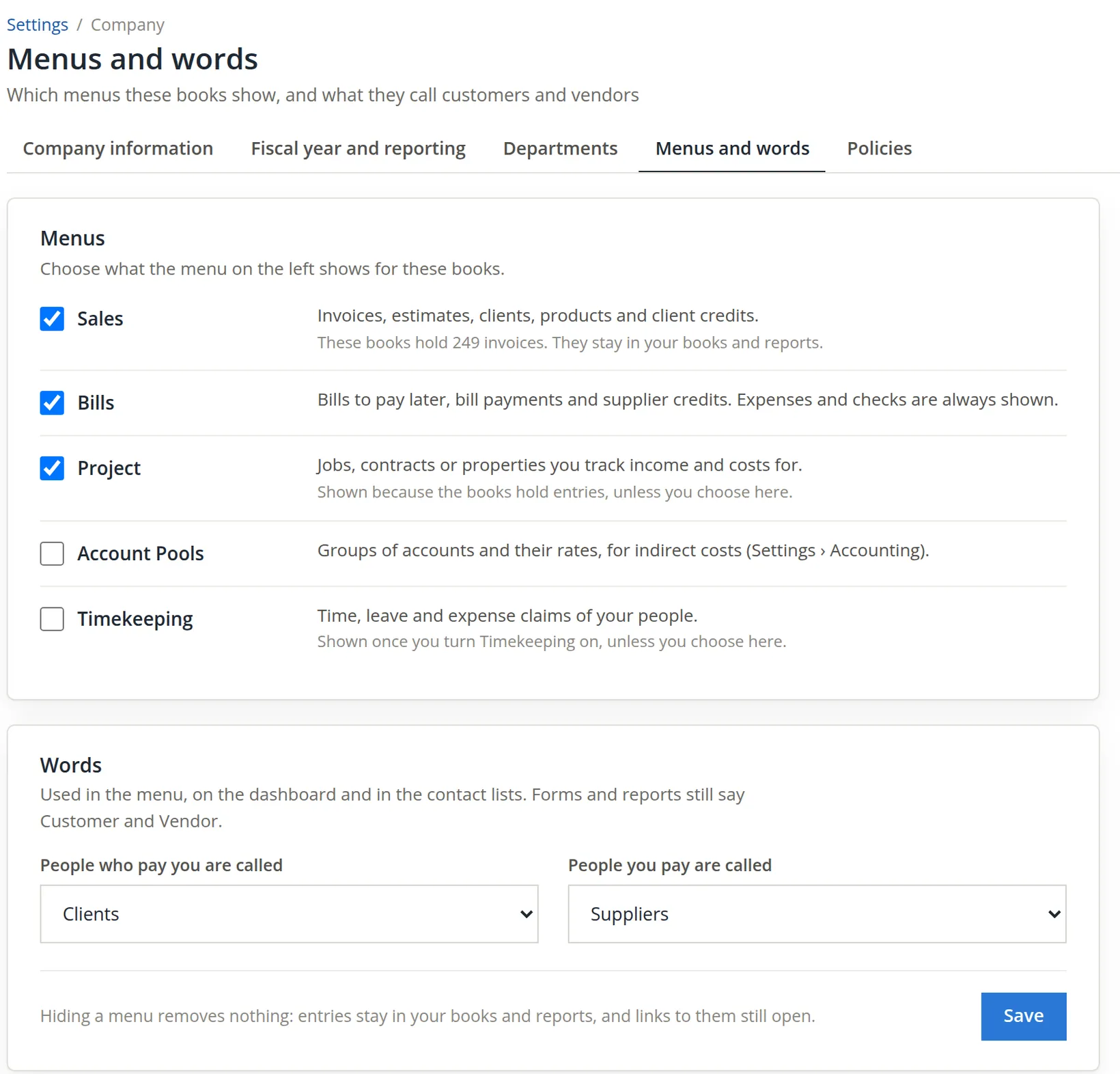
Press Save. The banner says Saved. Your menu has changed. (Had nothing differed, it would say Nothing changed.) The descriptions on the page already use the new words.
- 5
Check the effect on a working page
Open People → All Contacts. The menu and the tabs use the new words. The Kind tag on each row still says Vendor or Customer, as the page promised: forms and reports keep the standard words, so a printed report reads the same in every company.
- 6
Prove that nothing was removed
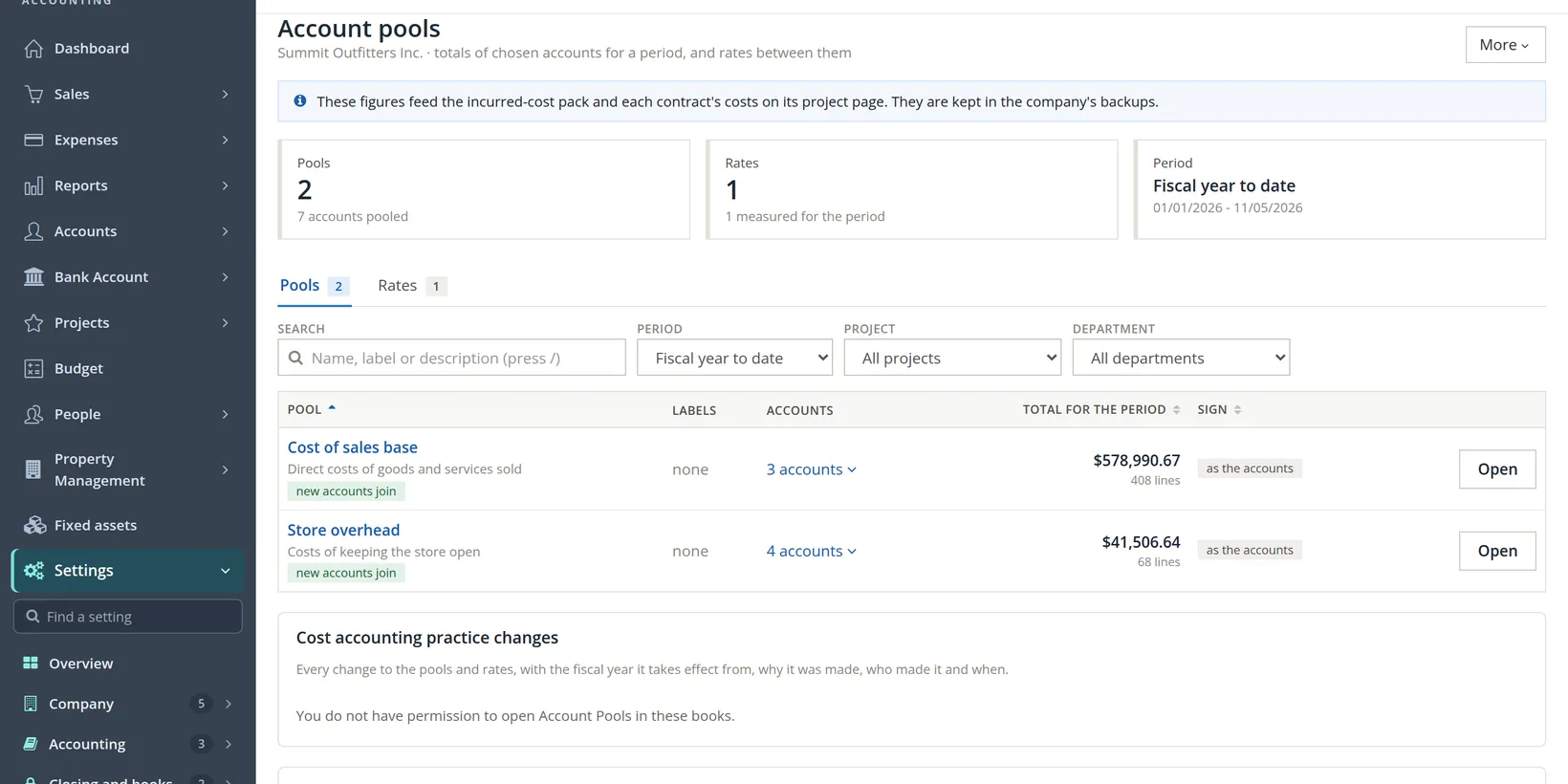
Hidden is not deleted. Type the address of the account pools page, or follow a saved link to it. It opens as before, with all of Summit's pools and their figures (two when the picture was taken; a third, Direct labor, has been added since). Only the menu entry has gone; in the Settings menu the Accounting group now lists three pages instead of four.
Put it back
The owner reviewed the change and decided the standard words suit the bookkeeper and the accountant better. Undoing is the same procedure in reverse.
- 1
Tick the menu again and choose the standard words
Tick Account Pools, set the words to Customers and Vendors, and press Save.
- 2
Notice what is different from the start
Account Pools is shown again, but compare it with Project. Project still carries the note Shown because the books hold entries; Account Pools does not, because it is now shown by your choice. The difference matters if the books ever stop holding pool entries: an automatic menu would then disappear on its own, a chosen one stays.
- 3
Look at the Accounts menu
Open Accounts in the left menu. Because Account Pools is now ticked by hand, the group ends with a new entry, Incurred cost (ICS): the incurred-cost pages of government contract books. (Books that do not use Timekeeping also gain Labor distribution; Summit uses Timekeeping, so labor is costed there instead.) While Account Pools was shown only because the books hold entries, the entry was not there.
A retailer with no government contracts does not need the incurred-cost pages. If you want the pools page in the menu but not those pages, leave Account Pools on its automatic setting instead of ticking it by hand. The page has no button that returns a line to automatic once you have chosen; ask your support contact if you need that.
A landlord who keeps a rental business in BizBooks360 (Volume 13) will find Tenants reads naturally in the menu; a consulting firm will prefer Clients. Pick the word your staff already say aloud. The accountant's reports will still say Customer and Vendor. The choice is part of the books: a backup restored (Chapter 14.3) or a copy made (Chapter 15.6) keeps the same menus and words, so rental books still say Tenants.
Before you save
- [x] The people who share the books know the menu or the words will change.
- [x] You are hiding a menu, not trying to remove records (hiding removes nothing).
- [x] You know which menus are automatic and are happy to make your choice permanent.
- [x] If you tick Account Pools by hand, you expect the government contract pages in the Accounts menu.
- [x] After saving, a working page such as Contacts shows the new words.
Check your understanding
1. You untick Sales. What happens to the books' invoices?
Answer
Nothing. They stay in the books and in every report; only the menu entry is hidden, and links to them still open.
2. After you choose Suppliers, what does the Kind column of the contact list say for Alpine Sports Wholesale?
Answer
Still Vendor. Forms and reports keep the standard words.
3. What does the grey note Shown because the books hold entries, unless you choose here tell you?
Answer
That the menu is automatic: the books show it because entries of that kind exist. Once you tick or untick it yourself, the note goes and your choice holds.
4. A colleague in another office sees "Clients" in the menu. Did your change reach them?
Answer
Yes. Menus and words belong to the books, so everyone who opens them sees the same.
5. You tick Account Pools by hand. Which new entry appears in the Accounts menu of Summit's books?
Answer
Incurred cost (ICS). A hand tick turns the government contract pages on; the automatic tick never does.
Notes
- The pictures were taken in the practice books (again in November 2026 for this revision). After them, the menu and the words were set back to the standard state, Account Pools and Project shown automatically and the words Customers and Vendors, so the Incurred cost (ICS) entry is not in Summit's menu. ↑
- Since November 2026. Before then the Account Pools tick showed or hid only the pools page. ↑