
Chapter 15.8
API Keys
How to let another program read your books without giving it anyone's password: one read-only key per program, created by the owner, copied once, revoked the day it is no longer needed.
When you finish this chapter you will be able to:
- Explain what an API key is, what it can read, and why it is safer than sharing a sign-in.
- Create a key, name it for the software it serves, and copy it the one time it is shown.
- Handle a refused name and a lost key.
- Tell the other program the address and header to use, and check that the key works.
- Revoke a key and say what happens to the software that used it.
What a key is
An API (application programming interface) is the door through which one program talks to another. An API key is a long secret string that the other program presents at that door to show it may read these books. Think of it as a key to one room, cut for one tenant.
A BizBooks360 key is read-only. In the page's words, it reads the whole ledger of these books and nothing else. It cannot add, change or delete anything, and it never reaches users, keys, billing or security settings. A program holding a key can fetch the company's details, the chart of accounts and three reports (trial balance, profit and loss, balance sheet); it can never post an entry.2
Why not give the program a user name and password instead? Three reasons:
- Separation. A key belongs to a program, not a person. When the bookkeeper leaves, the program keeps working; when the program is retired, nobody's password changes.
- One key per program. Each program gets its own key, so you can revoke one without touching the others. The page's own advice is exactly that.
- Two-step verification stays on. A sign-in protected by two-step verification (Chapter 15.9) is meant for a person at a screen; a program cannot type the code, and switching the protection off for its sake would weaken the books.
Anyone who holds the key can read every account and every figure in your books. That is why only the owner can create one. Never e-mail it, paste it in a chat, or keep it in a shared spreadsheet. Paste it straight into the program that needs it, and nowhere else.
The page
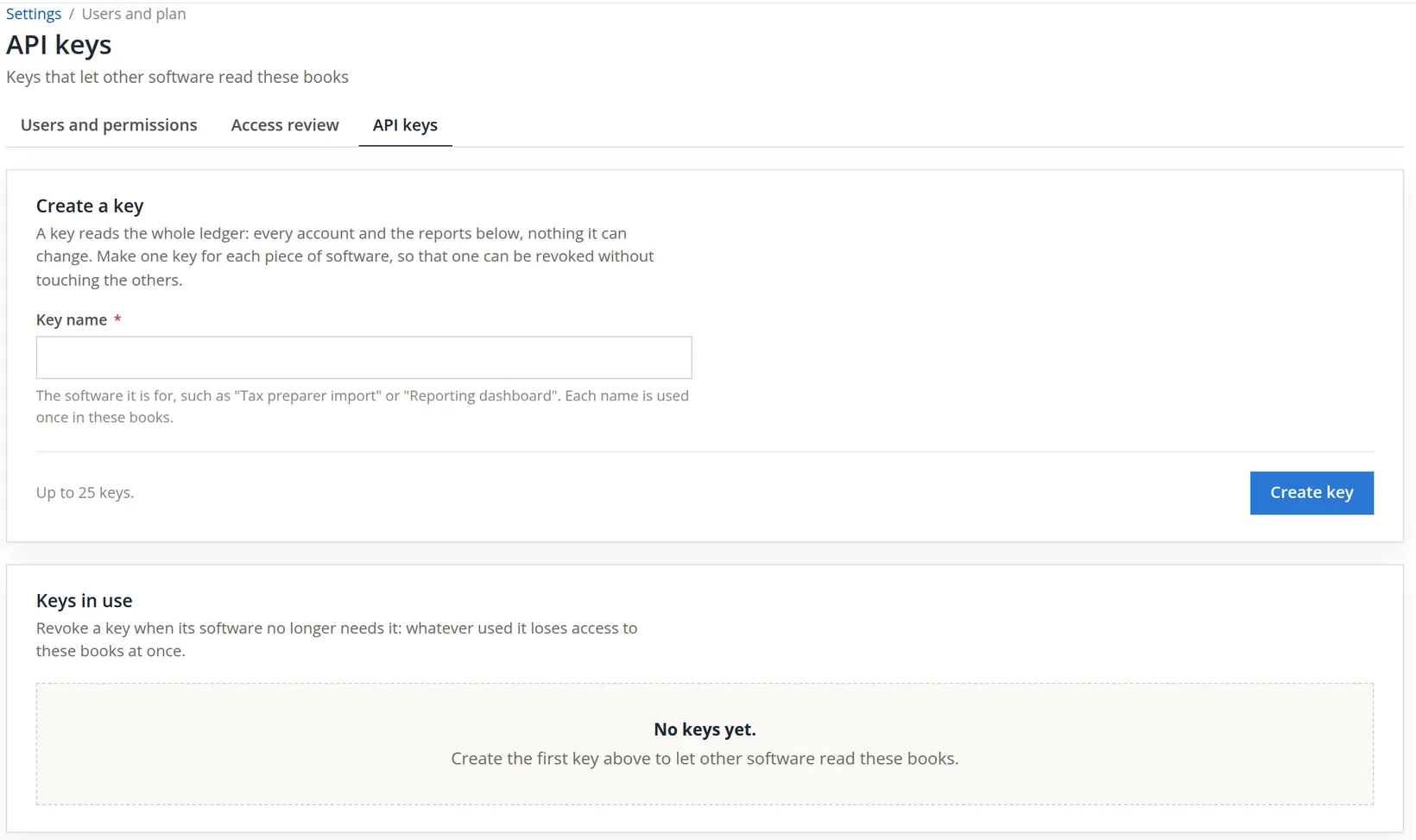
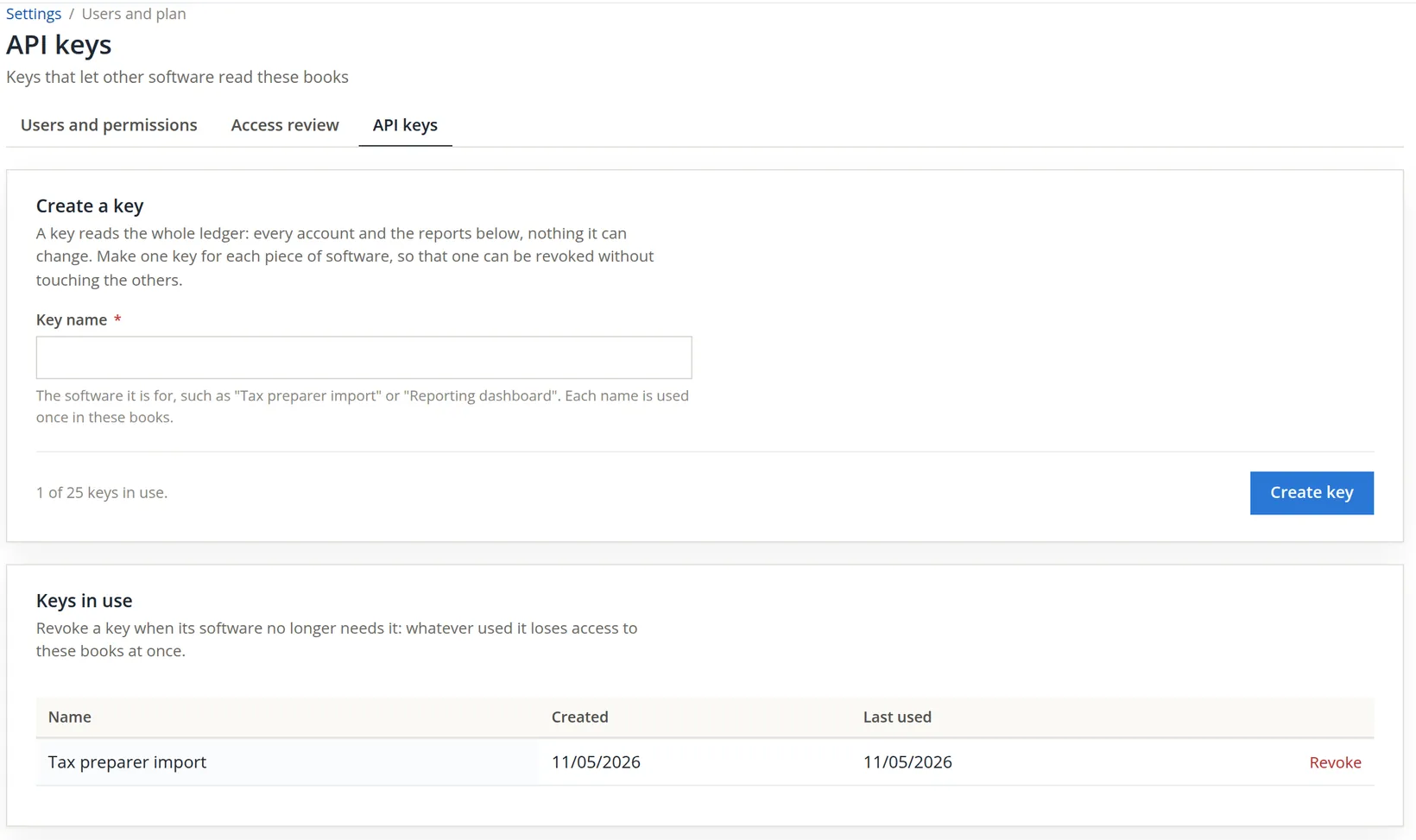
Settings → Users and plan → API keys, the third tab beside Users and permissions and Access review (Chapter 15.7). For the owner the page has three cards: Create a key, Keys in use and Use a key. A set of books can hold up to 25 keys; a 26th is refused with These books already have 25 keys, the most allowed. Revoke a key that is no longer used before creating another.
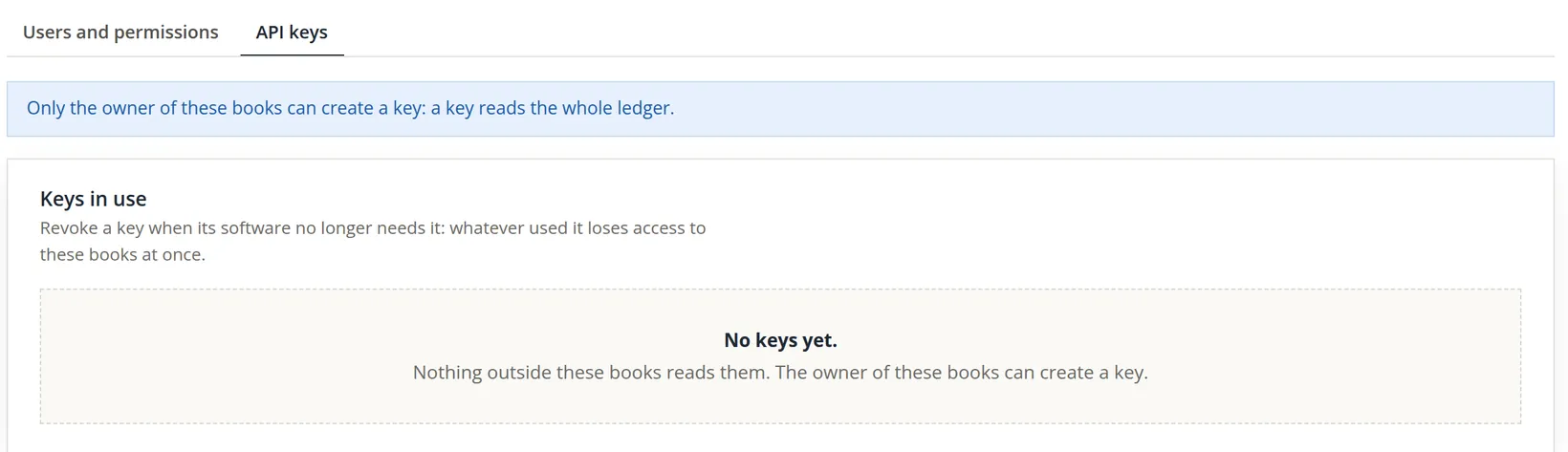
A member sees no Create a key card, whatever their permissions say. In its place is a note.
The third card, Use a key, is the page you hand to whoever sets up the other program. It says where the program must knock and how.
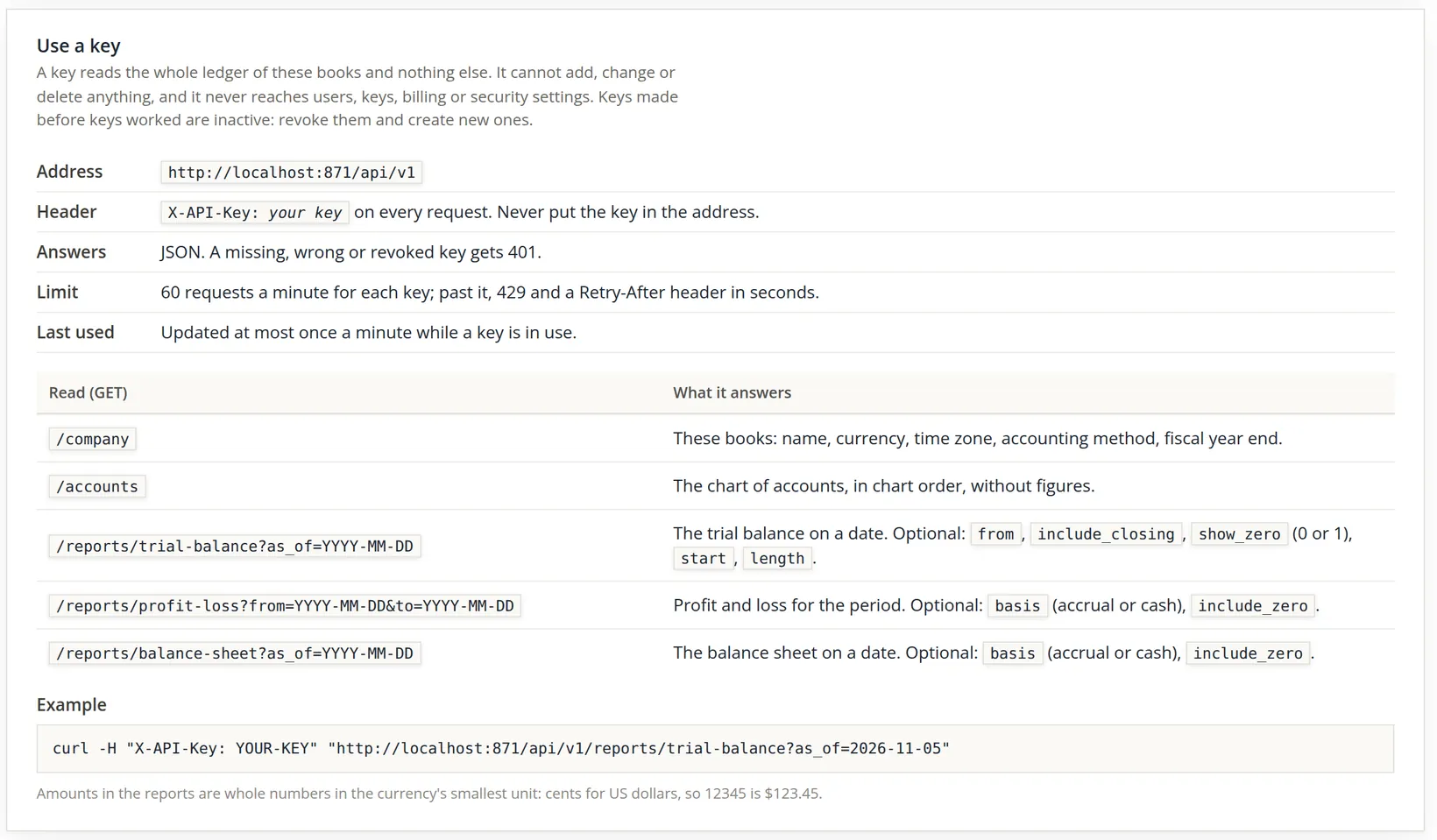
| Read (GET) | What it answers |
|---|---|
| /company | These books: name, currency, time zone, accounting method, fiscal year end. |
| /accounts | The chart of accounts, in chart order, without figures. |
| /reports/trial-balance?as_of=YYYY-MM-DD | The trial balance on a date (optional: from, include_closing, show_zero, start, length). |
| /reports/profit-loss?from=...&to=... | Profit and loss for the period (optional: basis accrual or cash, include_zero). |
| /reports/balance-sheet?as_of=... | The balance sheet on a date (optional: basis, include_zero). |
Amounts are whole numbers in the currency's smallest unit: cents for US dollars, so 12345 is $123.45. A program that shows 11590 as a balance means $115.90.
Give the tax preparer's program a key
- 1
Name the key after the software
In Key name type Tax preparer import. Name it for the program, not the person: next year you will want to know at a glance what each key is for.
- 2
Create it and copy it at once
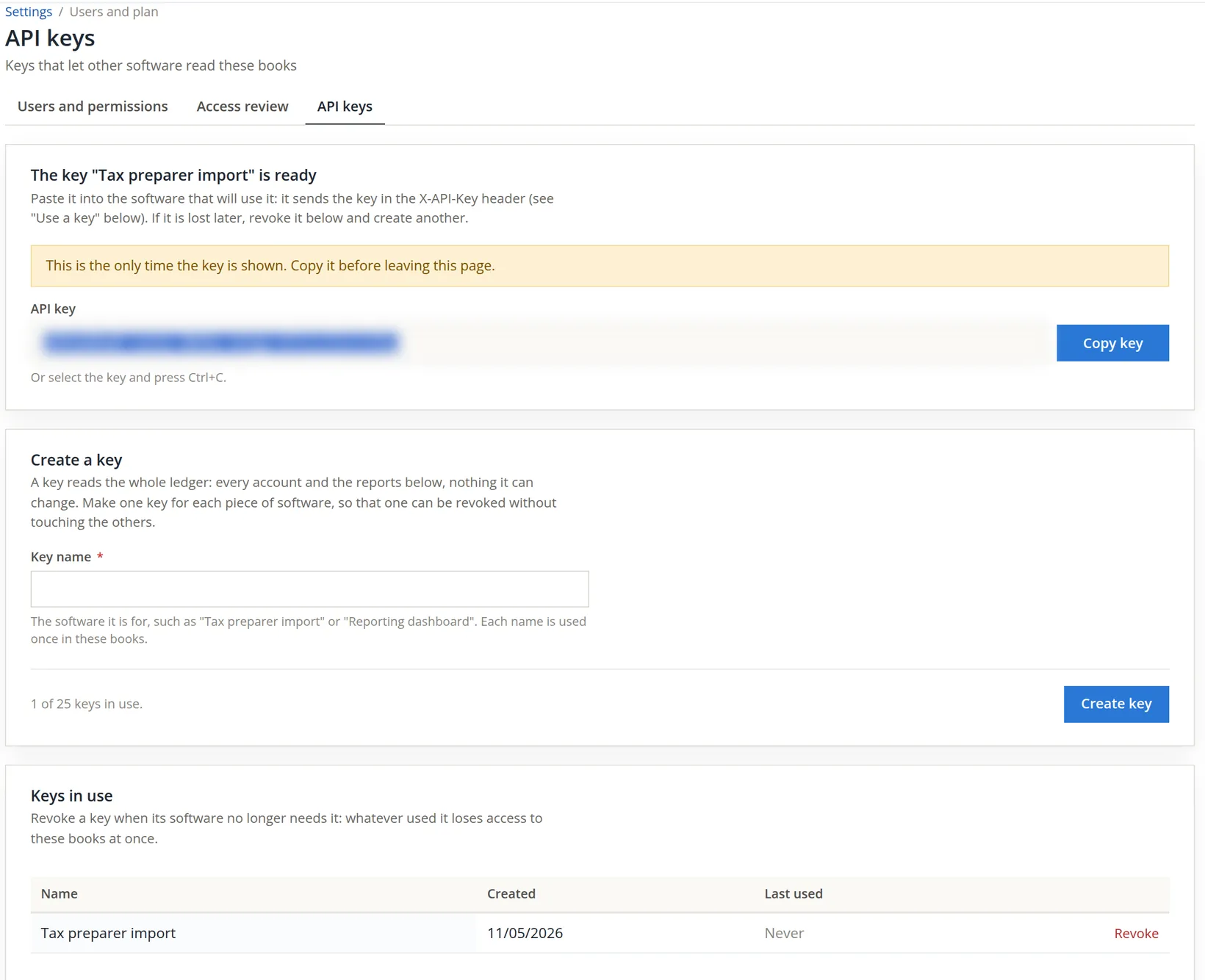
Press Create key. A card appears at the top: The key "Tax preparer import" is ready, with the key in a box and a Copy key button. The card reminds you that the software sends the key in the X-API-Key header. Press Copy key (or select the key and press Ctrl+C), and paste the key into the tax program's connection settings straight away, together with the address from Use a key.4
- 3
Check that the key works
Ask whoever set up the program to run its connection test, or try one request yourself from a terminal, with the example on the page. The practice books answered like this (the key itself replaced by YOUR-KEY; use your own address from Use a key in place of localhost:871):3
curl -H "X-API-Key: YOUR-KEY" "http://localhost:871/api/v1/company"

{"status":"SUCCESS","data":{"guid":"c30787d015da4ff7bd8371b291ede02e",
 "name":"Summit Gear Repair","currency":"USD","time_zone":"America/Los_Angeles",
 "accounting_method":"cash","fiscal_year_end":"2026-12-31"},
 "message":"The books of this key."}
The same request without the header was refused with 401 and A valid API key is required in the X-API-Key header. A trial balance request for 11/05/2026 returned the accounts with their balances in cents, Accounts Payable among them at a credit of 11590, that is $115.90.
- 4
Know that it will not be shown again
Open the page again, or press reload, and the key card is gone. The list still shows the key's name and date, and now the day it was last used. Its value is never displayed again, to anyone: the books keep only a scrambled fingerprint of it, not the key itself. If the key is lost before it reaches the program, revoke it and create another; nothing is lost but a minute.
- 5
A second key with the same name is refused
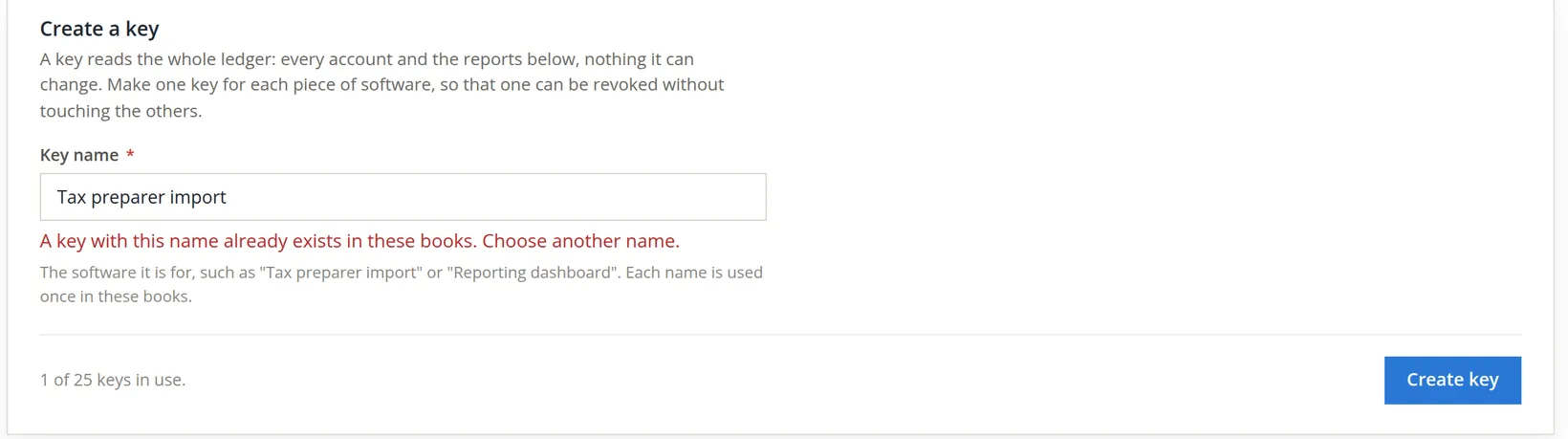
The tax preparer asked for a key for a second computer, and the owner typed the same name again. The page refused: A key with this name already exists in these books. Choose another name. One name, one key, so that the list always says which program holds which key. A second program should get its own name, such as Tax preparer import -- office PC.
Outside the books, keep a short list: key name, the program, who at the vendor set it up, the date created, and when it should be revoked. Review it at each year end and revoke every key nobody can account for.
Revoke the key after filing
The return was filed; the tax program no longer needs the books until next season. Leaving the key active would leave a door open for months.
- 1
Press Revoke on the key's row
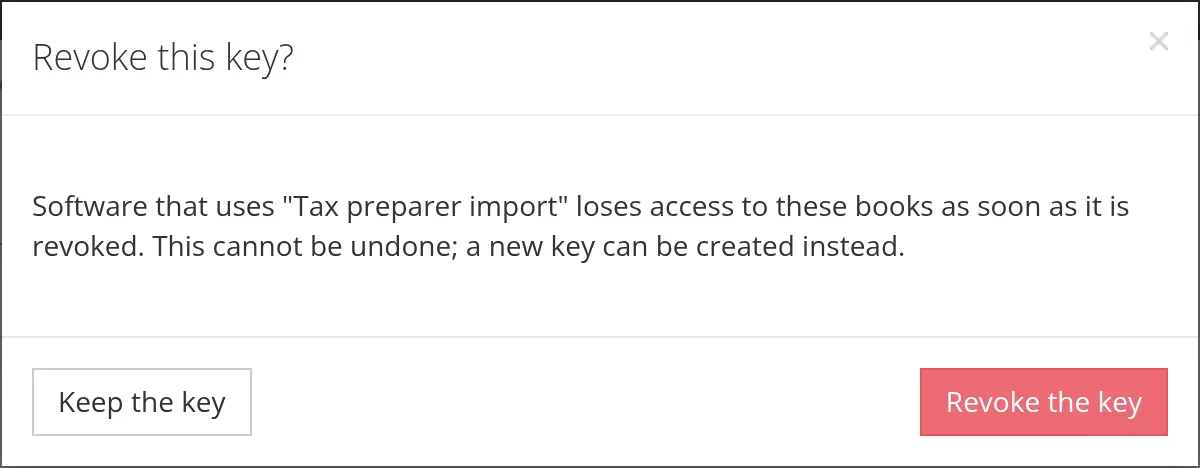
The dialog warns that the program loses access as soon as the key is revoked, and that this cannot be undone: a new key can be created instead.
- 2
Confirm
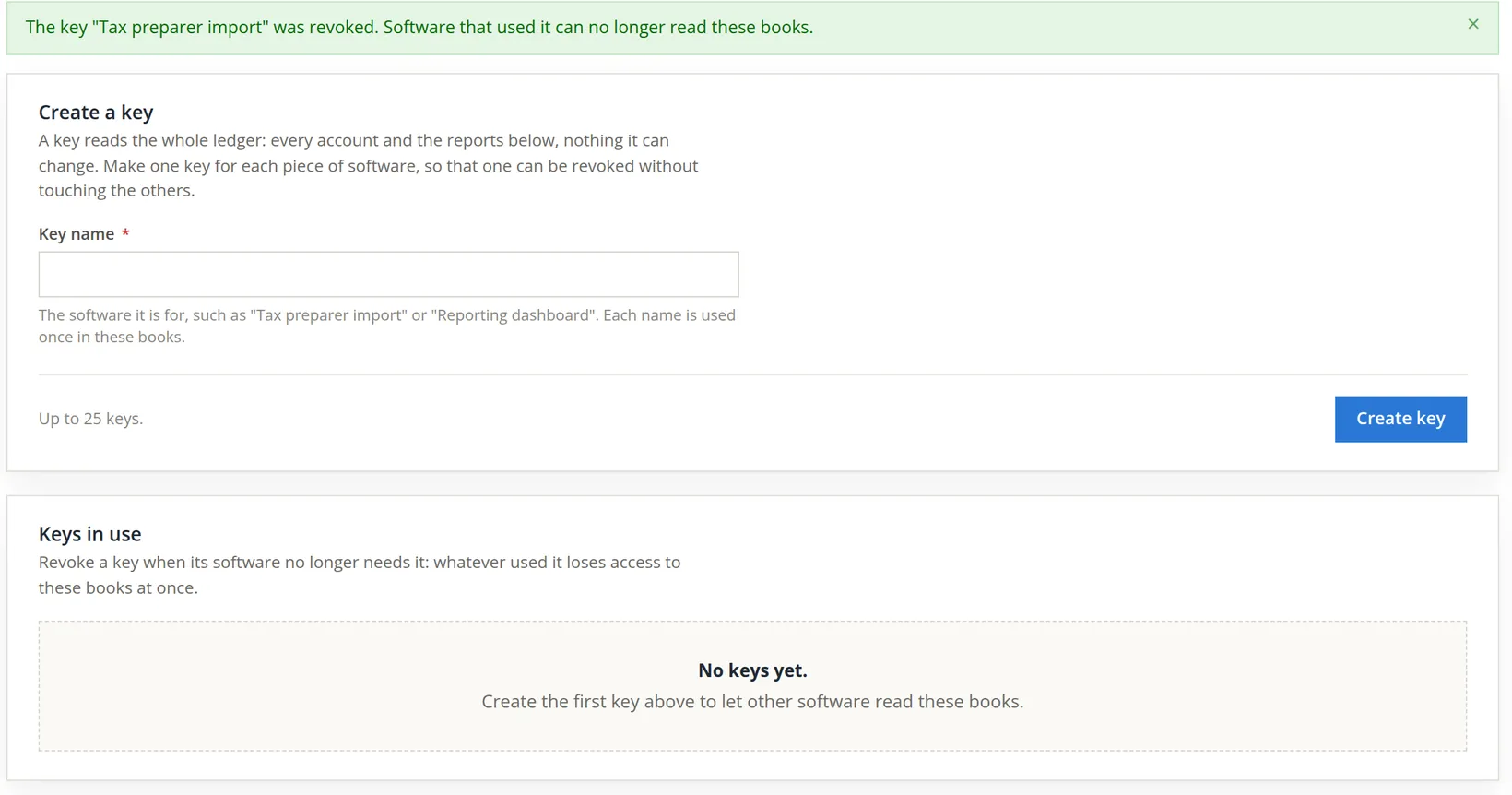
Press Revoke the key. The banner says The key "Tax preparer import" was revoked. Software that used it can no longer read these books. The list is empty again. A request with the old key now gets 401. Next season, create a new key with the same name: once the old key is revoked its name is free.
If a key was pasted somewhere it should not have been, or a laptop holding the program is lost, revoke the key first and ask questions afterwards. Create a new key for the program when it is safe again.
Key hygiene
- [x] One key per program, named after the program.
- [x] The key was pasted straight into the program and kept nowhere else.
- [x] The program was given the address from Use a key and sends the key in the X-API-Key header, never in the address.
- [x] Old keys made before keys worked are revoked and replaced.
- [x] Every key in the list is in your key register with a reason to exist.
- [x] Keys for seasonal or retired programs are revoked.
Check your understanding
1. You closed the page before copying a new key. How do you get its value?
Answer
You cannot; it is shown only once. Revoke it and create another.
2. Two programs need access. One key or two?
Answer
Two, each named for its program, so either can be revoked alone.
3. You revoke a key by mistake. Can you restore it?
Answer
No. Create a new key and paste it into the program.
4. Why give a program a key rather than the bookkeeper's sign-in?
Answer
The key belongs to the program, can be revoked alone, and does not depend on a person's password or two-step code.
5. The tax program's vendor asks for a key that can also enter adjusting entries. Can you give one?
Answer
No. A key is read-only: it reads the ledger and three reports and cannot add, change or delete anything.
6. A member of the books with every permission opens the API keys page. Can they create a key?
Answer
No. Only the owner of the books can; the member sees a note saying so.
Notes
- The key in the pictures was created in Summit Gear Repair, used for a few read-only requests, and revoked at the end of the chapter, so the books hold no key. The member's picture comes from Summit Outfitters Inc. ↑
- Since November 2026 keys work: a key reads the books through this read-only address, and only the owner of the books can create one. Keys made before then are inactive; the page says to revoke them and create new ones. ↑
- The pictures and the sample request were made on a test installation, so the address reads http://localhost:871/api/v1. Your page shows your own BizBooks360 address followed by /api/v1; use that one, since localhost reaches nothing on your computer. ↑
- Where the key goes depends on the other program; its own instructions will say where to paste it. Whatever the program, it must send the key in the X-API-Key header to the address shown under Use a key. ↑
- BizBooks360 shows the key in full, as it must for you to copy it. The picture in this manual is blurred on purpose; a key in a published picture would have to be revoked. ↑