
Chapter 14.2
Attachments and the Attachment Manager
Every entry in the books should be able to answer "how do you know?". Attach the receipt, the vendor's invoice or the contract to the entry it supports, and find any of them again in seconds, by vendor, account, date, amount or file name.
When you finish this chapter you will be able to:
- Explain why source documents belong with the entries they support.
- Attach a file to a new or a saved expense, bill or other document, and know which file types are accepted.
- Remove a file that was attached to the wrong entry, and say what the books keep of it.
- Open an entry's files from an account register.
- Find, view and download any file in the books with the Attachment Manager.
Why attach anything?
An entry in the books is a claim: "we paid Bend Glass & Door $175.00 for a repair". The source document is the evidence: the receipt that shows the date, the vendor, what was bought and what was paid. Auditors, tax examiners and lenders test the books by asking for that evidence, entry by entry. A business that keeps the evidence on the entry answers in seconds; one that keeps it in a shoebox answers in days, if at all.2
| Entry | Source document to attach |
|---|---|
| Expense (paid on the spot) | The receipt or card slip |
| Bill | The vendor's invoice; a delivery note for stock |
| Invoice to a customer | The signed order, the contract or the timesheet behind it |
| Deposit | The deposit slip or the remittance advice |
| Journal entry | The working paper: the depreciation schedule, the accrual calculation |
| Recurring schedule | The contract or lease: every entry made gets its own copy (Chapter 14.1) |
Attach a receipt to an expense
The forms for invoices, estimates, payments, credits, deposits, bills and expenses all have the same Attachments card at the right. We record the glass repair: Bend Glass & Door, $150.00 for the glass and $25.00 for half an hour of labor, $175.00 in all, paid from Operating Checking by debit card (Chapter 3.1).
- 1
Fill in the expense as usual
Paid to Bend Glass & Door, paid from Operating Checking, how it was paid: Debit card. One line on Repairs & Maintenance, $175.00.
- 2
Drop the receipt on Attachments
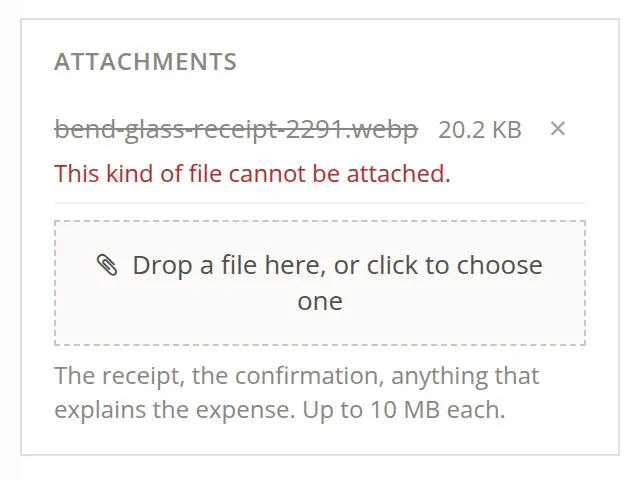
Drag the file onto the dashed box, or click the box and choose the file. The bookkeeper first tried the receipt as the vendor's web page had saved it, a .webp picture. The card refused it at once: "This kind of file cannot be attached."
| Accepted | Not accepted |
|---|---|
| Pictures: .png, .jpg, .jpeg, .gif, .tif, .tiff Documents: .pdf, .txt, .doc, .docx Sheets: .xls, .xlsx, .csv Up to 10 MB each | Anything else, for example .webp or .heic pictures from a phone or a web page, .zip archives, e-mails saved as .eml3 |
- 3
Remove the refused row, attach an accepted copy, and save
Click the × on the refused row; it was never stored, so it simply goes. Save the picture again as PNG or JPEG (any picture program does this) and drop that copy. On a new entry the file waits with the page and is attached when you click Save; if you leave without saving, nothing is attached.
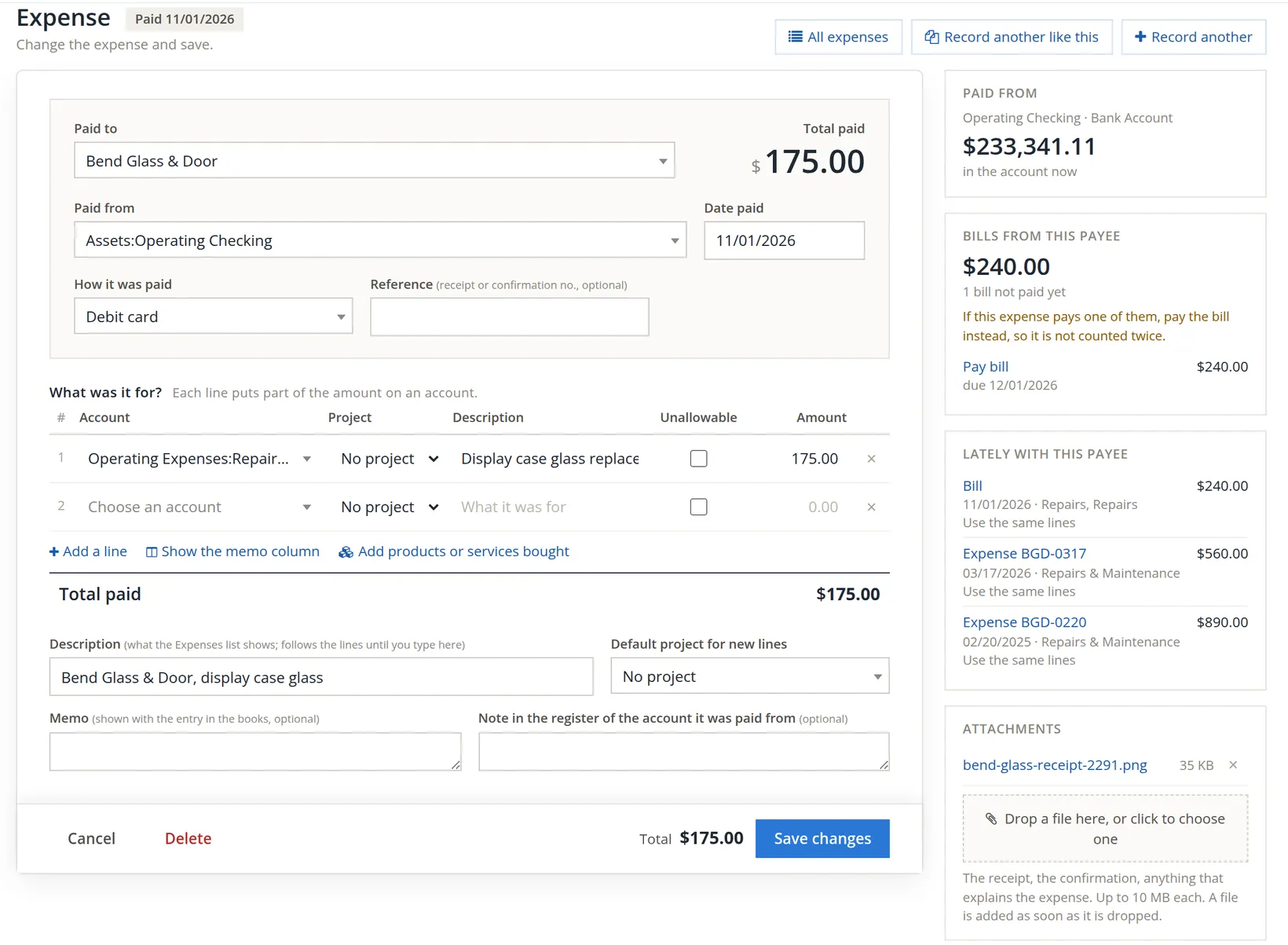
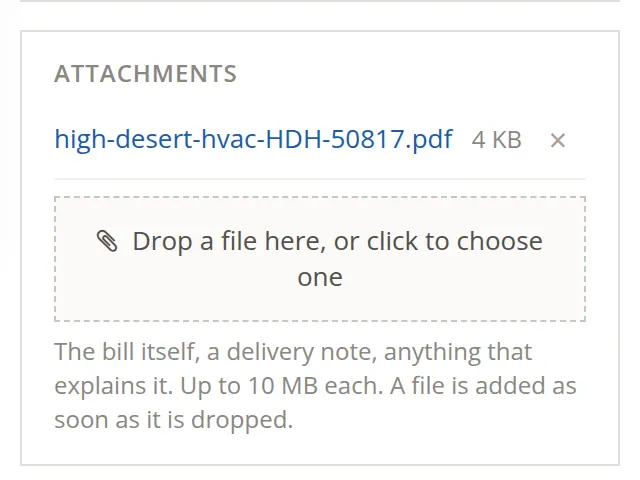
Attach as many files as the entry needs: the vendor's invoice and the delivery note, or a quote and the final invoice. Give files names that say what they are (high-desert-hvac-HDH-50817.pdf beats scan0001.pdf): the name is one of the things the Attachment Manager searches.
A file on the wrong entry
Next the HVAC bill: invoice HDH-50817, dated 10/30/2026, terms Net 30, $1,181.40 to Repairs & Maintenance (Chapter 3.2). Its two pages add up as follows: labor 3.0 hours at $118.00 = $354.00; parts $612.40 + $48.00 + $72.00 = $732.40; trip charge $95.00; $354.00 + $732.40 + $95.00 = $1,181.40.
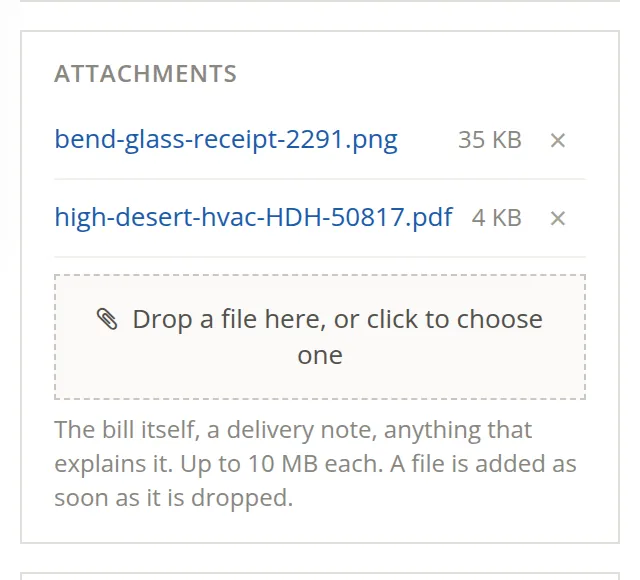
The bookkeeper dropped the invoice PDF on the bill and, by a slip of the mouse, the glass receipt as well, then saved. The bill now carries a file that belongs to another entry.
- 1
Click the × beside the wrong file
On a saved entry, removing a file takes effect at once, so BizBooks360 asks first.
- 2
Read the dialog, say why, then click Remove the file
The dialog has a Reason (optional) box. A few words are worth typing: the reason is "kept on the record" with the removal, so whoever reads the books' history later knows the file was not lost by accident. The bookkeeper wrote: Wrong entry: this receipt belongs to the Bend Glass expense. The change is made straight away; there is nothing more to save. Only this bill's copy is removed: the expense keeps its own receipt.
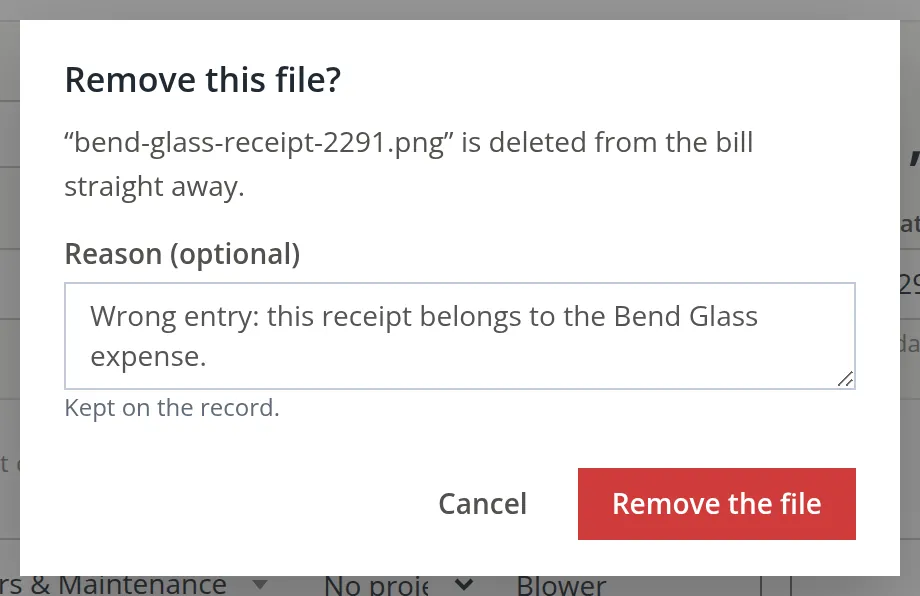
In books like Summit's, a removed file is gone from that entry. If you remove the only copy by mistake, attach the file again from your computer. Removing a file never changes the entry's amounts or accounts.
Every file added and every file removed is written to the books' audit trail (Audit History, Chapter 6.7), with its name, its size, a fingerprint of its contents and the reason, if one was given.4 Books kept under government contract controls (Settings → Company → Government contract controls, where offered) go further, because a contracting officer may ask for the evidence years later:
| Ordinary books | Under government contract controls | |
|---|---|---|
| Reason | Optional | Required, at least 10 characters |
| The file | Deleted | Taken off the entry but kept, with who removed it and why, under Attachment Manager → Removed |
| Entry dated in closed books (Chapter 15.5) | Removed like any other | Refused: "This file supports an entry in closed books and is kept." |
Files in an account register
An account register (Chapter 4.2) shows which entries have files. A paperclip heads a narrow column, and an entry with files shows a paperclip pill with their number.

Click the pill. A board opens over the register with a tile for each file: its picture, its name, its size and the kind of entry it is on. Click a tile to open the file in a window of its own; the board closes. A file of several pages shows a picture of each page, and a click on a page opens the file at that page.
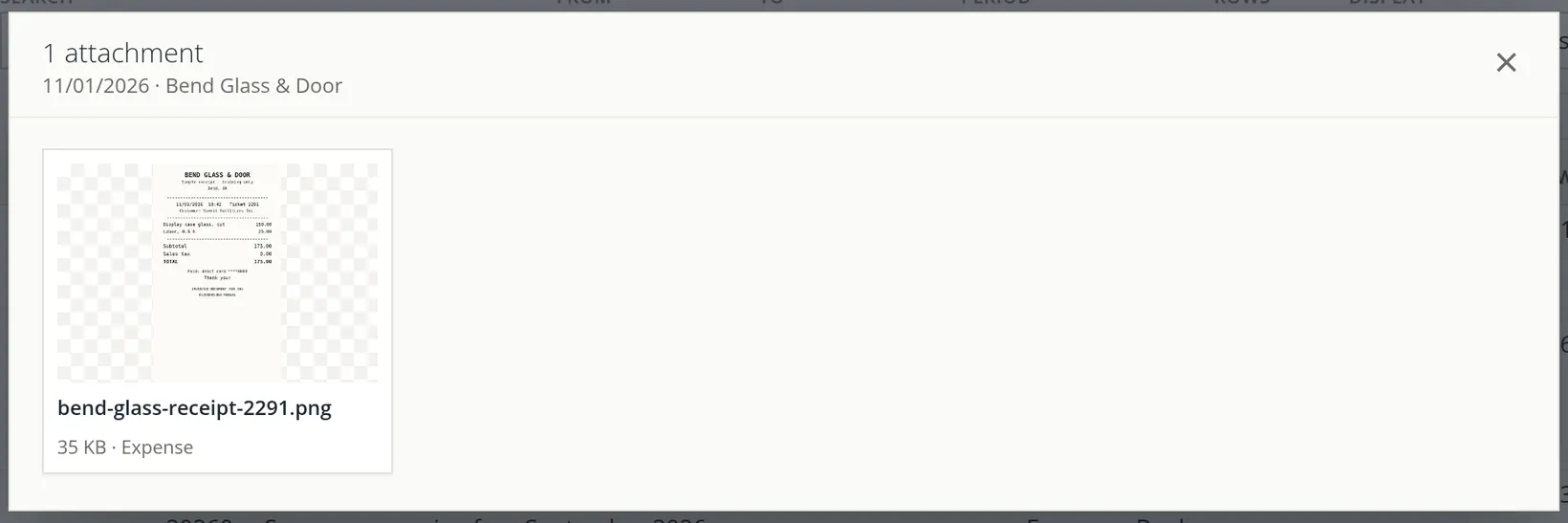
Where the pictures come from. When a file arrives, a background worker draws its pictures: a picture as itself, the first pages of a PDF or TIFF (up to five), and the first page of a text, Word or Excel file as a sheet of paper. It usually takes a few seconds; until then a tile says "making its pictures…". A file the worker cannot draw is still attached and can still be downloaded; it just shows an icon.5
Find any file: the Attachment Manager
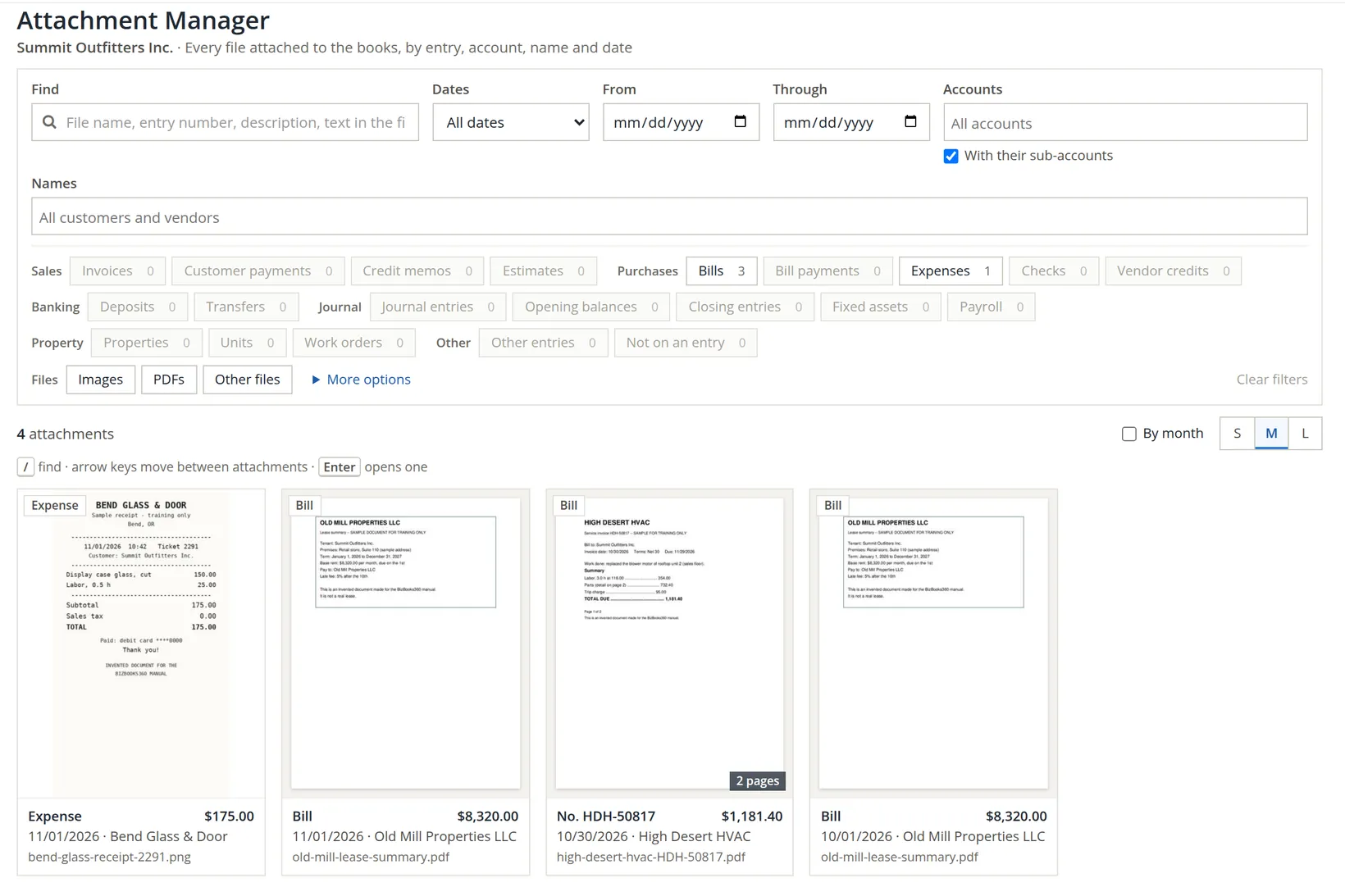
Tools → Attachment Manager shows every file attached to the books in one gallery, newest entries first. The page opens on the tab All files; its neighbour, Removed, is described at the end of this procedure. The picture was taken when Summit had four files: the receipt, the HVAC invoice and the two copies of the lease summary that the rent schedule put on its October and November bills. Since then the property records of Volume 13 have added four documents, so the gallery now says 8 attachments and shows a Properties chip (4) as well.
- 1
Narrow the gallery
Type in Find, pick a kind chip, a vendor or an account. Filters combine: "Bills of High Desert HVAC in October" is three clicks. The counts on the chips follow the other filters, so they tell you where the files are before you click.
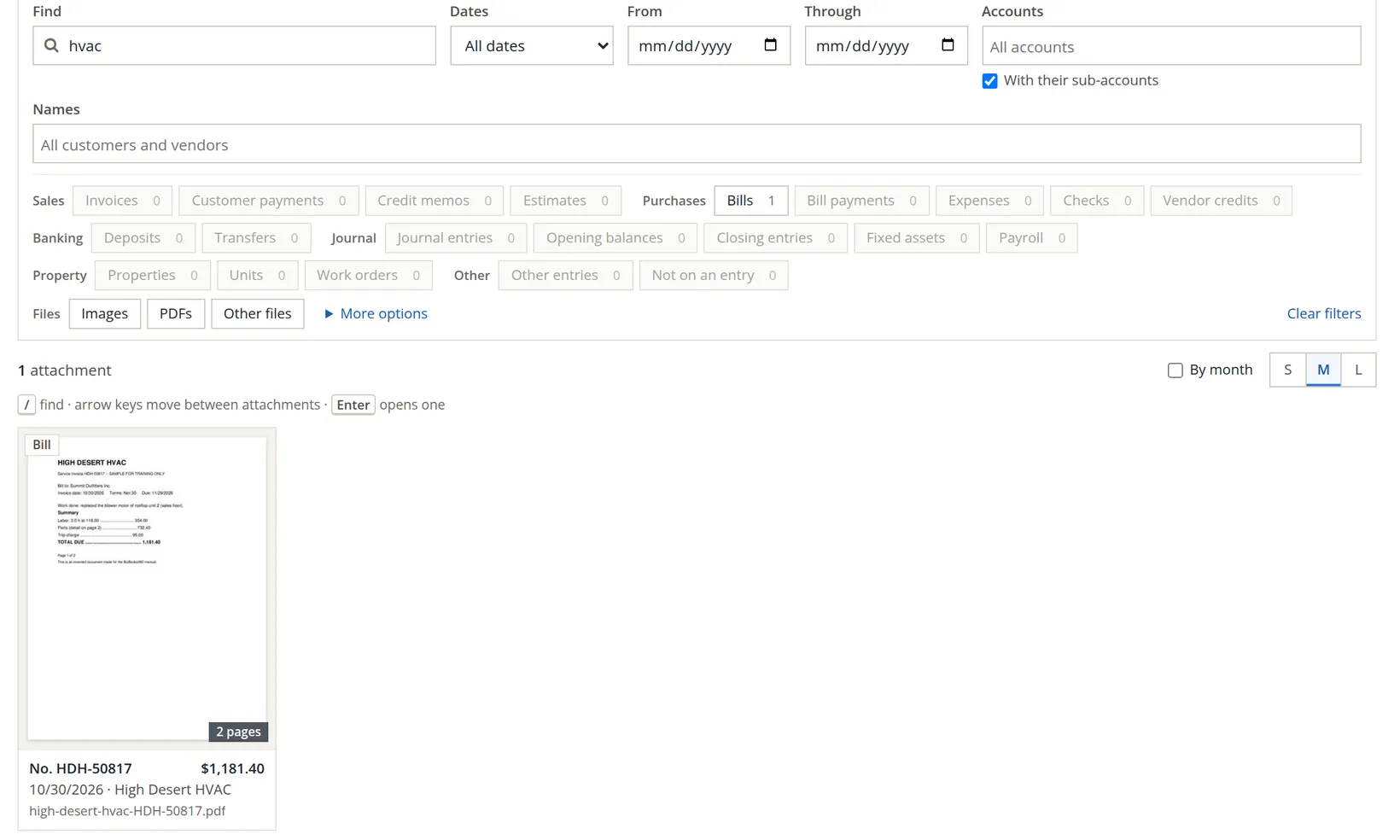
| Under More options | What it does |
|---|---|
| Amount from / to | Only entries in an amount range, for example every receipt over $500.00 |
| Dates are | Entry date (the default) or upload date |
| Order | Newest or oldest entries first, newest uploads first, or file name A to Z |
| Also | Show documents the app made (check prints, invoice PDFs, deposit slips); show files not on an entry; hide voided entries |
- 2
Open a file: click its tile, or press Enter
The viewer fills the screen. It shows the page large, with a strip of the file's pages at the foot and the entry's details at the side.
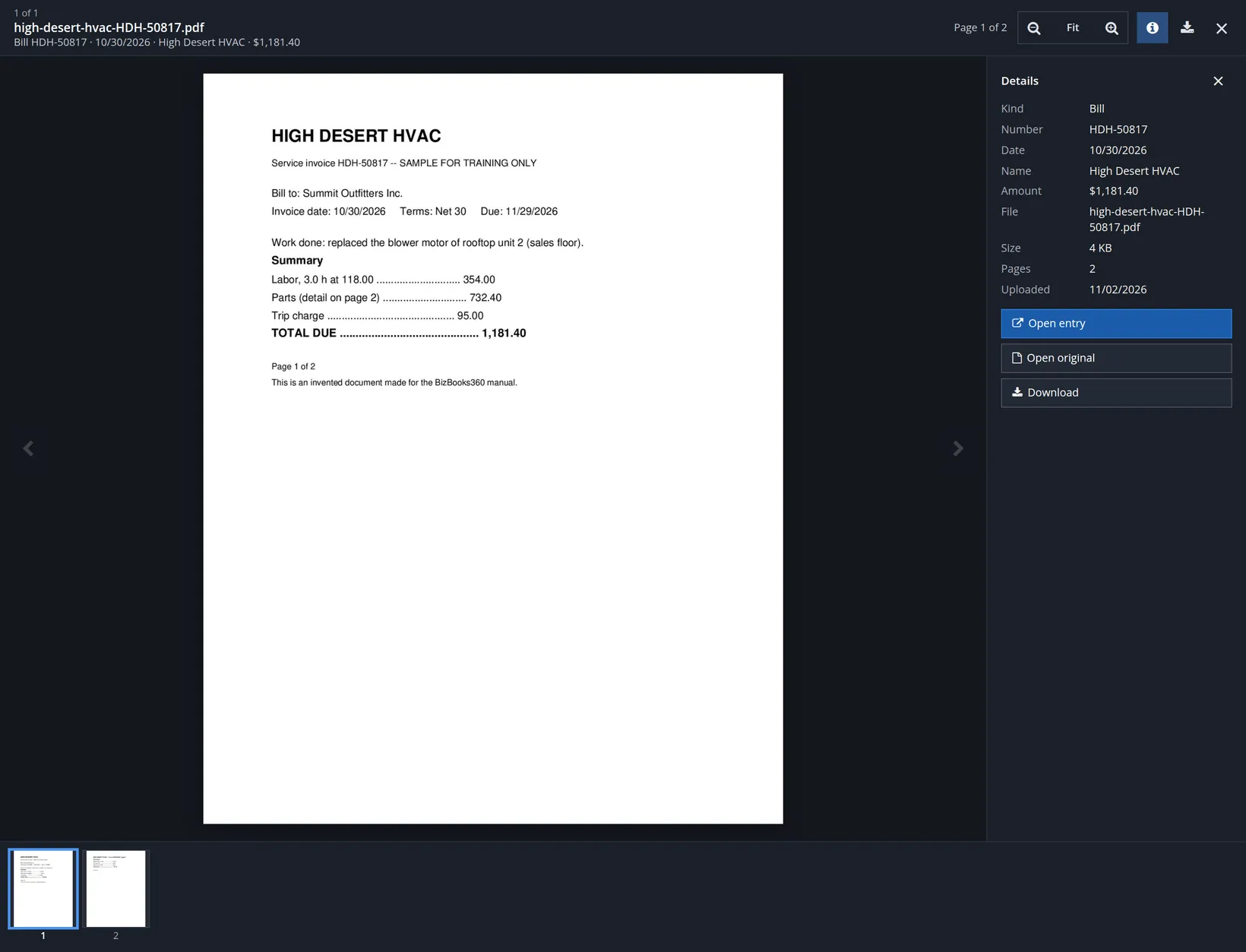
In the gallery, / jumps to Find, the arrow keys move between tiles and Enter opens one. In the viewer, ← and → go to the previous and next file, ↑ and ↓ (or Page Up and Page Down) turn its pages, + and - zoom, 0 fits the page, i shows or hides the details and Esc closes. An auditor's sample of thirty receipts takes minutes this way.
- 3
Look under Removed for files taken off entries
The second tab lists the files removed under government contract controls, which the books keep: for each, the file, its entry, who removed it, when, the reason, and the first 12 characters of its SHA-256 fingerprint (point at it for the whole value), with Download for the kept copy. Nothing on this page can be changed. In books without the controls it stays empty, as it does for Summit.
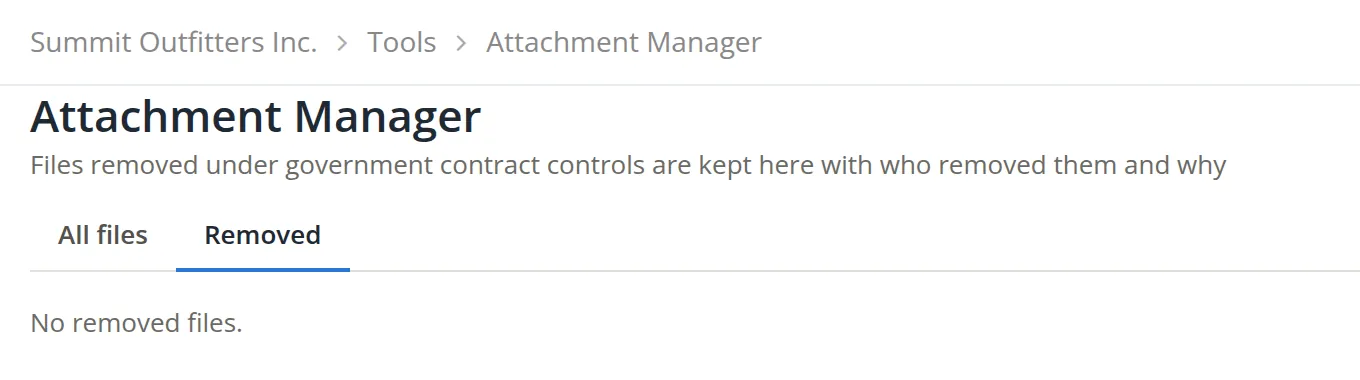
The tab is shown to the owner of the books, to staff, and to members whose Attachment Manager permission lets them change it as well as see it; anyone else is told "Removed files are shown to the owner of the books and to members the owner lets change the Attachment Manager."
Good habits with attachments
- [x] Every expense and bill over your own threshold (many businesses use $75) has its receipt or invoice attached.
- [x] Files are named for what they are: vendor, document number.
- [x] Phone pictures are saved as JPEG or PNG before they are attached.
- [x] Each file is on the entry it supports; a stray file is removed from the wrong entry.
- [x] Contracts and leases sit on the recurring schedule, so each entry it makes gets a copy.
- [x] At year end, the Attachment Manager filtered to the year shows no large expense without its file.
Check your understanding
1. You drop a file on a new bill, then click Cancel. Is the file attached anywhere?
Answer
No. On a new entry the file waits with the page and is attached only when the entry is saved.
2. A phone saved a receipt as IMG_2048.heic. What do you do?
Answer
Save it as JPEG or PNG, give it a useful name, and attach that copy; .heic is not accepted.
3. You remove a receipt from the wrong bill. Does the bill's total change?
Answer
No. Removing a file never changes the entry's amounts or accounts.
4. Where do you go to see every bill from High Desert HVAC that has a file, with the pages?
Answer
Tools → Attachment Manager: choose High Desert HVAC under Names and the Bills chip, then open a tile.
5. Check the HVAC invoice: do labor, parts and the trip charge add up to the bill?
Answer
Yes: $354.00 + $732.40 + $95.00 = $1,181.40.
Notes
- The receipt, the invoice and the lease summary in the pictures are invented documents made for this manual and marked as samples. The practice user is a member of Summit Outfitters Inc. with the Tools permission Attachment Manager; the company's owner and staff always have it (Chapter 15.7). ↑
- How long to keep records is set by the tax authorities and by contracts, often several years after a return is filed. This is not tax or legal advice; ask your accountant what applies to your business. ↑
- The list is the attachment card's own. In this edition the background worker can draw pictures of .webp, .bmp and .heic files, but the card does not accept them, so convert such pictures first. ↑
- Since November 2026. The fingerprint is the file's SHA-256 hash, a 64-character value that changes if a single byte of the file changes, so a kept file can be shown to be the very one that was attached. ↑
- The pictures are stored privately with the books and are shown only to people with access to the books. Files and their pictures are included in backups made with attachments (Chapter 14.3), Payroll files that hold a Social Security number or a check (signed forms, check PDFs) are kept in a separate, secure store of the payroll module, not among these attachments, and do not appear in the Attachment Manager; a backup or a copy lists them, but their contents stay in the original books. ↑