
Chapter 4.6
Deposits and Deposit Slips
How to take the checks and cash you have received to the bank: group them on one deposit, print the ticket to hand in, and see the deposit match the single line on your bank statement.
When you finish this chapter you will be able to:
- Explain why received payments wait in Undeposited Funds.
- Make a deposit of several payments, and add other money to it.
- Print the deposit ticket, and reprint it later.
- Find a deposit and what was in it.
Contents
Why deposits are grouped
When you hand two checks to the teller, the bank statement shows one deposit of $14,125.30 ($6,550.00 + $7,575.30), not two lines. If the payments had gone straight into the bank account in the books, the register would show $6,550.00 and $7,575.30 and nothing would ever match the statement's one line.
So payments wait in Undeposited Funds (Chapter 2.3, Section 4) and the deposit moves them to the bank together:
| The deposit | Debit | Credit |
|---|---|---|
| Checks 4471 and 20318 | Operating Checking 14,125.30 | Undeposited Funds 14,125.30 |
Make the deposit
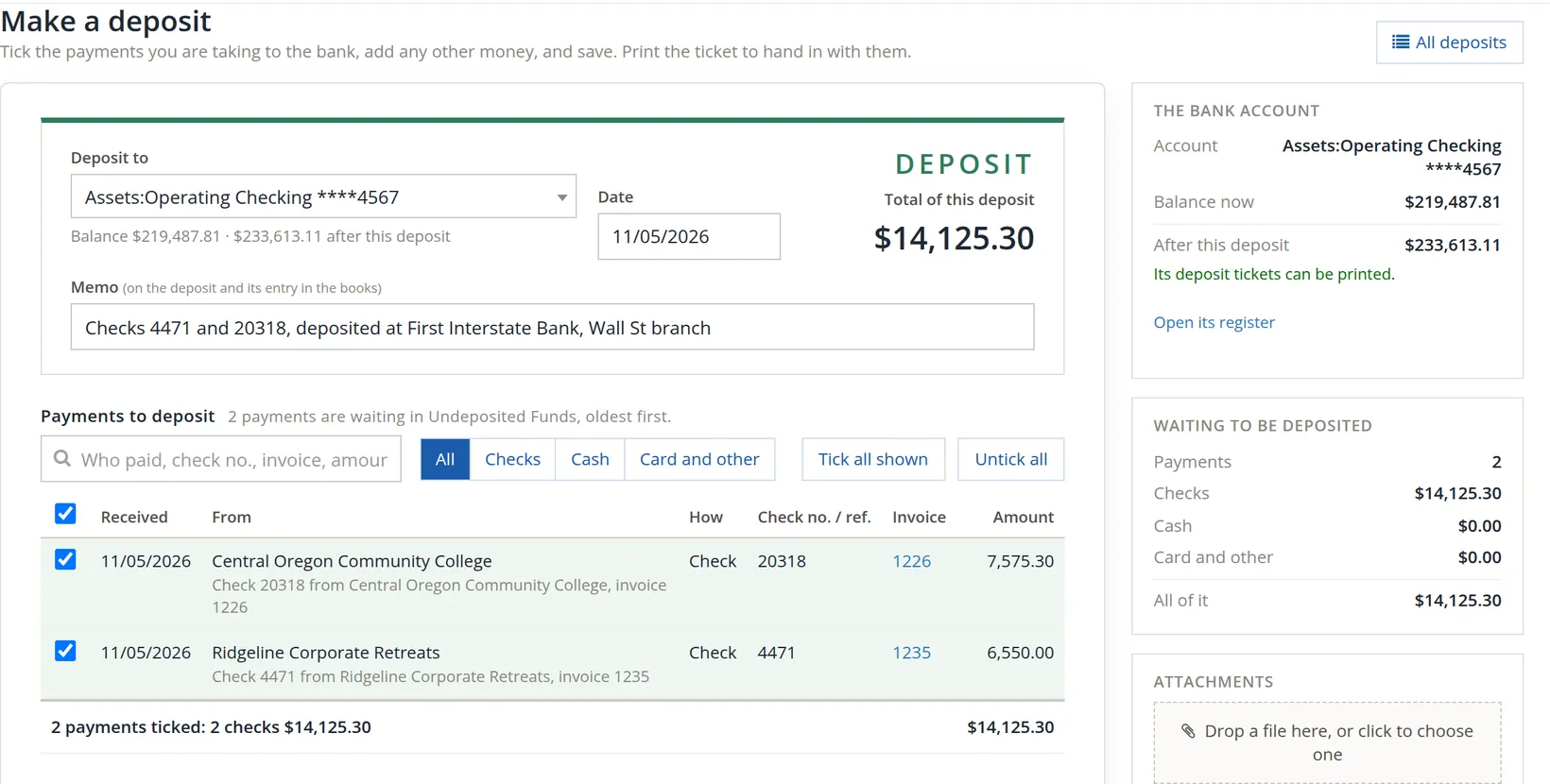
Click Make a deposit on the Banking page, the Deposits page or the Waiting to be deposited card.
- 1
Choose the bank account 1 and the date 2
The date you take it to the bank.
- 2
Write a memo 3
Which checks, which branch. It shows in the register beside the deposit.
- 3
Tick the payments in this deposit 6
Waiting payments are listed oldest first, with who paid, how, the check number and the invoices. Narrow them with the search box 4 or the Checks, Cash, Card and other buttons; Tick all shown 5 takes every one.
- 4
Count the checks in your hand against the total 7
"2 payments ticked: 2 checks $14,125.30". If the paper and the screen disagree, find out why before you go to the bank.
- 5
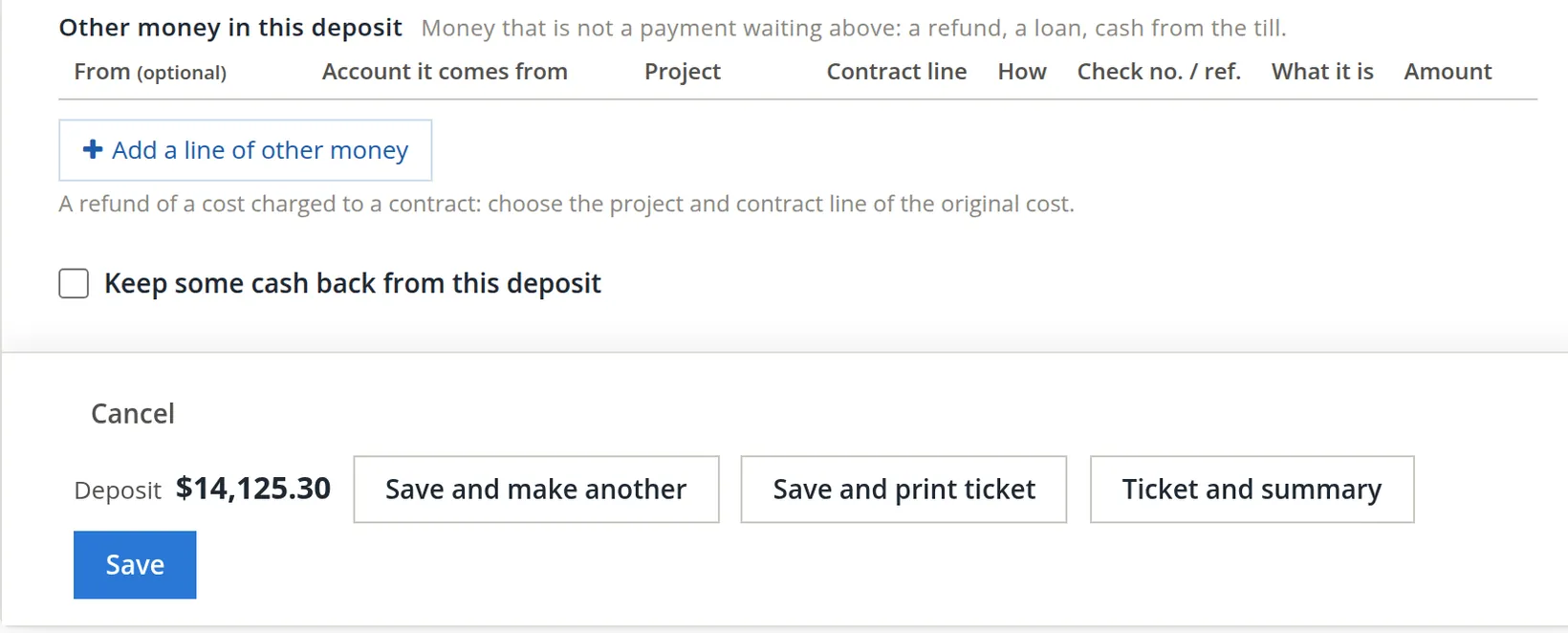
Add other money, if any 1
Money that is not a waiting payment (a supplier's refund, an owner's contribution) goes on a line of its own, with the account it comes from. In books that keep projects, each line also has a Project column 7 and a Contract line column 9. Leave them empty for ordinary money; the hint under the button 8 says when they matter: "A refund of a cost charged to a contract: choose the project and contract line of the original cost." That way the refund is taken off the cost of the project it came from.
- 6
Keep cash back, if you need to 2
For example to restock the till's float. The deposit total falls by that much.
- 7
Save
Save and print ticket 4 saves and opens the ticket. Ticket and summary 5 adds a page listing every item. Save 3 only saves; Save and make another 6 starts the next.
The deposit ticket
The ticket lists each check and its amount, the subtotal, cash received back, the number of items and the net deposit, with the bank's routing and account numbers along the foot. Sign it if cash is received back, cut along the line, and hand it to the teller with the checks.
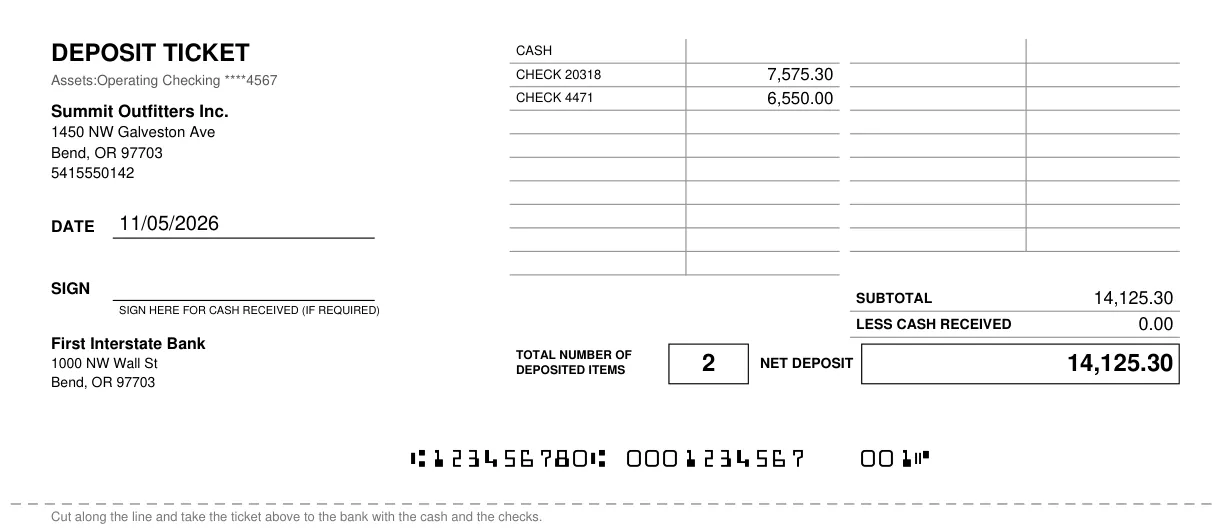
Drop the teller's receipt on the deposit's Attachments. When the deposit appears on the statement, the reconciliation (Chapter 4.4) becomes one tick.
The Deposits page
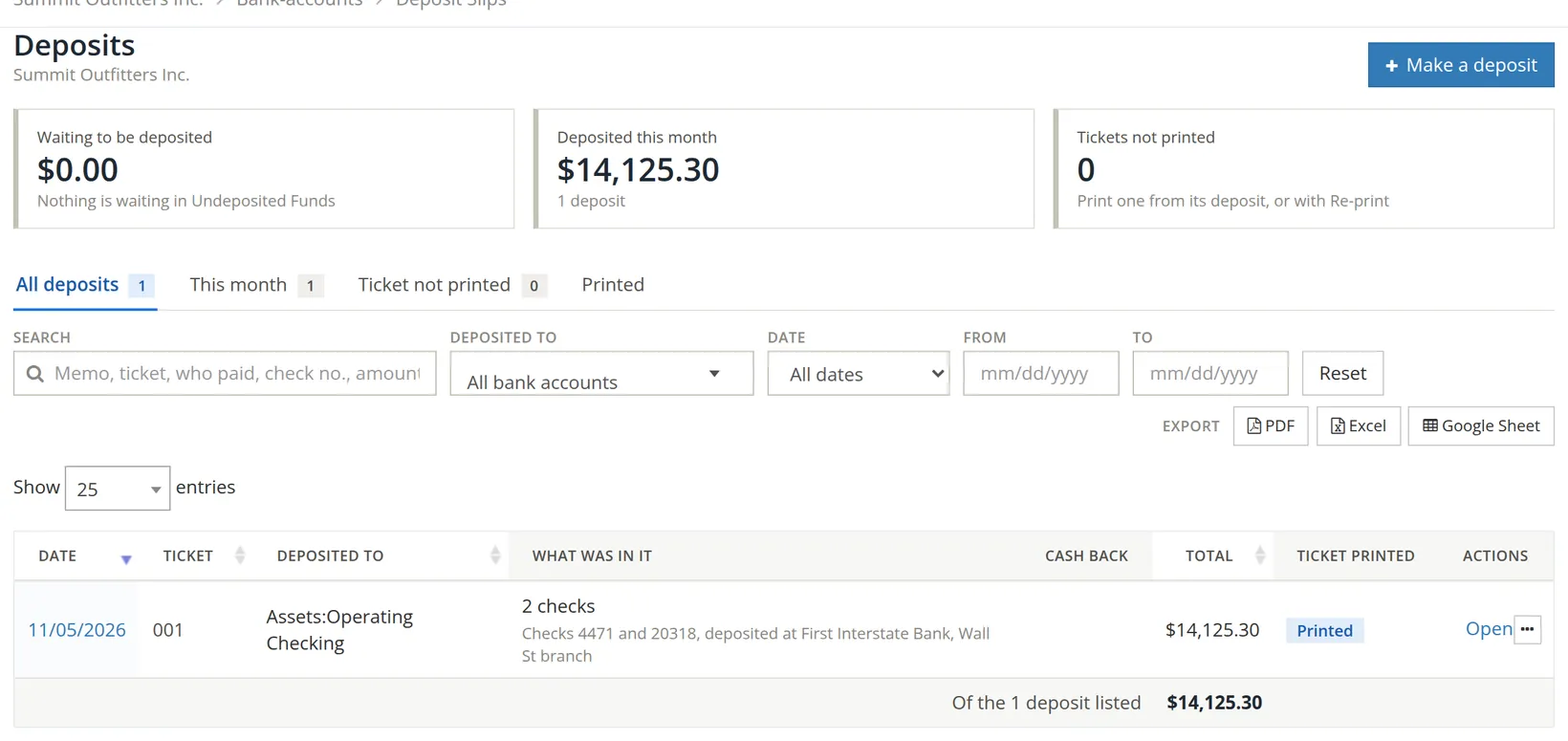
Bank Account → Deposit Slips lists every deposit with its ticket number, account, what was in it, cash back and total. The cards show what is still waiting, what was deposited this month, and tickets not yet printed.
Check your understanding
1. Three checks are deposited together. How many lines will the bank statement show?
Answer
One, for the total. That is why they are grouped on one deposit in the books.
2. Which account is credited when the deposit is saved?
Answer
Undeposited Funds; the bank account is debited.
3. A customer paid by ACH straight into the bank. Will it appear on the deposit form?
Answer
No. It went straight to the bank account and never waited in Undeposited Funds.
Notes
- Notes give background, exceptions and the reasons behind a rule. ↑