
Chapter 4.8
Bank Rules: Categorising Imports Automatically
How to teach BizBooks360 where recurring bank and card lines belong (fuel, software, fees) so each statement import arrives already categorised.
When you finish this chapter you will be able to:
- Explain what a rule does, and when it is used.
- Write a rule with conditions, an account, payee and memo.
- Test a rule against real lines before saving it.
- Manage, order, export and import rules.
Contents
What a rule does
A rule says: when a line of money in (or out) of this account matches these conditions, put it on this account, with this payee and memo. It is used:
- when you import a statement (Chapter 4.3): matching lines arrive with the account filled in and the rule's name beside them; you can still change them before applying;
- when you click Apply on a rule: entries already in the books that are still waiting for an account are put on it.
Rules are tried in order; the first one that matches wins. A new rule goes to the end of the order, so the rules already there are tried first.
Write a rule
Click + Rule.
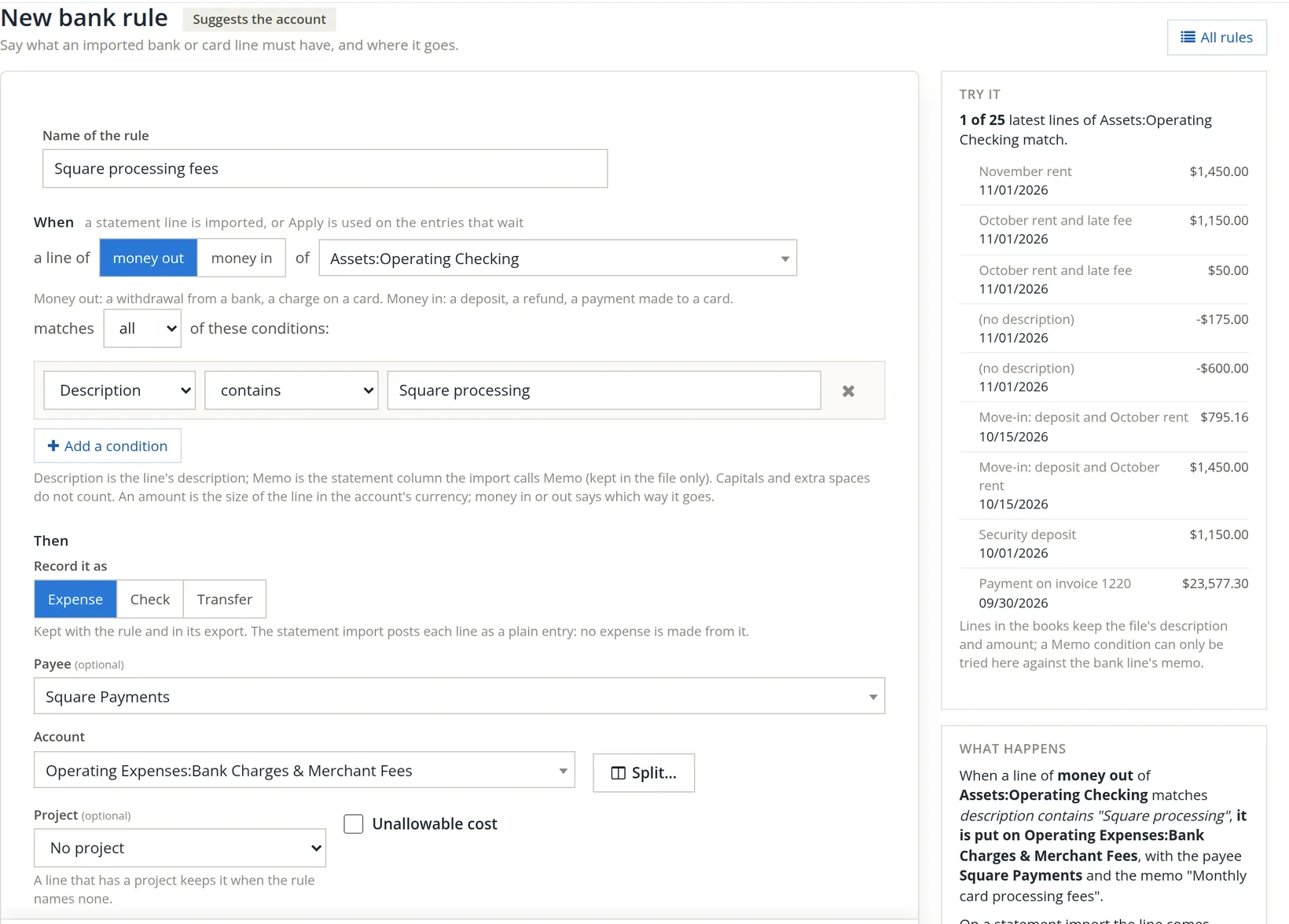
- 1
Name it 1
The name appears beside every line it categorises, so make it say what it catches.
- 2
Money out or in 2, and of which account 3
Money out: a withdrawal, a card charge. Money in: a deposit, a refund, a payment to a card. Choose one account, or all bank and card accounts.
- 3
Set the conditions 4 5
Description, Memo or Amount; contains, doesn't contain or is exactly. Capitals and extra spaces do not count. Match all conditions, or any. Add a condition 6 for more.
- 4
Say where it goes 7 8 9
Record it as an expense, a check or a transfer, the payee, and the account. Split… divides a line over several accounts, for example a bill that covers two kinds of cost. The choice of expense, check or transfer is "kept with the rule and in its export": the statement import still posts each line as a plain entry, so no expense document is made from it.
- 5
Optionally, a project 10 and the unallowable flag 11
Books that keep projects or unallowable-cost flags show this row under the account. Project (optional) stamps the project (and, for a contract project, a Contract line) on every line the rule books; when the rule names no project, "a line that has a project keeps it". Tick Unallowable cost for a cost that may not be billed to a government contract, such as alcohol or entertainment, then say why (10 characters or more) and, optionally, the FAR principle. Square's fees are ordinary overhead, so Summit leaves No project and the box clear. A split rule carries a project and flag on each split line instead.
- 6
Check Try it 12
The side panel runs the rule against the account's latest lines as you type: "1 of 25 latest lines of Assets:Operating Checking match." Too many matches means the condition is too loose.
- 7
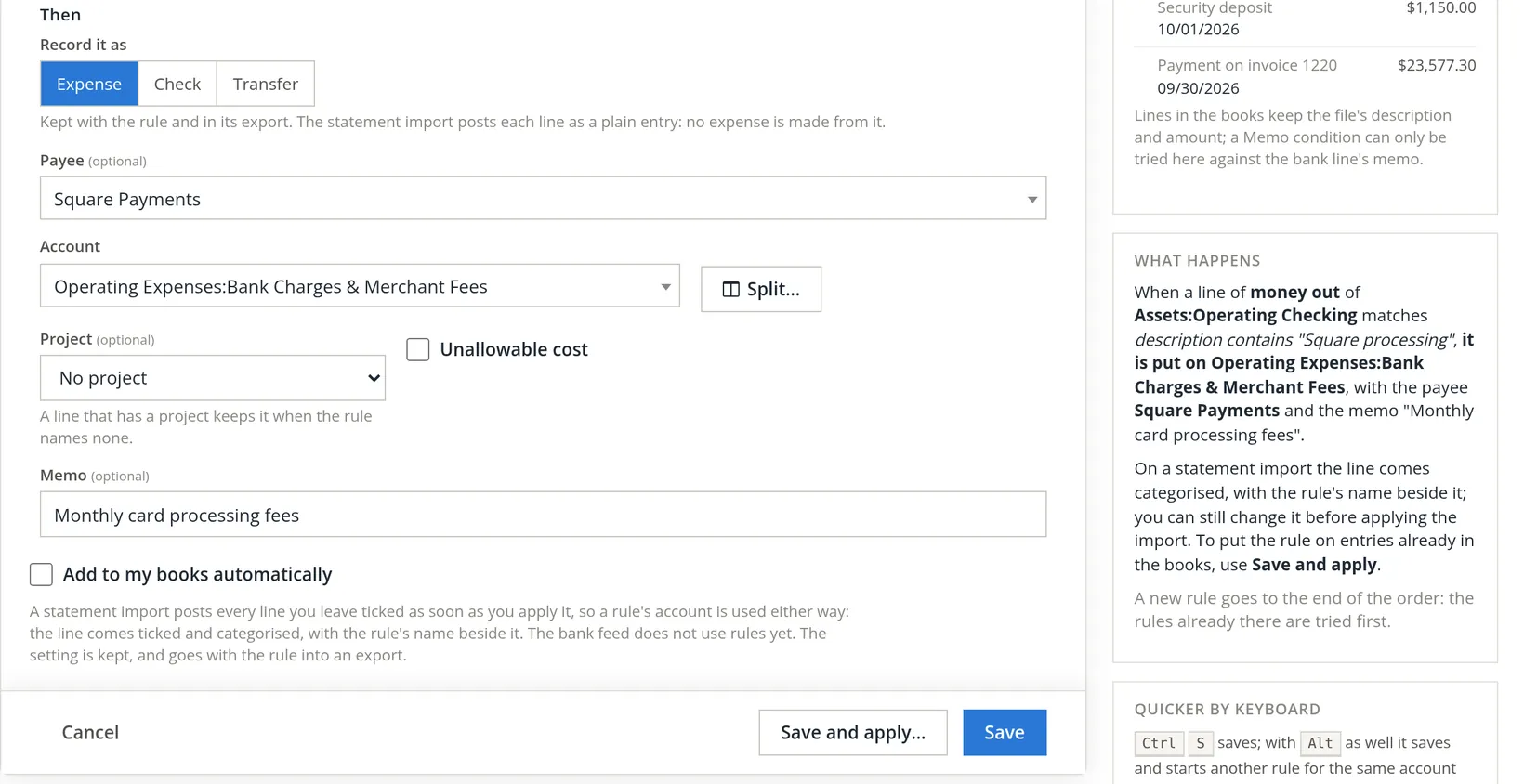
Optionally a memo 1, and Add to my books automatically 2
Leave automatic adding off until the rule has proved itself on a few imports.
- 8
Save 4, or Save and apply… 3
Fuel, software subscriptions, bank fees, utilities, card processors: a dozen rules cover most of a small business's statement. Leave the one-off items for a human to look at.
Apply a rule to entries already in the books
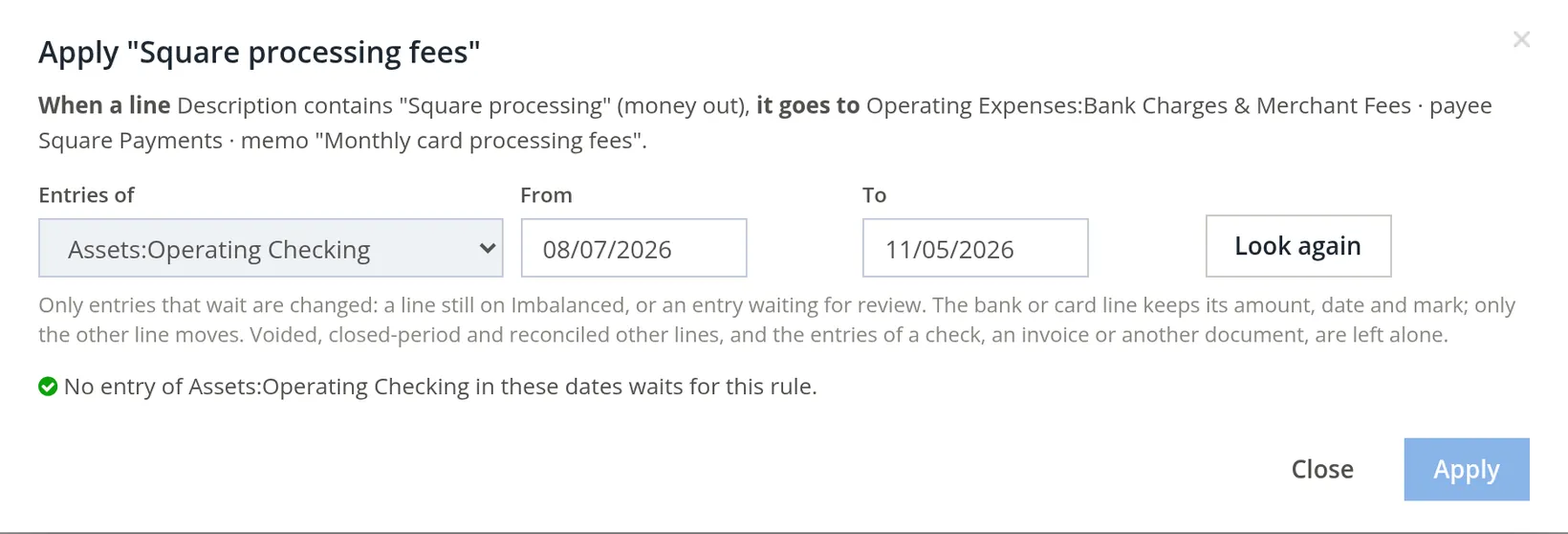
Save and apply…, or Apply… on the rules list, opens a window: choose the account and dates and click Look again. Only entries that are still waiting are changed: lines left on Imbalanced or waiting for review. Reconciled, closed-period, voided entries and those belonging to a document (a check, an invoice) are never touched.
The Bank rules page
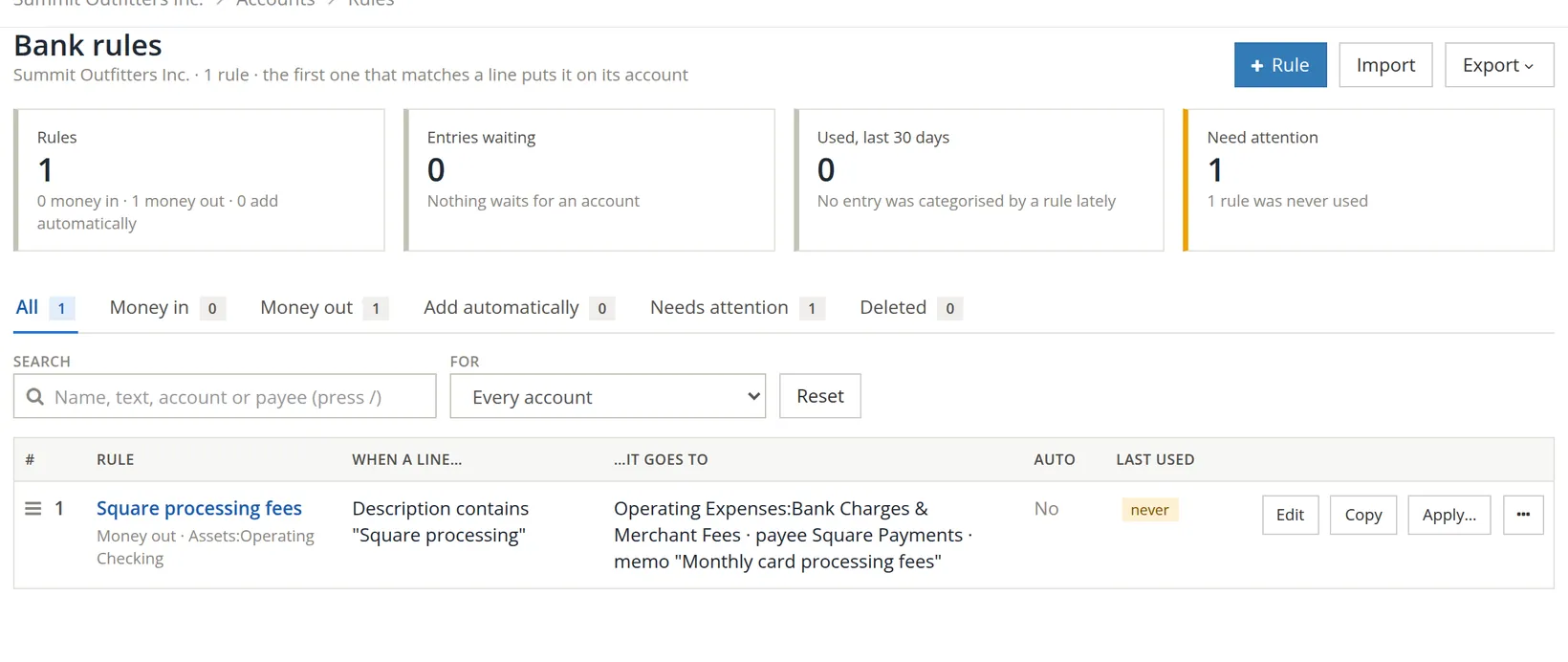
- Order: drag the handle at the left of a row; the first match wins, so put narrow rules above broad ones.
- Copy a rule to make a similar one for another account.
- Export and Import move rules between companies, for example to a client's books. Projects, contract lines and unallowable flags are not exported: the file says so in its last heading, and you set them on the rule after the import.
- Deleted rules are kept on their own tab, so you can see what used to apply.
Check your understanding
1. Two rules match the same line. Which one is used?
Answer
The one higher in the list.
2. Will Apply change a reconciled entry?
Answer
No. Only entries still waiting for an account are changed.
3. "Try it" says 18 of 25 lines match a rule for one vendor. What is wrong?
Answer
The condition is too broad; make the description text more specific or add a condition.