
Chapter 4.7
Transferring Funds Between Your Accounts
How to record money moved from one of your own accounts to another: checking to savings, the bank to a credit card, cash to the bank, or between the business and its owners.
When you finish this chapter you will be able to:
- Record a transfer between two of your accounts.
- Explain why a transfer is neither income nor an expense.
- Use a transfer to pay a credit card or record an owner's draw.
What a transfer is
A transfer moves money between two accounts the business owns or owes. Nothing is earned or spent, so the Profit and Loss does not change:
| Transfer | Debit | Credit |
|---|---|---|
| Sweep to savings, $25,000.00 | Money Market Savings 25,000.00 | Operating Checking 25,000.00 |
| Common transfer | From | To |
|---|---|---|
| Savings sweep | Checking | Savings |
| Pay the credit card bill | Checking | The credit card account |
| Cash from the till to the bank | Cash on hand | Checking |
| Owner takes money out | Checking | Owner's Draws (equity) |
| Owner puts money in | Owner's Investment (equity) | Checking |
Move money
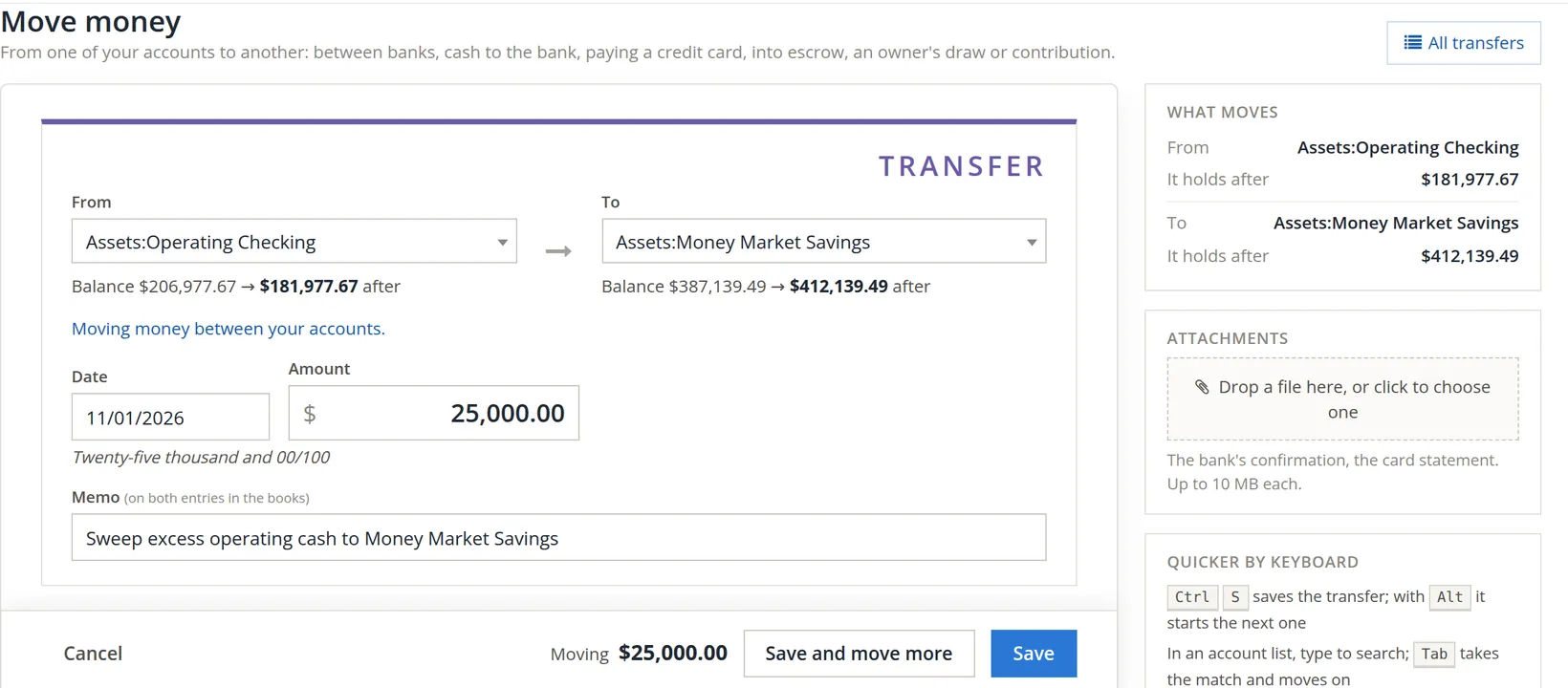
Click Transfer on the Banking page, or Bank Account → Transfer Funds → Move money.
- 1
Choose where it comes from 1 and where it goes 2
Under each, the balance now and after. A line below confirms the kind of transfer, here "Moving money between your accounts."
- 2
Date 3 and amount 4
The date the bank moved the money. The amount is written in words underneath.
- 3
Memo 5, and save 6
The memo goes on both entries. Attach the bank's confirmation in the side panel.
Record a transfer once, here. Entering a withdrawal in one register and a deposit in the other makes two unrelated entries that can drift apart. When you import both bank statements, the two sides of a transfer will appear in both files: keep one, and untick the other.
Check your understanding
1. Does a $25,000 sweep to savings change net income?
Answer
No. Both accounts are the company's own; only where the money sits changes.
2. You pay $703.39 from checking to the Visa card. Which accounts?
Answer
From Operating Checking, to the Business Visa account.
Notes
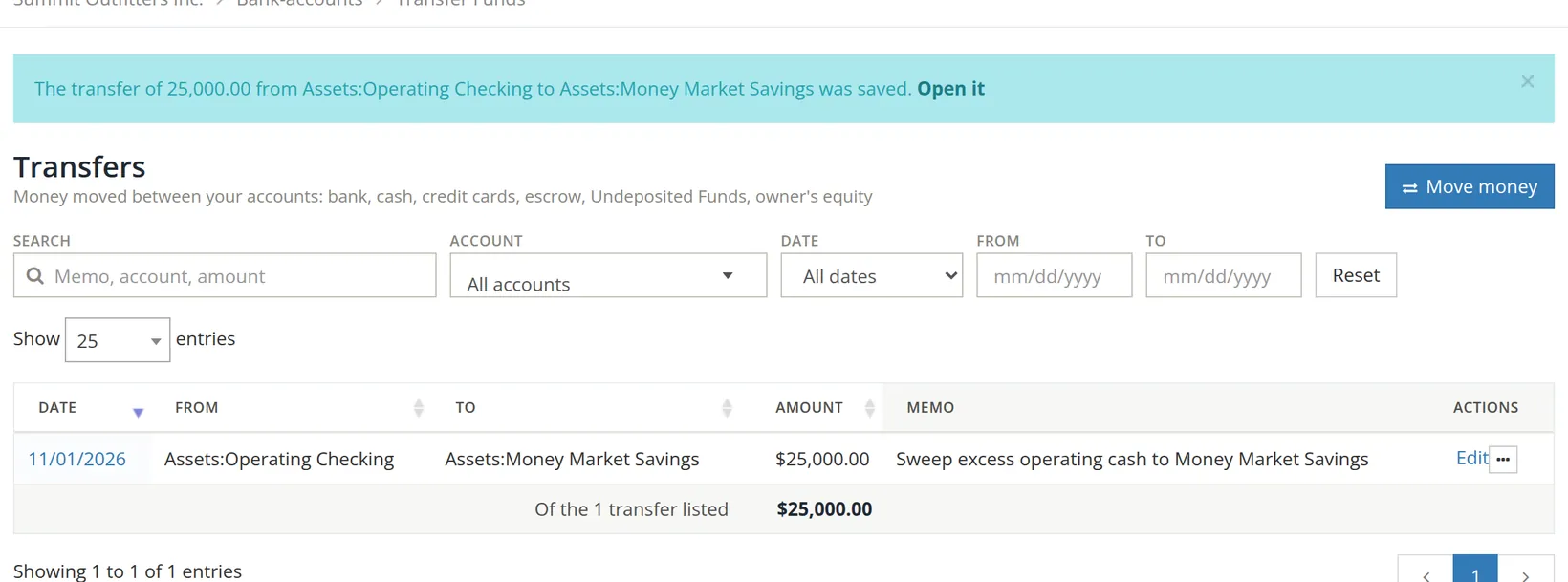
- Summit's earlier monthly sweeps were entered as journal entries, which is why they do not appear here. They are equally correct; the Transfers page simply lists transfers made with this form. ↑