
Chapter 3.5
Vendors and 1099 Details
How to add the businesses and people you buy from, record the tax details needed for 1099s, and see at a glance what you owe each one.
When you finish this chapter you will be able to:
- Find any vendor and see what you owe them.
- Add a vendor with terms and remit-to address.
- Mark a vendor for a 1099 and record their tax ID safely.
- Reach a vendor's bills, checks, expenses and credits from their page.
Contents
The Vendors page
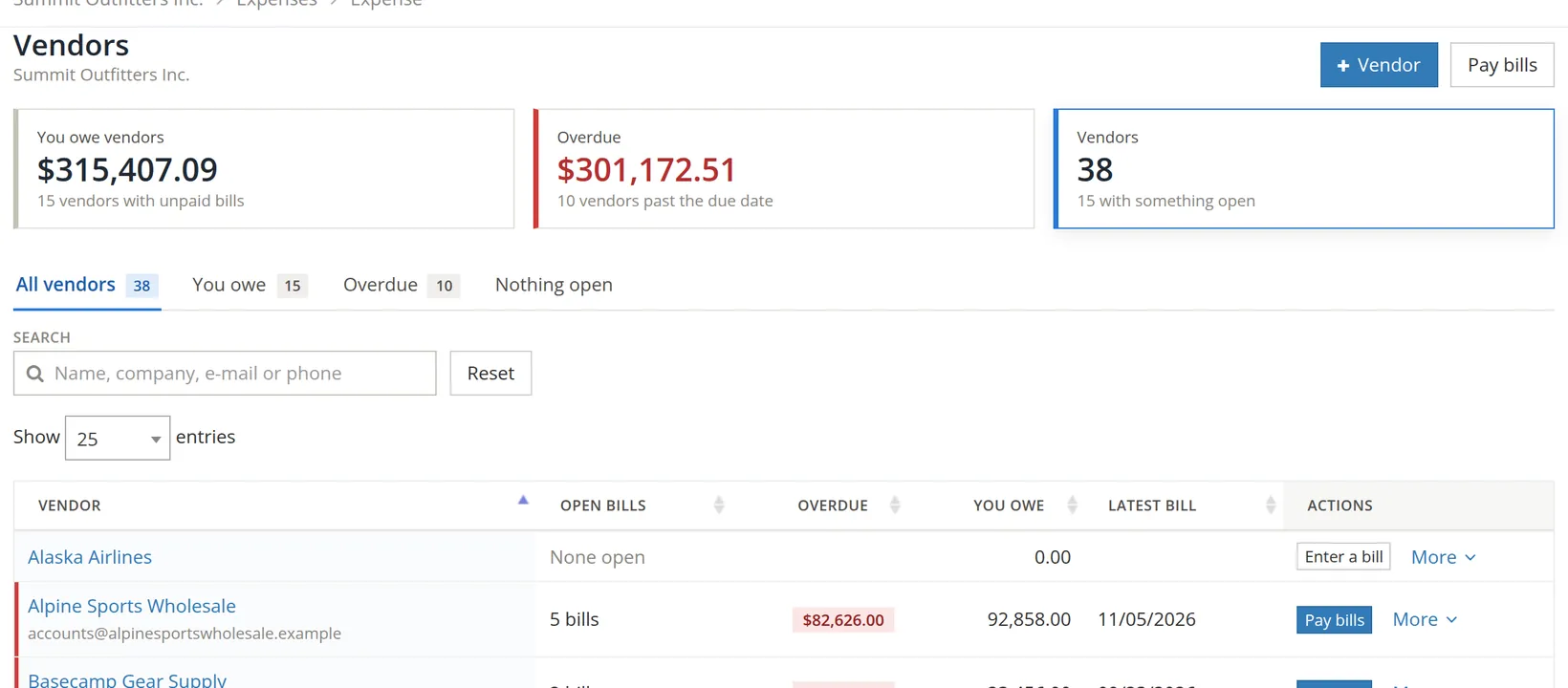
Expenses → Vendors lists everyone you buy from, with the open bills, the overdue amount and what you owe each. It works like the Customers page (Chapter 2.6).
Add a vendor
Click + Vendor. BizBooks360 opens the Contacts page on its Vendors tab; there, click + Contact. The New vendor form opens with Vendor ticked. The name, contact and address parts are the same as for a customer (Chapter 2.6, Procedure A); this chapter covers what is different.
- 1
Fill in the name, contact and address
For a vendor, the address is also where payments go and where their 1099 is mailed, so use the address on their W-9.
- 2
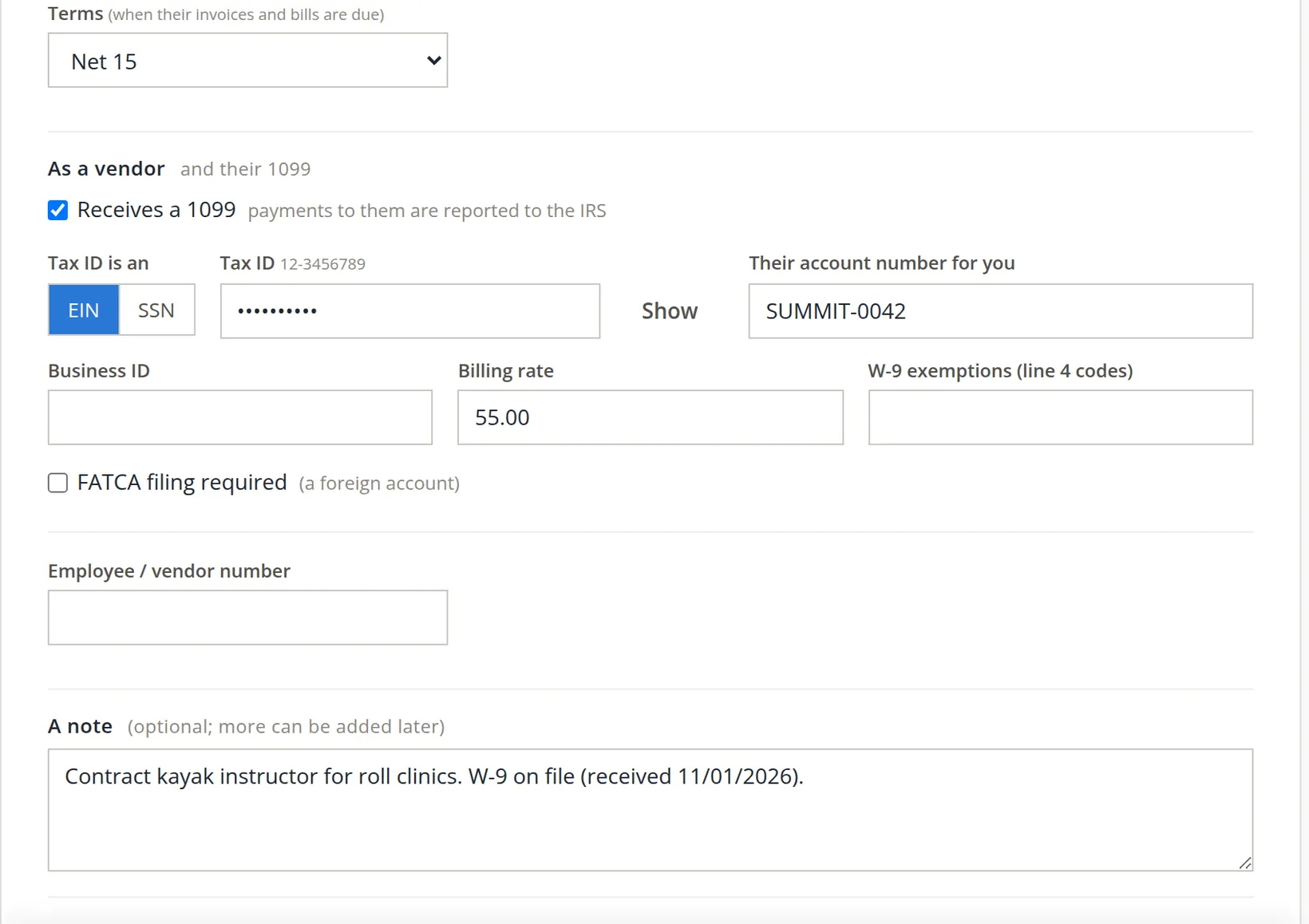
Set their terms 1
New bills from this vendor start with these terms, so due dates are right without thinking.
- 3
For a contractor, tick Receives a 1099 2
"Payments to them are reported to the IRS." Section 2 explains who needs it.
- 4
Choose EIN or SSN 3 and type the tax ID 4
Copy it from their W-9. It is hidden as you type; Show 5 reveals it for a moment to check it.
- 5
Optionally, their account number for you 6 and a billing rate 7
The account number is what they call you; it belongs on every check memo so they can find your payment.
- 6
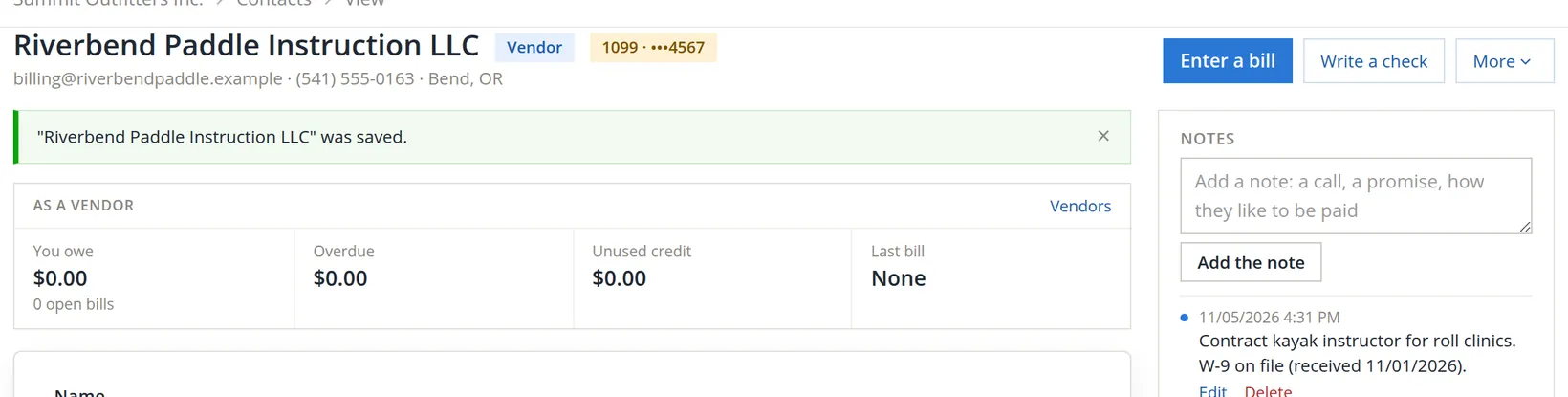
Note where the W-9 is 8, attach it, and save
Drop the W-9 PDF on Files. Then Save the contact.
The 1099 section, explained
| Field | What it is for |
|---|---|
| Receives a 1099 | Puts the vendor on the 1099 report (Chapter 6.9). In general, US businesses must issue a 1099-NEC to unincorporated contractors they pay for services: $2,000 or more in a year for payments made after December 31, 2025 (it was $600 or more through 2025). BizBooks360 applies the $2,000 test from the 2026 tax year.2 |
| EIN or SSN, Tax ID | Printed on the 1099. Kept hidden on screen and shown only as the last four digits elsewhere. |
| W-9 exemptions | The exemption codes from line 4 of their W-9, if any. |
| FATCA filing required | Tick only if the W-9 says so (rare: foreign accounts). |
| Employee / vendor number | Your own reference for them, if you use one. |
Ask for the W-9 before you pay a new contractor anything. In January, chasing W-9s from people you paid months ago is the most painful part of 1099 season.
A vendor's page
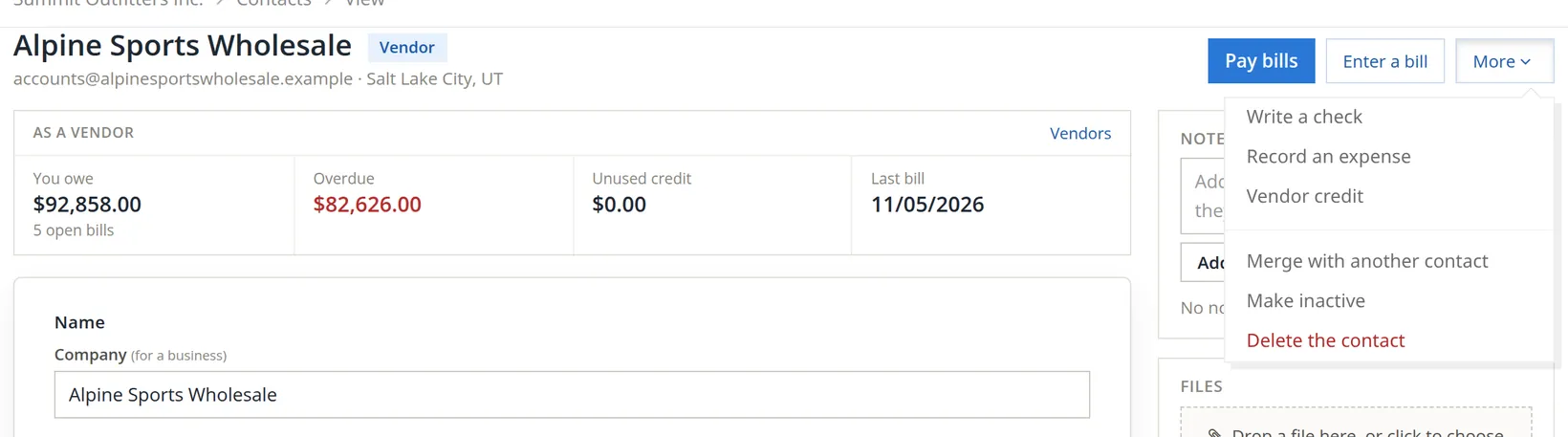
Click a vendor's name. The As a vendor panel shows what you owe, how much is overdue, any unused credit and the last bill. The buttons start a payment or a bill, and More holds the rest.
The Latest documents panel lists their recent bills and credits. When you stop using a vendor that has history, make it inactive rather than deleting it: it leaves the lists but keeps its records. The Named by panel on the contact page says whether anything still refers to it.
If the owner has put vendor changes under approval, a change to a vendor's remit-to address, tax ID, name on checks, payment method or 1099 tick is saved at once but reviewed by a second person. The vendor's page then says, for example, "Changed Nov 5 by A. Morgan: waiting for review." When payments are held, it adds "Checks and bill payments to this vendor wait until a second person reviews the change of its remit-to address or tax ID under Accounts > Approvals." This guards against the classic fraud of a fake e-mail asking you to send payments to a new bank address.
Check your understanding
1. A one-person kayak instructor will be paid about $3,500 in 2026. What do you tick and collect?
Answer
Tick Receives a 1099, and collect their W-9 for the tax ID and address. $3,500 is above the $2,000 line that applies to payments made in 2026.
2. Where does the vendor's own account number for you belong?
Answer
In Their account number for you, and on the memo of every check you send them.
3. You stop using a supplier who has two years of bills. Delete or make inactive?
Answer
Make inactive. The history stays.
Notes
- Notes give background, exceptions and the reasons behind a rule. ↑
- The $2,000 figure is IRC section 6041(a) as amended by P.L. 119-21, for payments made after December 31, 2025; it is indexed for inflation after 2026. The 1099 report in BizBooks360 states the same rule, and the setup checklist says "Payments of $2,000 or more in a year need a 1099 (from 2026)." This is a summary, not tax advice. The threshold, the kinds of payment and who is exempt (most corporations, for example) are set by the IRS; ask your tax preparer. ↑