
Chapter 2.4
One Payment for Several Invoices
When a customer sends one check to cover several invoices, record it once and let BizBooks360 spread it over the invoices, oldest first, or decide yourself what each invoice gets.
When you finish this chapter you will be able to:
- Record one payment against several invoices of the same customer.
- Let the amount spread itself oldest-due first, or set each invoice's share by hand.
- Read Applied to the invoices and Left to apply before saving.
Contents
Why one payment, not three
You could open each invoice and receive a slice of the check on each. But one check is one deposit, one line on the bank statement and one receipt for the customer. Recording it once, here, keeps all of those matched, and it is faster.
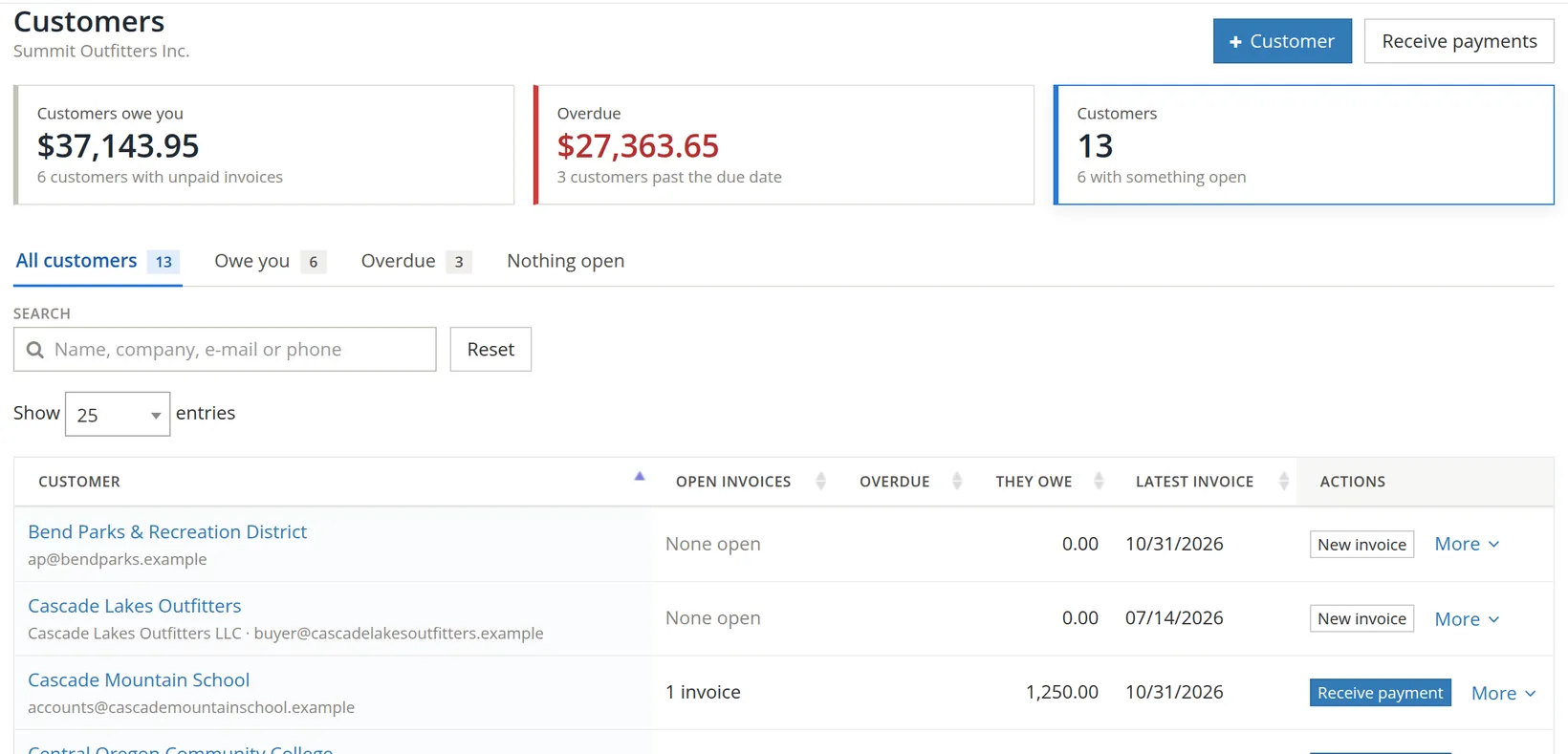
Open it from Sales → Combined Invoice Payments, from Receive payments on the Invoices or Customers page, or from For several invoices on any single payment.
Receive one payment for several invoices
- 1
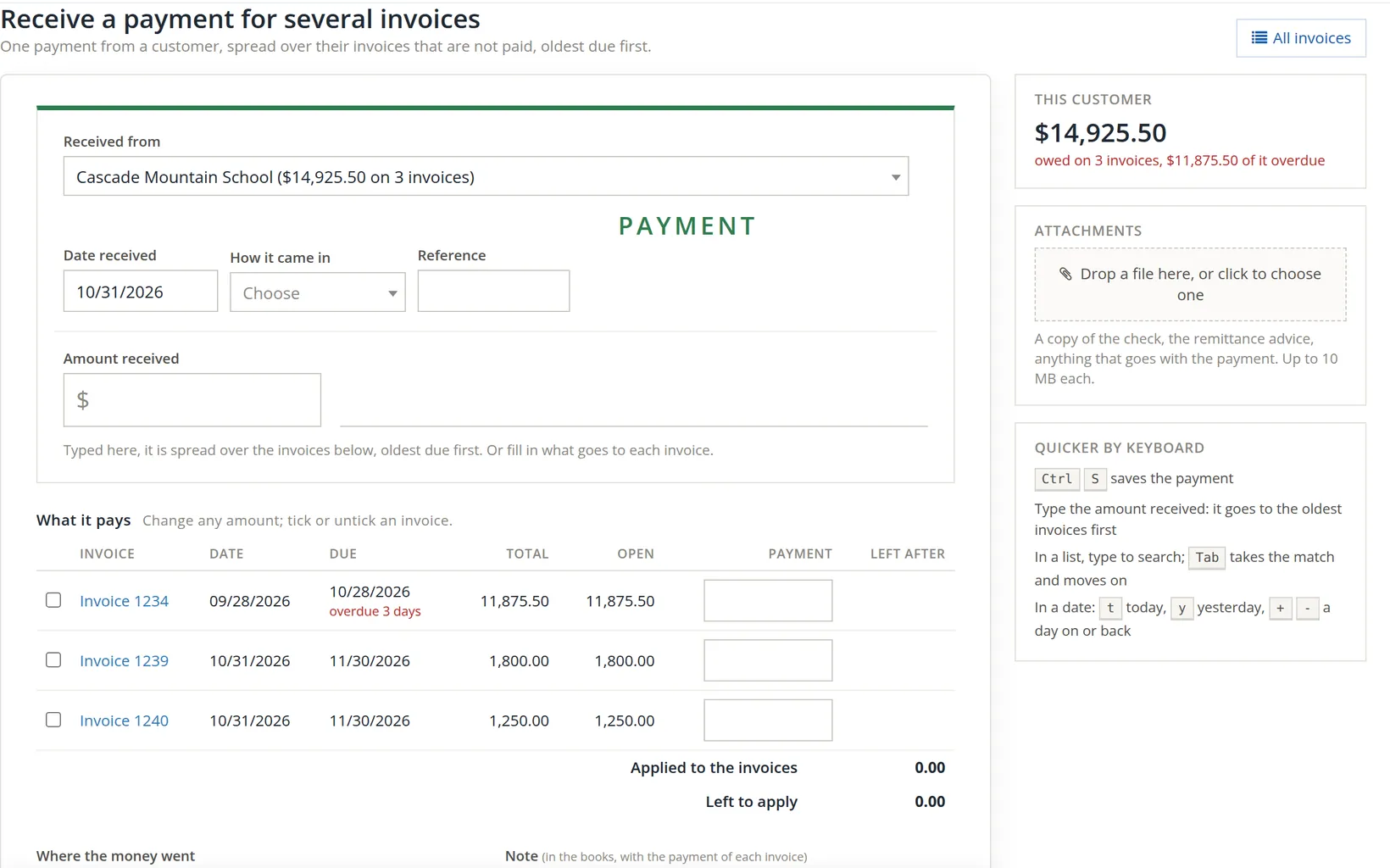
Choose who paid 1
The list shows only customers who owe something, with the amount and the number of invoices: "Cascade Mountain School ($14,925.50 on 3 invoices)". Their unpaid invoices fill the table.
- 2
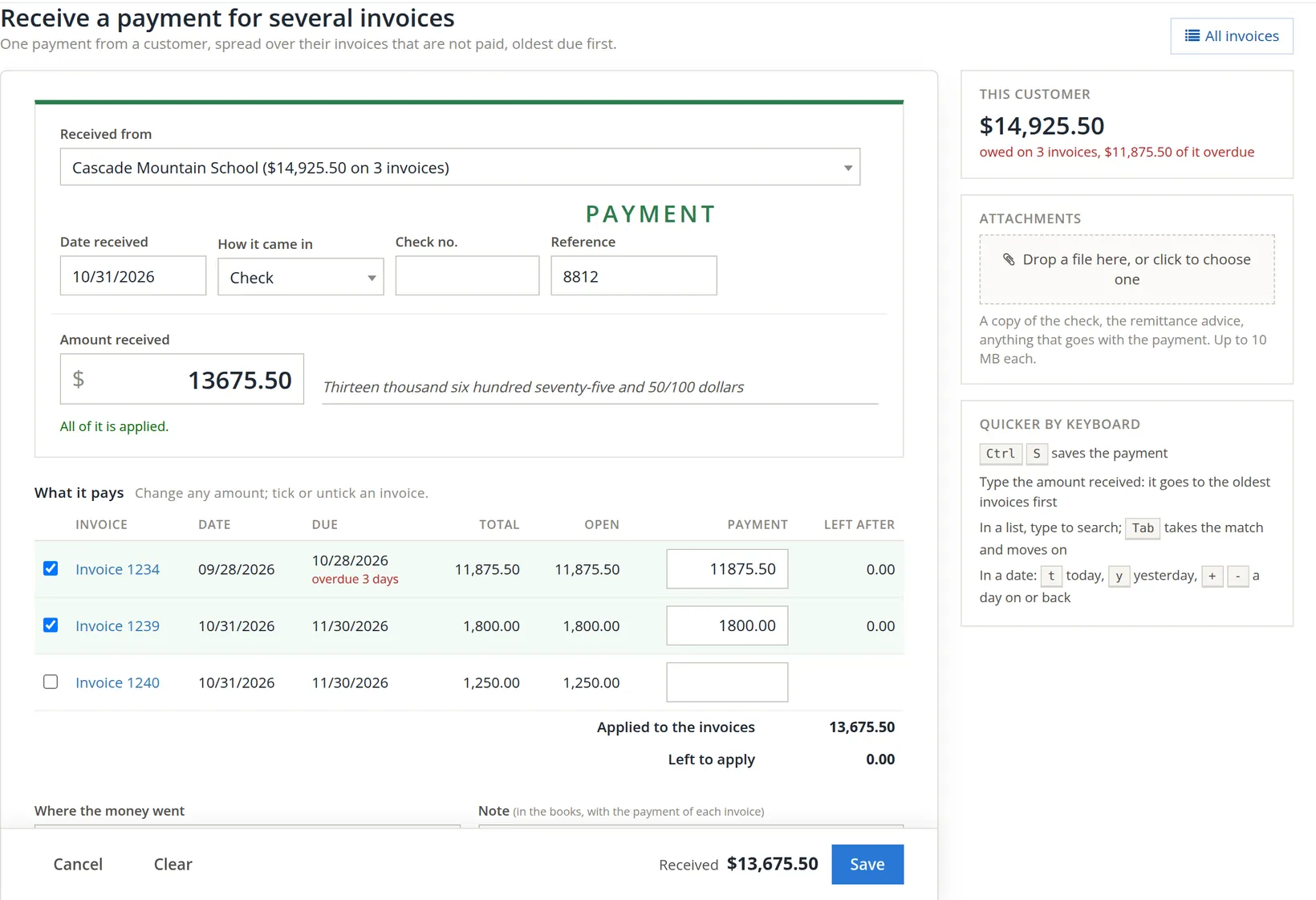
Choose how it came in 1 and type the check number 2
Choosing Check adds a Check no. box. Put the number there, not in Reference 3: the check number prints on the receipt as "Check, no. 8812".2
- 3
Type the amount received 4, then press Tab
The amount spreads over the invoices, oldest due first: $11,875.50 clears invoice 1234 and $1,800.00 clears 1239 6. Nothing is left for 1240, so its box stays empty and unticked 7. Under the amount, All of it is applied 5 confirms there is nothing left over.
- 4
Change the split if the customer said otherwise
If the remittance advice says "pay 1240 first", untick or tick invoices and type the amount for each. Watch Applied to the invoices and Left to apply 8: Left to apply should be 0.00.
- 5
Choose where the money went, add a note, and save 9
A check goes to Undeposited Funds until you deposit it (Chapter 2.3, Section 4). The note is kept with the payment on each invoice.
"Oldest first" is a sensible default, but if the customer's advice lists invoices, apply it exactly as they say. When they later ask "which invoices did our check 8812 pay?", your answer and their records will agree.
How the amount is spread
| Invoice | Due | Open | Payment | Left after |
|---|---|---|---|---|
| 1234 | 10/28/2026 (overdue) | 11,875.50 | 11,875.50 | 0.00 |
| 1239 | 11/30/2026 | 1,800.00 | 1,800.00 | 0.00 |
| 1240 | 11/30/2026 | 1,250.00 | – | 1,250.00 |
| Total | 14,925.50 | 13,675.50 | 1,250.00 |
The rule: fill the invoice due earliest, then the next, until the money runs out. Two invoices due the same day are filled in number order. An invoice that gets only part of the money becomes partly paid.
Afterwards
The banner names every invoice the payment touched: "Payment of $13,675.50 from Cascade Mountain School on invoices 1234, 1239 was saved." Receive another clears the form for the next check in the pile.

Common mistakes and how to fix them
| Mistake | What happens | Fix |
|---|---|---|
| Recording one check as several separate payments | Slower, and easy to mistype one slice so the parts no longer add up to the check. | Delete the extras and record once here. |
| Saving with money left to apply | Part of the check belongs to no invoice. | Apply it, or keep it as a customer credit (Chapter 2.5). |
| Spreading oldest-first when the customer specified invoices | Your records and theirs disagree. | Open the payment and set each invoice's amount as the advice says. |
| Check number typed in Reference | The receipt does not show it as a check number. | Open the payment and move the number to Check no. |
Check your understanding
1. A customer owes $500 (due Oct 1), $800 (due Oct 15) and $300 (due Nov 1), and pays $1,000 with no instructions. How is it spread?
Answer
$500 to the October 1 invoice, $500 to the October 15 invoice (leaving $300 on it), nothing to the November 1 invoice.
2. What should Left to apply show before you save?
Answer
0.00, unless you mean to keep part of the money as a credit.
3. Why record one check once instead of on each invoice?
Answer
One check is one deposit and one line on the statement; one payment keeps the receipt, the deposit and the reconciliation matched.